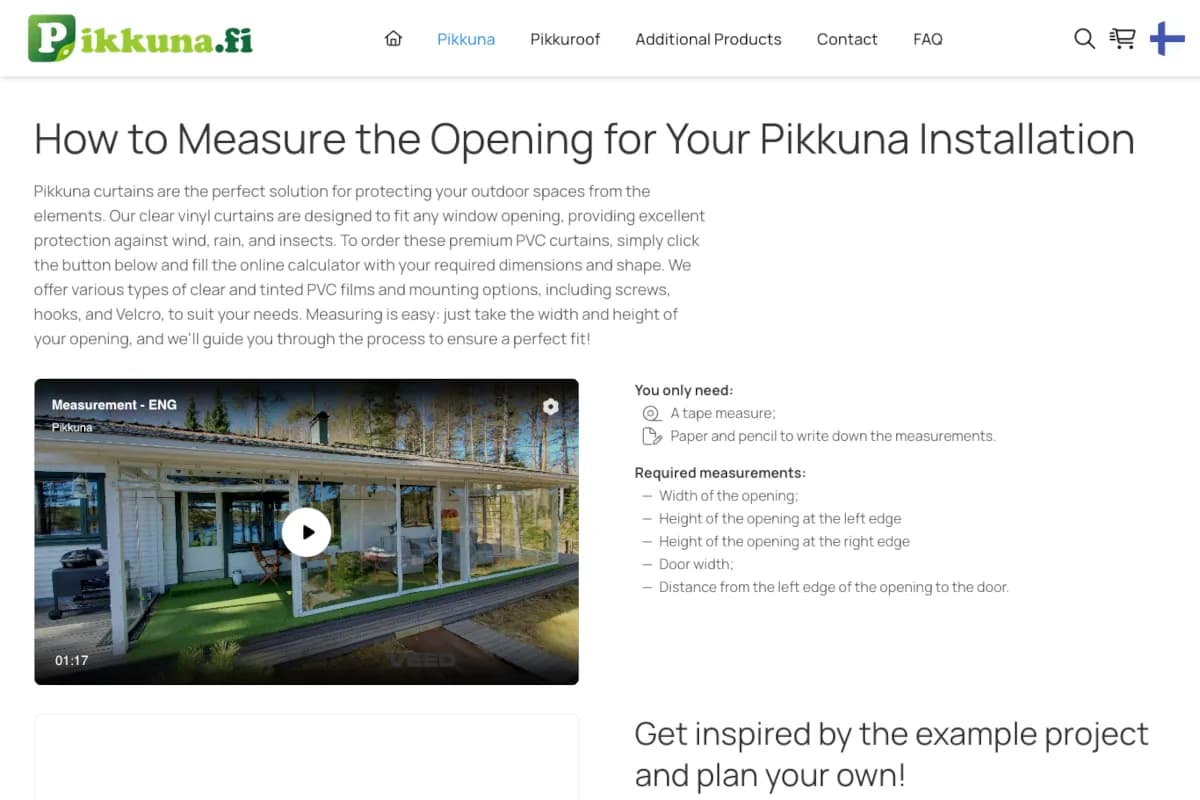
E-commerce platform with 30 locales, product configurators, AI chatbot, and fully automated order flow: Stripe → Zoho CRM → Airtable → Mailgun → PDF.
Automated PostNord label generation for 20–50 daily shipments, replacing 5–7 minutes of manual portal work per order.
Stack
Libraries
Key Results
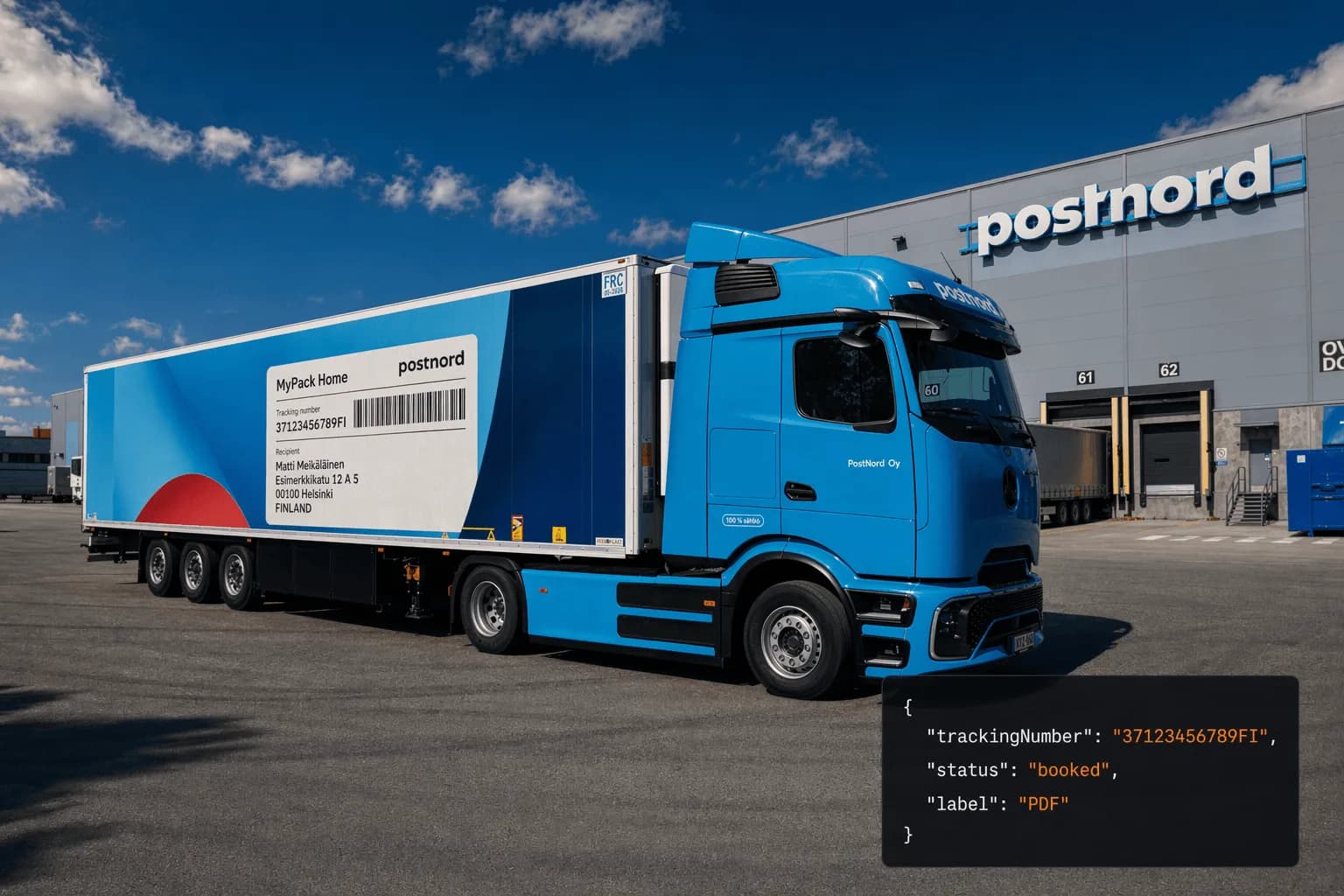
Before this integration, every PostNord shipment at Pikkuna was created by hand. A staff member would open the order in Airtable, copy the recipient’s name, address, and phone number into the PostNord web portal, generate a label, download it, upload it back to the record, and then manually email the tracking number to the customer. Five to seven minutes per shipment. With 20–50 shipments going out each day, that was up to five hours of pure mechanical work – the kind that produces typos, missed tracking emails, and staff who have better things to do.
The requirements were straightforward:
I replaced the entire manual routine with a single automated step. When the factory marks an order ready in Airtable, the system now takes over: it reads the customer’s details, books the PostNord shipment, generates the shipping label, saves the tracking number, and stores the label back on the order – all without anyone opening the shipping portal.
Multi-package orders are handled the same way, with their labels combined into one file ready to print. If saving the label to Airtable ever fails, the shipment still goes through and the label is returned so warehouse staff can print immediately – a storage hiccup never blocks a shipment. The result is that the five-to-seven-minute manual routine per order disappears, along with the typos and forgotten tracking emails that came with it.
| Metric | Value |
|---|---|
| Manual work per shipment | 5–7 min portal work → single API call |
| Daily shipments automated | 20–50 |
| Shipment errors | Reduced to a few isolated cases per month |
| Multi-package support | Merged thermal PDF per order |
| Label format | PDF 100×150mm (PostNord LABEL) |
| Trigger | GET /api/postnord/create-shipment?id={orderId} |
| Data source | Airtable (no CRM lookup) |
| Tracking storage | Airtable field + base64 in API response |
For the technically curious, here is how the integration is built. It lives in a single Next.js route handler: a GET request to /api/postnord/create-shipment?id={orderId}. Airtable automation calls this endpoint when the factory marks an order ready. The handler reads the order fields, books the shipment through the PostNord REST API v3, and stores everything back – label and tracking number – before returning a response.
There is no SDK for PostNord, so the integration uses native fetch throughout.
PostNord provides separate sandbox and production environments with different base URLs and API keys. The handler selects the correct credentials at startup based on a single environment variable:
const POSTNORD_MODE = process.env.POSTNORD_MODE || "sandbox";
const IS_PRODUCTION = POSTNORD_MODE === "production";

const POSTNORD_API_KEY = IS_PRODUCTION
  ? process.env.POSTNORD_PRODUCTION_API_KEY
  : process.env.POSTNORD_SANDBOX_API_KEY;

const POSTNORD_BASE_URL = IS_PRODUCTION
  ? process.env.POSTNORD_PRODUCTION_BASE_URL // https://api2.postnord.com
  : process.env.POSTNORD_SANDBOX_BASE_URL; // https://atapi2.postnord.com

const POSTNORD_APPLICATION_ID = IS_PRODUCTION
  ? process.env.POSTNORD_PRODUCTION_APPLICATION_ID || "2477"
  : process.env.POSTNORD_SANDBOX_APPLICATION_ID || "1438";
The API key is passed as a query parameter on every request – PostNord’s convention, not an Authorization header. Switching from sandbox to production during development required only a single env change; nothing in the request logic changes.
Airtable lookup fields return arrays rather than strings. Country codes are not always ISO 3166-1 alpha-2 – the UK arrives as UK rather than GB, which PostNord rejects. Phone numbers come in mixed formats. All of this needs to be corrected before the PostNord request goes out:
// Airtable lookup fields return arrays
let code = Array.isArray(countryCode) ? countryCode[0] : countryCode;

// UK → GB (PostNord requires ISO 3166-1 alpha-2)
if (code === "UK") code = "GB";

// Phone normalization
let formatted = phone.replace(/[\s\-]+/g, "");
if (!formatted.startsWith("+")) formatted = "+" + formatted;

// Weight and package count default to prevent PostNord rejection
const weight = Number(fields.weight) || 1;
const numberOfPackages = Number(fields.numberOfPackages) || 1;

// loadingDate must always be in the future (PostNord requirement)
const tomorrow = new Date();
tomorrow.setDate(tomorrow.getDate() + 1);
const loadingDate = tomorrow.toISOString();
There was also a legacy data problem. Before November 2025, orders in Airtable stored the delivery address as a single concatenated string – ‘Street, PostalCode City, Country’. When structured fields were introduced, old records were not back-filled. The handler detects the missing fields and falls back to parsing the legacy string:
// Fallback: handle orders created before separate address fields existed
if ((!fields.delivery_street || !fields.delivery_city) && fields.deliveryAddress) {
  const addressParts = (fields.deliveryAddress as string).split(",");
  // Parse "Street, PostalCode City, Country" legacy format
}Every shipment uses service code 17 (MyPack Home – door-to-door). There are no pickup points and no per-country product variations. The consignor is always Suomen Pehmeä Ikkuna Oy in Savitaipale, Finland. The consignee fields come from the normalized Airtable data:
const postnordRequest = {
  messageDate: new Date().toISOString(),
  messageFunction: "Instruction",
  messageId: `ORDER_${orderNumber}_${Date.now()}`,
  application: {
    applicationId: parseInt(POSTNORD_APPLICATION_ID, 10),
    name: "Pikkuna",
    version: "1.0",
  },
  updateIndicator: "Original",
  shipment: [
    {
      service: { basicServiceCode: "17" }, // MyPack Home
      numberOfPackages: { value: numberOfPackages },
      totalGrossWeight: { value: weight, unit: "KGM" },
      dateAndTimes: { loadingDate },
      parties: {
        consignor: {
          issuerCode: "Z14",
          partyIdentification: { partyId: "20839844", partyIdType: "160" },
          party: {
            nameIdentification: { name: "Suomen Pehmeä Ikkuna Oy" },
            address: {
              streets: ["Teollisuustie 10"],
              postalCode: "54800",
              city: "Savitaipale",
              countryCode: "FI",
            },
          },
        },
        consignee: {
          party: {
            nameIdentification: { name: recipientName },
            address: {
              streets: [deliveryStreet],
              postalCode: deliveryPostalCode,
              city: deliveryCity,
              countryCode: recipientCountryCode,
            },
            contact: {
              contactName: recipientName,
              emailAddress: recipientEmail,
              smsNo: recipientPhone,
            },
          },
        },
      },
      goodsItem: Array.from({ length: numberOfPackages }, () => ({
        packageTypeCode: "PC",
        items: [{ grossWeight: { value: weight / numberOfPackages, unit: "KGM" } }],
      })),
    },
  ],
};
PostNord returns tracking numbers and URLs nested inside idInformation – an array of objects, each containing its own ids and urls arrays. Multi-package shipments produce multiple tracking numbers. The handler collects them all:
const idInformation = bookingResponse?.idInformation || [];

const trackingNumbers: string[] = [];
const trackingUrls: string[] = [];

for (const idInfo of idInformation) {
  if (idInfo?.ids && Array.isArray(idInfo.ids)) {
    for (const id of idInfo.ids) {
      if (id?.value) trackingNumbers.push(id.value);
    }
  }
  if (idInfo?.urls && Array.isArray(idInfo.urls)) {
    for (const url of idInfo.urls) {
      if (url?.url) trackingUrls.push(url.url);
    }
  }
}

const trackingNumber = trackingNumbers.join(", ");PostNord returns one label per package. For multi-package shipments, the labels need to be merged into a single PDF before storage. This was added in late November 2025 when the first multi-package orders came through:
const mergePDFs = async (base64PDFs: string[]): Promise<string> => {
  if (base64PDFs.length === 1) return base64PDFs[0];

  const mergedPdf = await PDFDocument.create();
  for (const base64Pdf of base64PDFs) {
    const pdfBytes = Buffer.from(base64Pdf, "base64");
    const pdf = await PDFDocument.load(pdfBytes);
    const copiedPages = await mergedPdf.copyPages(pdf, pdf.getPageIndices());
    copiedPages.forEach((page) => mergedPdf.addPage(page));
  }

  const mergedPdfBytes = await mergedPdf.save();
  return Buffer.from(mergedPdfBytes).toString("base64");
};
The label format also changed during development. The initial implementation requested paperSize=A4. When the labels arrived, the thermal printers at the warehouse rejected them – thermal printers expect paperSize=LABEL (100×150mm). One query parameter change, but it only becomes obvious after you have a physical printer in front of you.
Airtable splits its API surface across two subdomains. Metadata updates – writing the tracking number to a field – go to api.airtable.com. Uploading file attachments goes to a separate endpoint at content.airtable.com. Both calls are required, and using the wrong subdomain for either produces an opaque error:
// 1. Clear the previous label attachment (field name typo is in production)
await fetch(`https://api.airtable.com/v0/${BASE_ID}/${TABLE_ID}/${orderId}`, {
  method: "PATCH",
  body: JSON.stringify({ fields: { shippmentLabel: [] } }),
});

// 2. Upload the merged PDF to the content subdomain
const uploadResponse = await fetch(
  `https://content.airtable.com/v0/${BASE_ID}/${orderId}/shippmentLabel/uploadAttachment`,
  {
    method: "POST",
    body: JSON.stringify({
      file: mergedLabelData,
      contentType: "application/pdf",
      filename: `postnord_label_${orderNumber}.pdf`,
    }),
  }
);
If the Airtable upload fails, the handler logs the error but still returns a successful response with the label as base64. The calling system – whether Airtable automation or the admin UI – can print the label immediately without waiting on Airtable’s content API. This avoids blocking a shipment over a storage failure that has no bearing on whether PostNord accepted the booking.
The integration went through four distinct changes driven by real operational problems:
| Date | Change |
|---|---|
| 2025-11-24 | Added separate delivery_street, delivery_city, delivery_postalCode Airtable fields |
| 2025-11-25 | Added legacy address fallback parser – old orders only had a concatenated string |
| 2025-11-26 | Added pdf-lib, multi-package PDF merging; switched paperSize=A4 → paperSize=LABEL after thermal printers rejected A4 labels |
| 2026-02-02 | Dynamic application ID via env vars for sandbox/production parity |
None of these were speculative design decisions. Each one was a concrete failure in the first days of operation that required a concrete fix.
 Available
Need something similar?
I build custom solutions – from APIs to full products. Let’s talk about your project.
E-commerce platform with 30 locales, product configurators, AI chatbot, and fully automated order flow: Stripe → Zoho CRM → Airtable → Mailgun → PDF.
Vertical SaaS that gives a salon, barbershop or solo beauty specialist their own booking website in minutes.
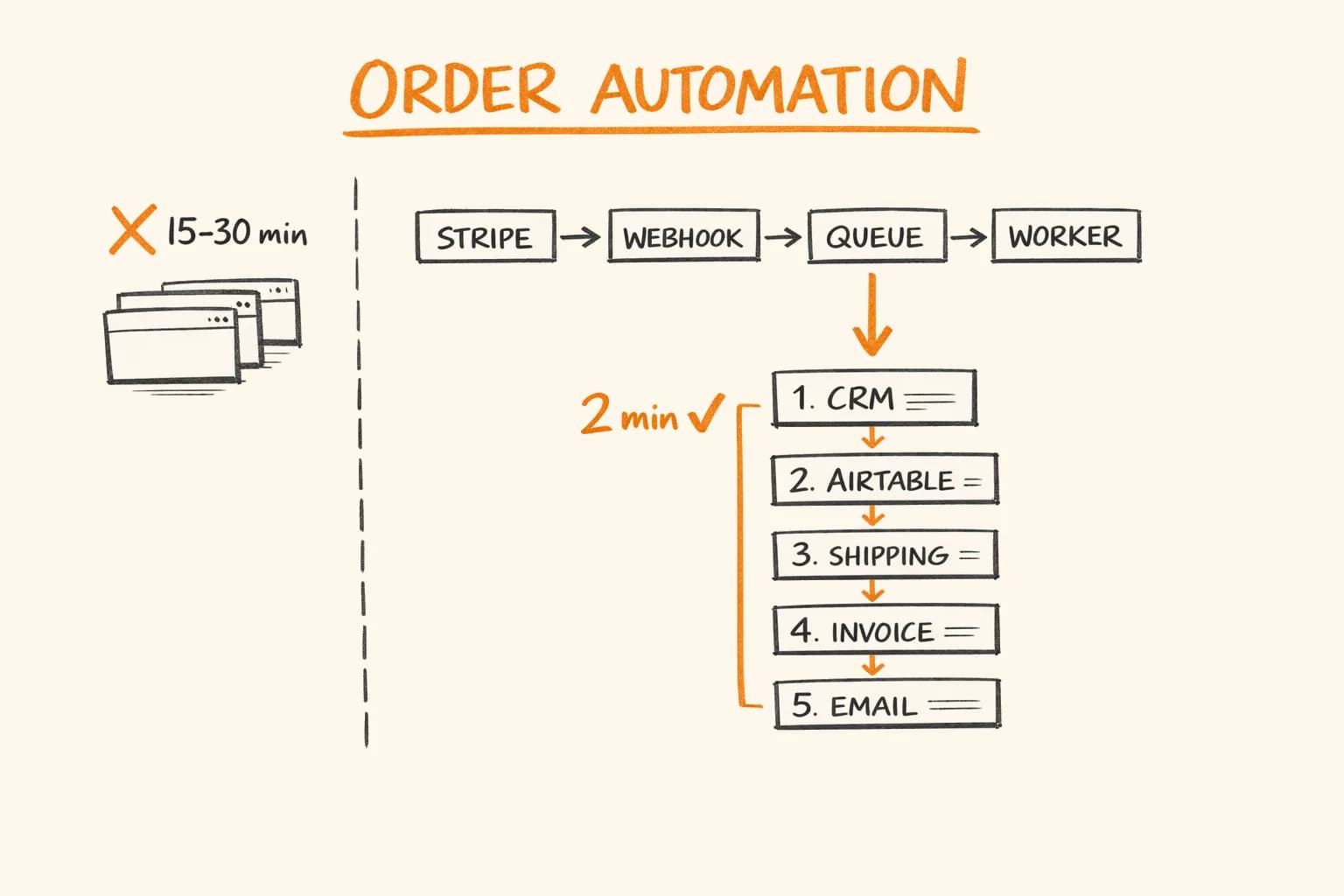
E-commerce order automation that cut 160+ hours/month of manual work to zero: Stripe webhook to VAT invoice and tracking in under 2 minutes.
Libraries
Databases
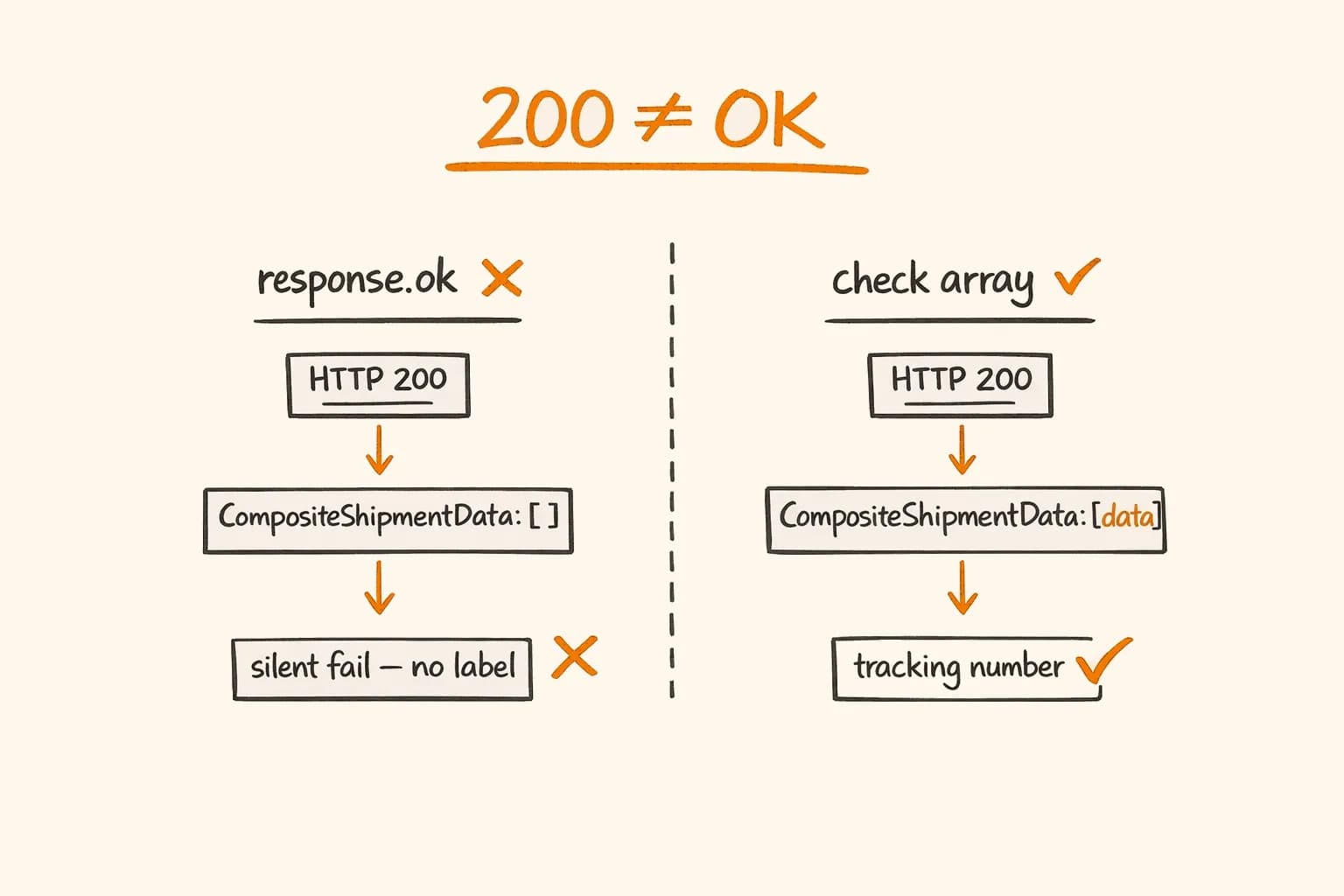
PostNord API and Zoho Desk automation for EU e-commerce, and the gotchas to watch for: 200 OK empty arrays, EU data center URLs, token caching.
Stack
Libraries