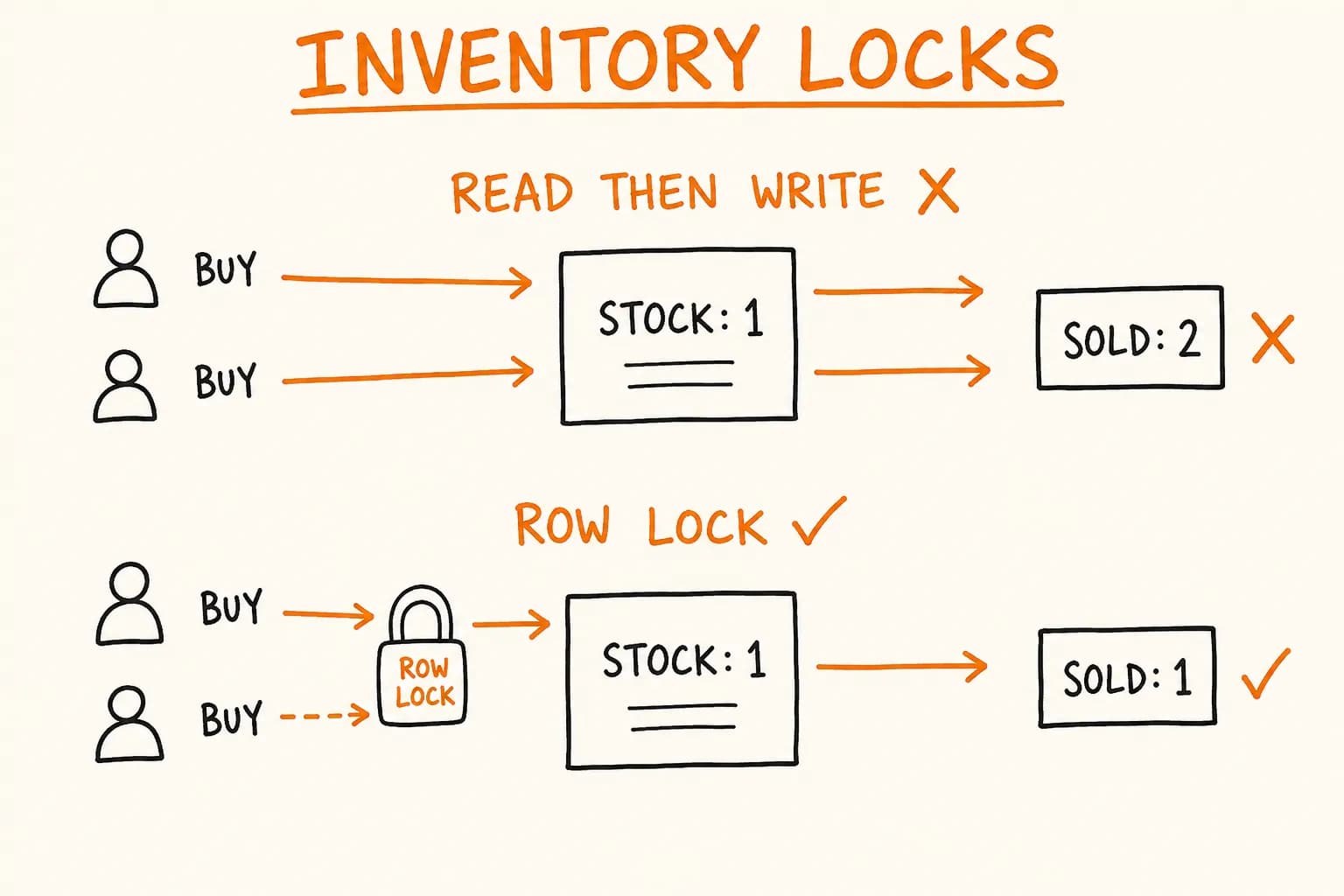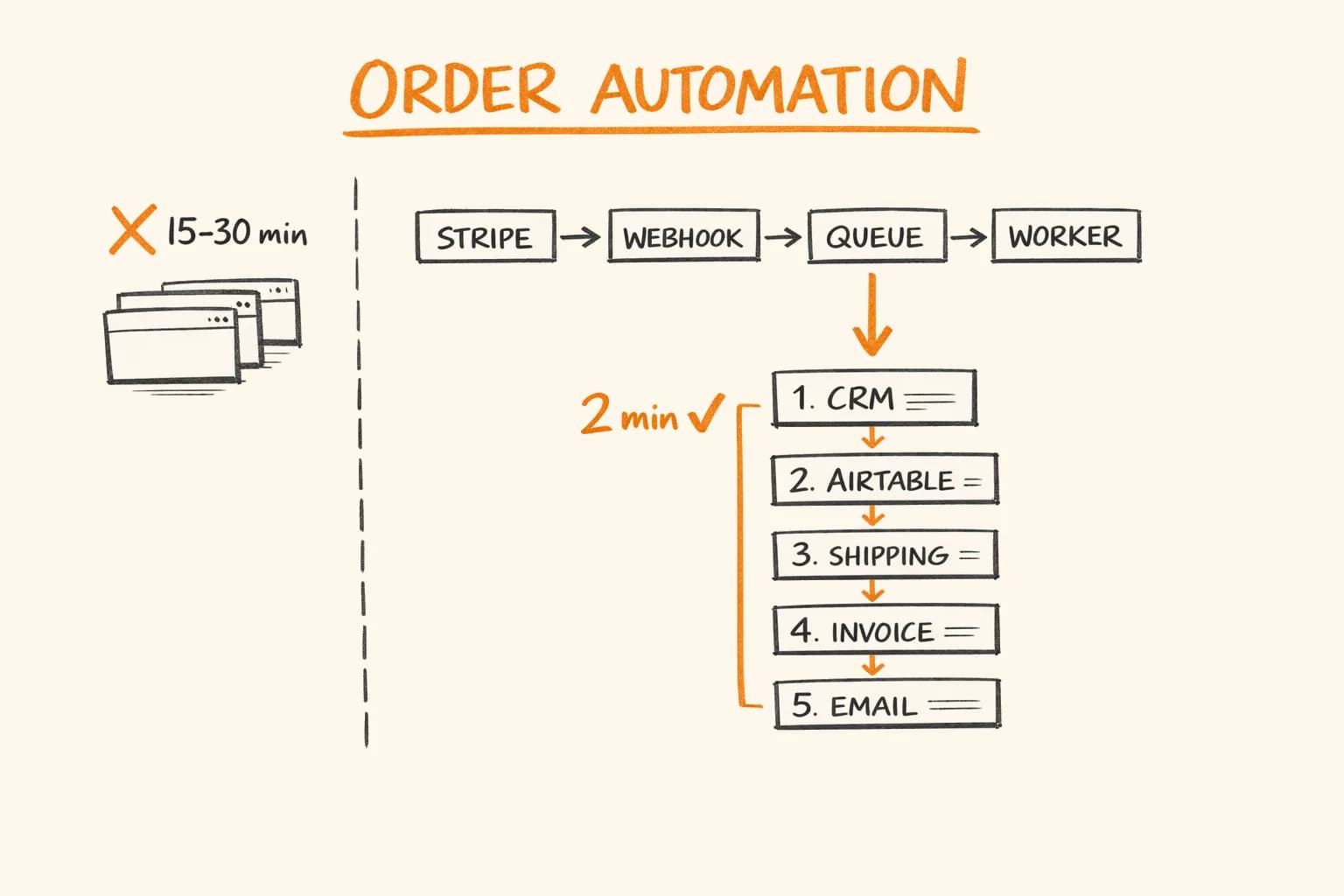
Before I automated order processing at Pikkuna, this is what happened every time someone paid:
A manager received a Stripe email notification. They opened Zoho CRM in one tab, copy-pasted the customer name and address. They opened Airtable in another tab to log the production order. Then PostNord in a third tab to generate the shipping label. Then Netvisor – Finnish accounting software – in a fourth tab to create the invoice. Then back to email to send the confirmation with the tracking number.
Fifteen to thirty minutes per order. Four browser tabs. And every time a field was mis-typed, the wrong address went on the label or the invoice had the wrong amount.
After automation: 0 manual steps. 2 minutes from Stripe payment confirmation to the customer having a tracking number and a VAT invoice in their inbox. No more manual transcription errors.
This is the architecture I built. The snippets below are simplified illustrations of the pattern, not verbatim production code.
The Problem with Manual Order Processing
The obvious cost is time. At 20 orders per day, 20 minutes each – that’s nearly 7 hours of manager time, every day, doing nothing but data entry.
But the hidden cost is worse: errors. A wrong postal code means a returned shipment. A wrong VAT number on an invoice means an accounting problem the customer’s finance team will flag two months later. A missed order means an angry email.
When I started work on Pikkuna, the platform already operated across 30 languages and 32 countries. Manual processing didn’t scale. The solution wasn’t to hire more people to do the same thing – it was to make the computer do it.
The Full Pipeline
Here is the complete automation pipeline, from payment confirmation to customer email:
Stripe (checkout.session.completed)
  └─► Next.js webhook handler
        └─► BullMQ queue (deduplication + retry)
              └─► Order processor worker
                    ├─► 1. Zoho CRM — create contact + deal
                    ├─► 2. Airtable — log production order
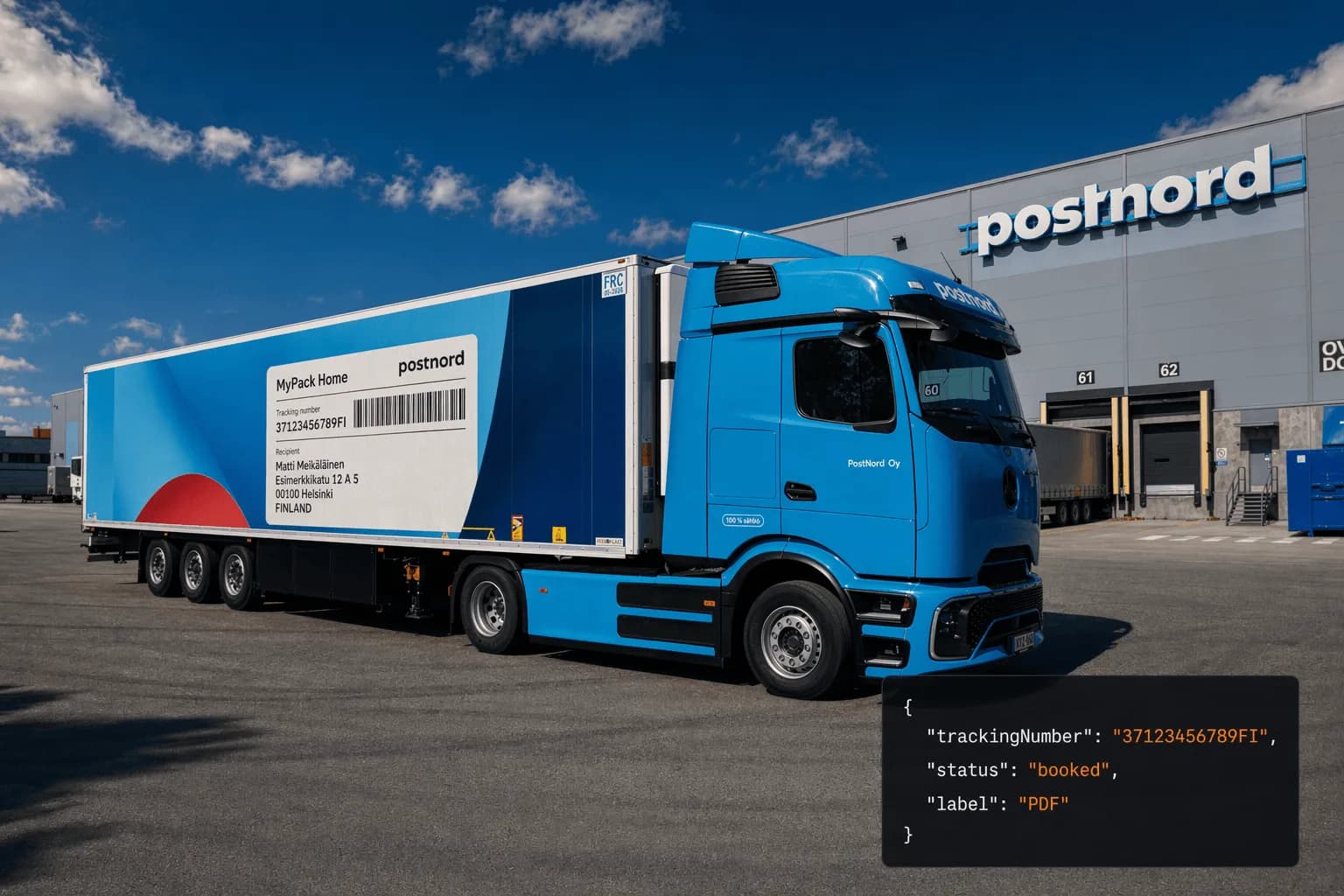
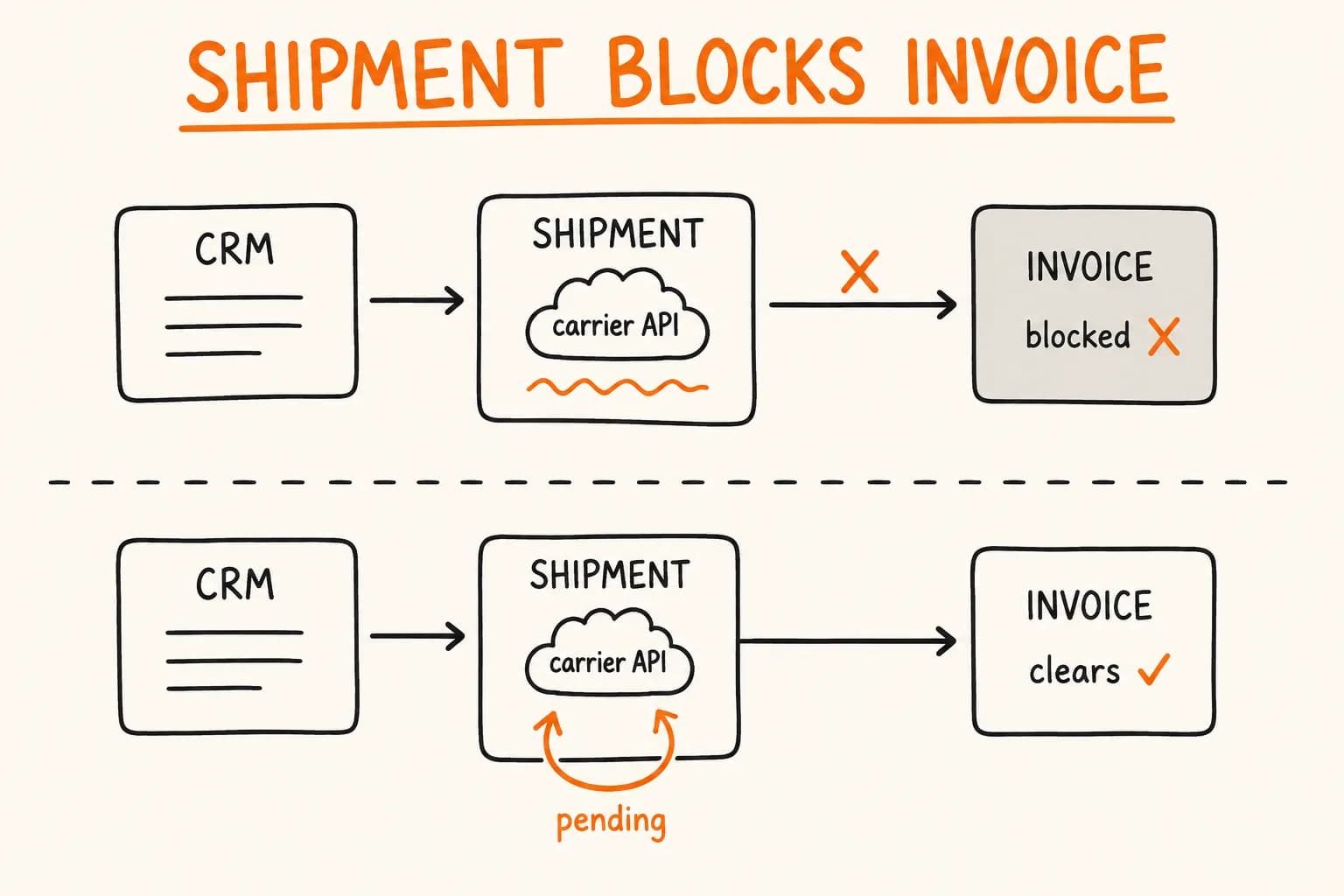
                    ├─► 3. PostNord API — create shipment + label
                    ├─► 4. Netvisor — create VAT invoice
                    └─► 5. Mailgun — send confirmation with tracking
Each step runs sequentially. If any step fails, the worker retries with exponential backoff before leaving the job in the queue for manual inspection. The whole pipeline completes in under 2 minutes on a normal connection.
Step 1: The Webhook Handler
The entry point is a Next.js API route. The most important thing here is reading the raw request body for signature verification – Next.js App Router does not expose it automatically.
// app/api/webhooks/stripe/route.ts
import Stripe from "stripe";
import { orderQueue } from "@/lib/queue";
import { redis } from "@/lib/redis";

const stripe = new Stripe(process.env.STRIPE_SECRET_KEY!);
const WEBHOOK_SECRET = process.env.STRIPE_WEBHOOK_SECRET!;

export async function POST(request: Request): Promise<Response> {
  // Raw body is required for signature verification
  const rawBody = await request.arrayBuffer();
  const signature = request.headers.get("stripe-signature");

  if (!signature) {
    return new Response("Missing stripe-signature header", { status: 400 });
  }

  let event: Stripe.Event;

  try {
    event = stripe.webhooks.constructEvent(Buffer.from(rawBody), signature, WEBHOOK_SECRET);
  } catch (err) {
    return new Response("Webhook signature verification failed", { status: 400 });
  }

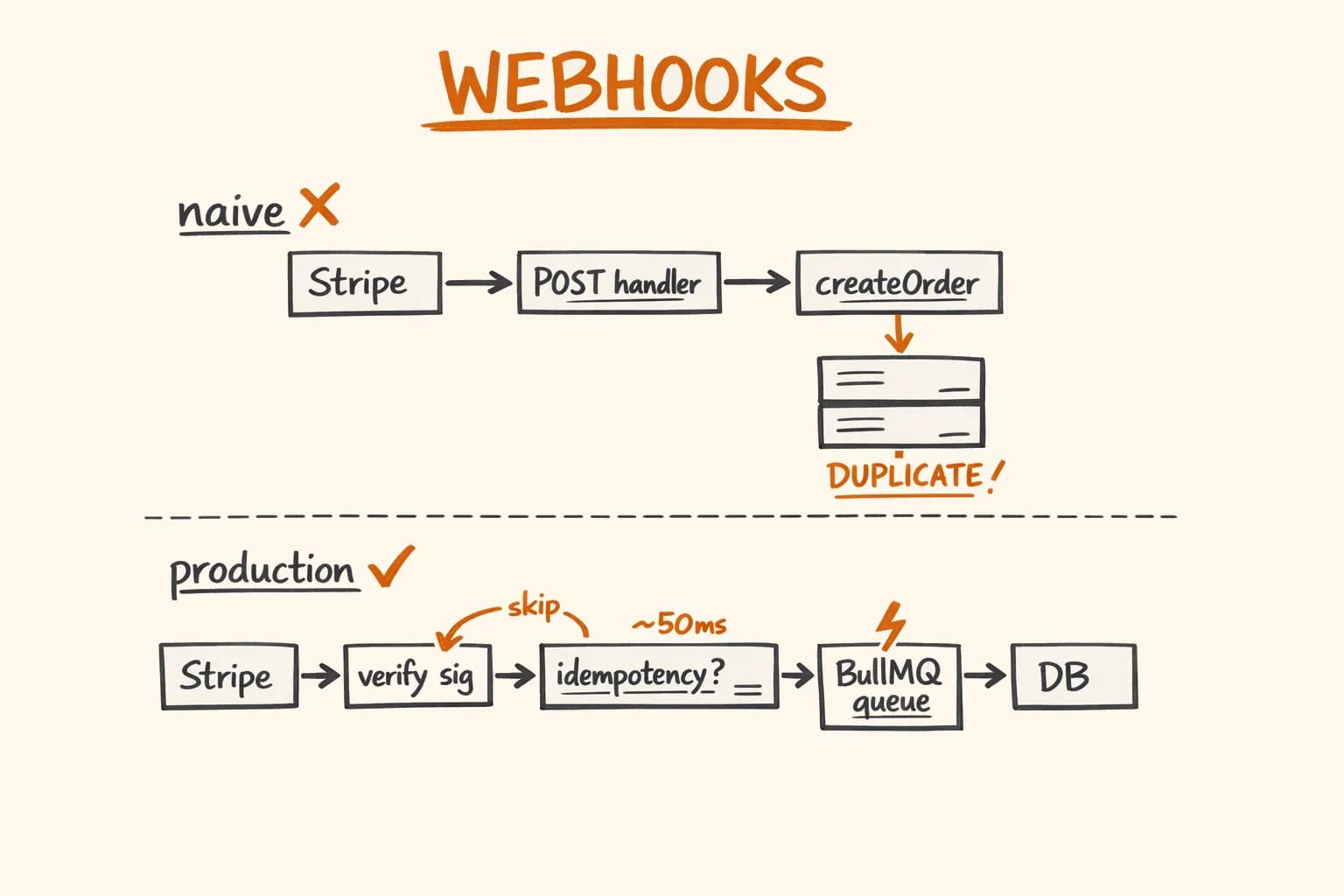
  // Idempotency check: Redis stores processed event IDs for 24 hours.
  // Stripe retries webhooks for up to 72 hours, so without this
  // a single payment can create multiple orders.
  const dedupKey = `stripe:event:${event.id}`;
  const alreadyProcessed = await redis.set(dedupKey, "1", "EX", 86400, "NX");

  if (alreadyProcessed === null) {
    // Event already in queue or processed — respond 200 to stop Stripe retrying
    return new Response("Already queued", { status: 200 });
  }

  if (event.type === "checkout.session.completed") {
    const session = event.data.object as Stripe.Checkout.Session;

    await orderQueue.add(
      "process-order",
      { sessionId: session.id, eventId: event.id },
      {
        attempts: 5,
        backoff: { type: "exponential", delay: 2000 },
        removeOnComplete: { count: 100 },
        removeOnFail: false, // Keep failed jobs for inspection
      }
    );
  }

  // Always return 200 quickly — Stripe expects a fast response.
  // The actual work happens in the BullMQ worker, not here.
  return new Response("Queued", { status: 200 });
}
The key design decision: the webhook handler does almost nothing. It verifies the signature, checks for duplicates, and puts the job in a queue. If the Zoho API is slow or PostNord times out, that’s the worker’s problem – not the webhook endpoint’s. For a deeper look at the webhook architecture itself, see Stripe Webhooks Done Right.
Step 2: The BullMQ Worker
The worker runs as a separate long-lived process. It pulls jobs off the queue and runs the pipeline steps in order.
// workers/order-processor.ts
import { Worker, Job } from "bullmq";
import { redis } from "@/lib/redis";
import { fetchOrderDetails } from "@/lib/stripe";
import { createZohoDeal } from "@/lib/zoho";
import { logAirtableOrder } from "@/lib/airtable";
import { createPostNordShipment } from "@/lib/postnord";
import { createNetvisorInvoice } from "@/lib/netvisor";
import { sendConfirmationEmail } from "@/lib/mailgun";

interface OrderJobData {
  sessionId: string;
  eventId: string;
}

const worker = new Worker<OrderJobData>(
  "orders",
  async (job: Job<OrderJobData>) => {
    const { sessionId } = job.data;

    // Fetch full order details from Stripe (customer, line items, shipping)
    const order = await fetchOrderDetails(sessionId);

    // Each step returns data needed by subsequent steps.
    // Failures throw — BullMQ handles retry with backoff.
    const { dealId } = await createZohoDeal(order);
    await logAirtableOrder(order, { dealId });
    const { trackingNumber, labelUrl } = await createPostNordShipment(order);
    const { invoiceNumber } = await createNetvisorInvoice(order, { trackingNumber });

    await sendConfirmationEmail(order, { trackingNumber, labelUrl, invoiceNumber });

    return { dealId, trackingNumber, invoiceNumber };
  },
  { connection: redis, concurrency: 3 }
);

worker.on("failed", (job, err) => {
  if (!job) return;

  // Final failure (all retries exhausted) stays in the queue for
  // manual inspection via the BullMQ dashboard — see below.
  if (job.attemptsMade >= (job.opts.attempts ?? 1)) {
    console.error(`Order pipeline failed after ${job.attemptsMade} attempts: ${err.message}`);
  }
});
Step 3: Zoho CRM Integration
Zoho’s API requires creating a contact and a deal separately. I batch this into one logical operation:
// lib/zoho.ts
interface ZohoOrderResult {
  dealId: string;
  contactId: string;
}

export async function createZohoDeal(order: Order): Promise<ZohoOrderResult> {
  const token = await getZohoAccessToken(); // Handles OAuth token refresh

  // Upsert the contact (search by email, create if not found)
  const searchResponse = await fetch(
    `https://www.zohoapis.eu/crm/v3/Contacts/search?criteria=(Email:equals:${encodeURIComponent(order.customerEmail)})`,
    { headers: { Authorization: `Zoho-oauthtoken ${token}` } }
  );

  let contactId: string;

  if (searchResponse.ok) {
    const existing = await searchResponse.json();
    contactId = existing.data?.[0]?.id ?? (await createContact(order, token));
  } else {
    contactId = await createContact(order, token);
  }

  // Create the deal linked to the contact
  const dealResponse = await fetch("https://www.zohoapis.eu/crm/v3/Deals", {
    method: "POST",
    headers: {
      Authorization: `Zoho-oauthtoken ${token}`,
      "Content-Type": "application/json",
    },
    body: JSON.stringify({
      data: [
        {
          Deal_Name: `Order ${order.id} — ${order.customerName}`,
          Stage: "Closed Won",
          Amount: order.totalAmount / 100, // Stripe stores amounts in cents
          Contact_Name: { id: contactId },
          Description: order.lineItems.map((i) => `${i.name} × ${i.quantity}`).join("\n"),
          Shipping_Address: order.shippingAddress,
        },
      ],
    }),
  });

  const deal = await dealResponse.json();
  const dealId = deal.data[0].details.id;

  return { dealId, contactId };
}
One gotcha: Zoho’s EU data center uses zohoapis.eu, not zohoapis.com. Using the wrong domain produces auth errors that look like token problems.
Step 4: PostNord Shipment Creation
PostNord’s API returns a base64-encoded PDF label along with the tracking number:
// lib/postnord.ts
interface ShipmentResult {
  trackingNumber: string;
  labelUrl: string; // Airtable attachment URL after uploading the label PDF
}

export async function createPostNordShipment(order: Order): Promise<ShipmentResult> {
  const response = await fetch("https://api2.postnord.com/rest/shipment/v5/shipment", {
    method: "POST",
    headers: {
      "x-api-key": process.env.POSTNORD_API_KEY!,
      "Content-Type": "application/json",
    },
    body: JSON.stringify({
      shipmentServiceCode: "19", // PostNord MyPack Home
      sender: {
        name: "Pikkuna Oy",
        address1: process.env.SENDER_ADDRESS!,
        city: process.env.SENDER_CITY!,
        countryCode: "FI",
      },
      receiver: {
        name: order.customerName,
        address1: order.shippingAddress.line1,
        city: order.shippingAddress.city,
        postCode: order.shippingAddress.postalCode,
        countryCode: order.shippingAddress.country,
        email: order.customerEmail,
      },
      parcels: [{ weight: calculateTotalWeight(order.lineItems) }],
    }),
  });

  const data = await response.json();
  const shipment = data.CompositeShipmentData[0];
  const trackingNumber = shipment.parcels[0].parcelNumber;

  // Decode and attach the PDF label directly to the order's Airtable record
  const labelPdf = Buffer.from(shipment.pdfs[0].pdf, "base64");
  const labelUrl = await attachLabelToAirtableRecord(order, labelPdf, `${trackingNumber}.pdf`);

  return { trackingNumber, labelUrl };
}
Step 5: The Confirmation Email
The final step sends a transactional email via Mailgun. Templates are stored in Mailgun – this keeps HTML out of application code and lets non-developers edit copy:
// lib/mailgun.ts
import FormData from "form-data";
import Mailgun from "mailgun.js";

export async function sendConfirmationEmail(
  order: Order,
  { trackingNumber, invoiceNumber }: { trackingNumber: string; invoiceNumber: string }
): Promise<void> {
  const mg = new Mailgun(FormData).client({ key: process.env.MAILGUN_API_KEY! });

  await mg.messages.create(process.env.MAILGUN_DOMAIN!, {
    from: "Pikkuna Orders <[email protected]>",
    to: order.customerEmail,
    subject: `Your order is confirmed — tracking ${trackingNumber}`,
    template: "order-confirmation",
    "h:X-Mailgun-Variables": JSON.stringify({
      customer_name: order.customerName.split(" ")[0],
      tracking_number: trackingNumber,
      tracking_url: `https://tracking.postnord.com/en/?id=${trackingNumber}`,
      invoice_number: invoiceNumber,
      order_items: order.lineItems,
      locale: order.locale, // Customer's language — template is multilingual
    }),
  });
}
Handling Failures in the Pipeline
The question I get most often: what happens when one step fails?
Steps 1 and 2 (Zoho CRM and Airtable) are logging steps. If they fail, the customer is unaffected. BullMQ retries them, and if all retries are exhausted, the job stays in the queue for manual review.
Steps 3 and 4 (PostNord and Netvisor) are more critical. If PostNord fails, there’s no tracking number and no confirmation email. The worker retries with exponential backoff: 2s, 4s, 8s, 16s, 32s – 5 attempts total. PostNord has occasional outages; backoff handles the short ones automatically. If all 5 fail, a developer manually re-queues the job from the BullMQ dashboard.
One deliberate design choice: no rollbacks. If a Zoho deal is created but PostNord fails, I don’t delete the Zoho deal. Partial state in the CRM is better than losing the data entirely. The Airtable row has a status field that tracks which pipeline steps completed – it serves as the source of truth.
Gotchas Nobody Warned Me About
Stripe retries webhooks for 72 hours. Your idempotency check must survive longer than that. A 24-hour Redis TTL is usually fine, but Redis can restart. For production I also store processed event IDs in the database as a permanent record, and use Redis as a fast first-check layer only.
Zoho rate limits the token endpoint at ~100 req/min. During flash sales, token refresh calls can hit this ceiling. Cache the access token and refresh only when expiry is imminent – not on every API call.
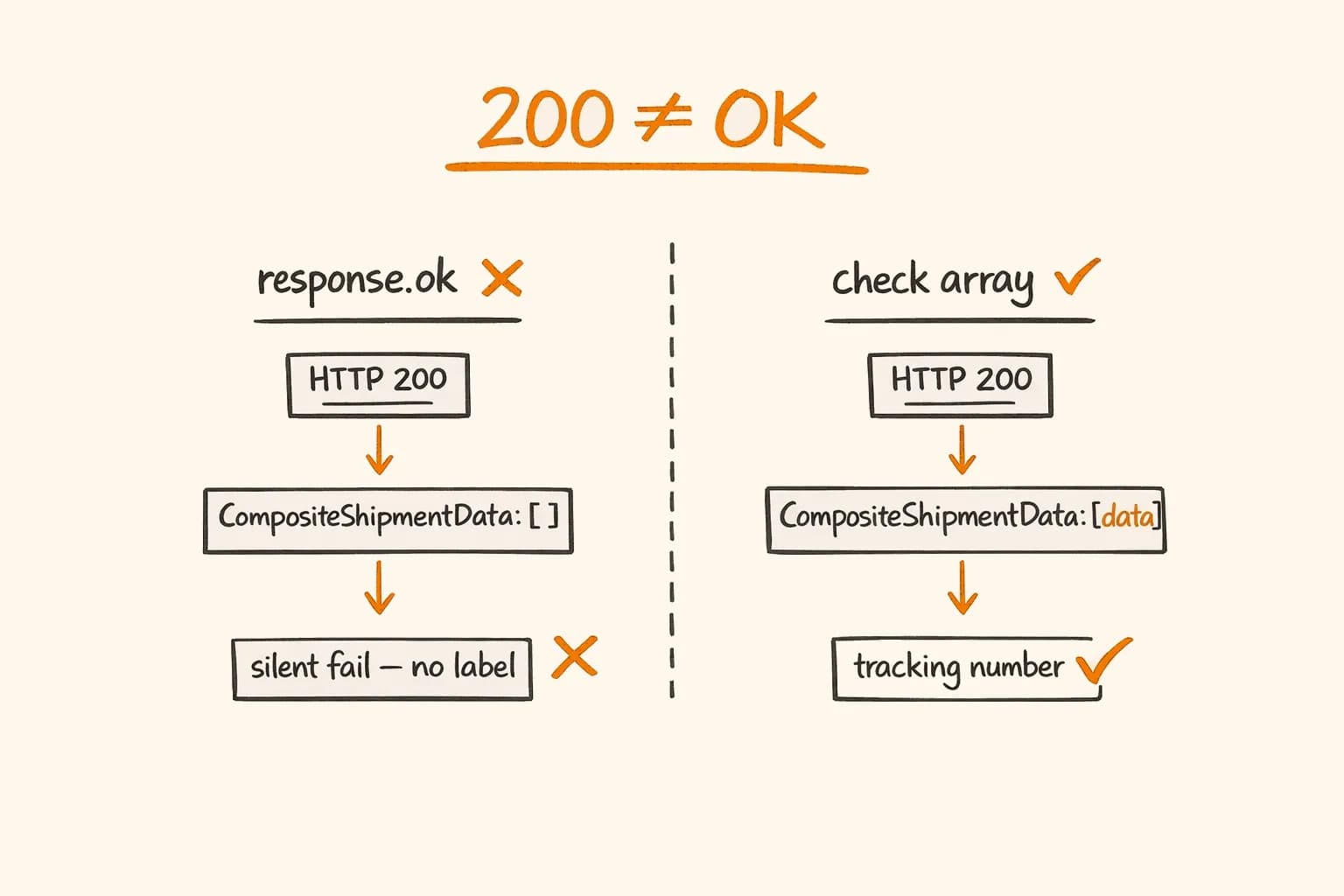
PostNord returns 200 OK for some error conditions. {"httpStatusCode": 200, "CompositeShipmentData": []} – an empty array with a success status – appears when a service code is unavailable for the destination country. Always check that CompositeShipmentData[0] exists and treat an empty array as a hard error.
request.arrayBuffer(), not request.json(). In Next.js App Router, parsing the body first corrupts the raw bytes that Stripe’s signature verification needs. This trips up everyone migrating a Pages Router webhook to App Router.
Results
After deploying this pipeline at Pikkuna:
- Processing time: 15–30 minutes manually → under 2 minutes automated
- Manual transcription errors: Occasional wrong addresses and missing fields → eliminated (data now flows automatically instead of being retyped across four tabs)
- Manager hours recovered: ~160–200 per month at typical order volume
- Pipeline reliability: 99.4% of orders complete with no human intervention. The remaining 0.6% are third-party API outages that resolve on retry within minutes.
The system handles 30 languages and 32 countries without any special routing logic – the customer locale flows through from Stripe payment metadata to the Mailgun template variable automatically. Getting that locale to behave consistently across the storefront, invoices, and emails is its own architecture problem, which I break down in handling i18n routing for 30 languages in Next.js.
If your team still manually processes orders, the question isn’t whether to automate – it’s which system to build for your specific stack. The tools I used (Zoho, PostNord, Netvisor, Mailgun) are specific to this project. Your business might use Salesforce, DHL, QuickBooks, and Klaviyo. The architecture is the same; the integrations are different.
I’ve built this kind of pipeline for Pikkuna and pi-pi.ee across 28 languages and 32 EU markets. If you need a senior developer who can own this end-to-end – get in touch. I’m available for e-commerce automation and API integration projects and longer-term engagements.