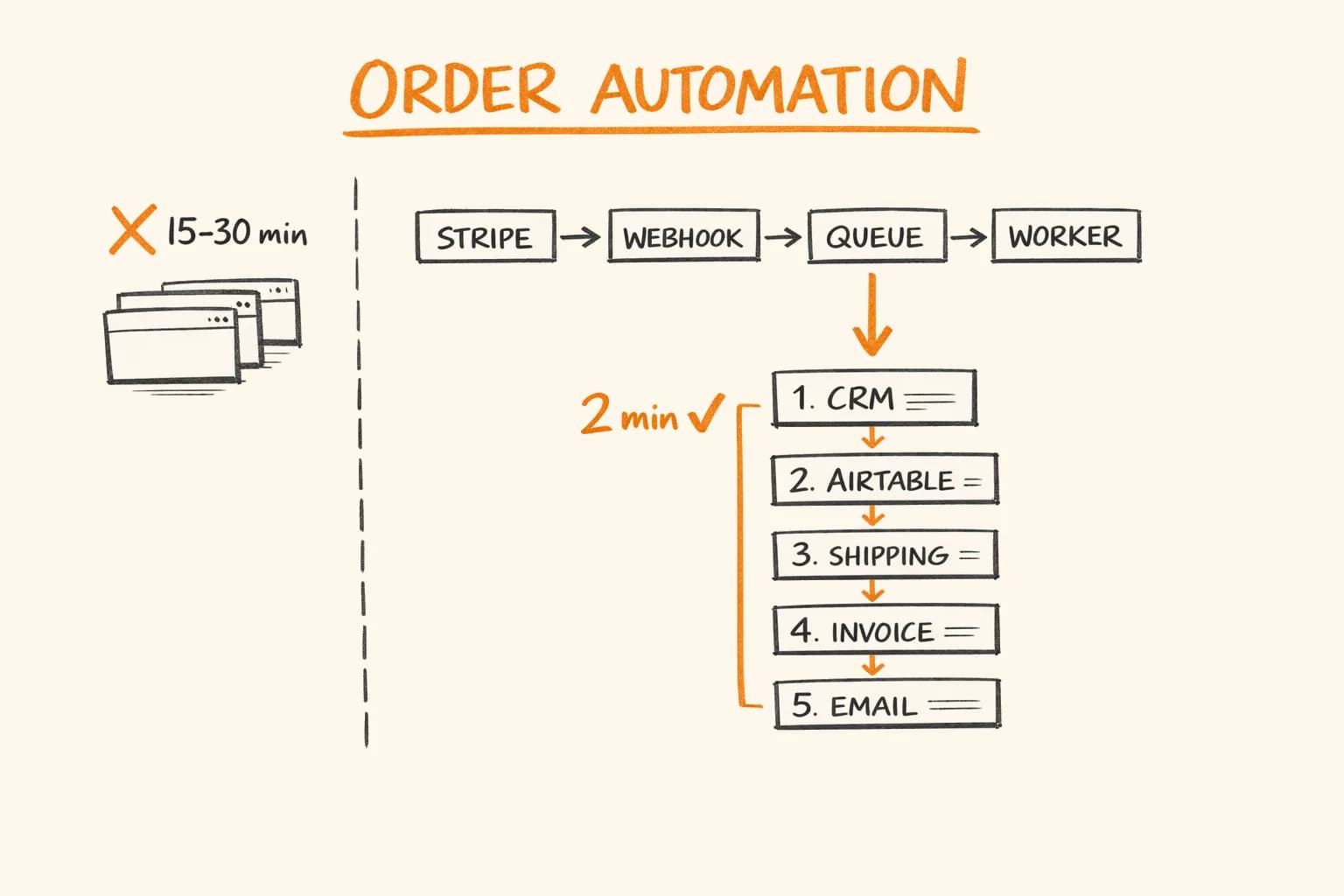
There’s a companion post on the overall automation pipeline shape for post-purchase fulfilment – the high-level flow from Stripe webhook to customer confirmation. This article is the deep cut: specifically the PostNord and Zoho Desk integration points, which tend to be where these pipelines break in ways that are easy to miss.
If you’re integrating with PostNord’s API or building automated Zoho Desk ticket creation, these are the failure modes worth designing around from the start.
PostNord: The API That Returns 200 for Errors
PostNord’s API looks normal on the surface – REST endpoints, JSON, API key authentication. The first surprise comes when you make a successful-looking request and get back this:
{
  "httpStatusCode": 200,
  "CompositeShipmentData": []
}
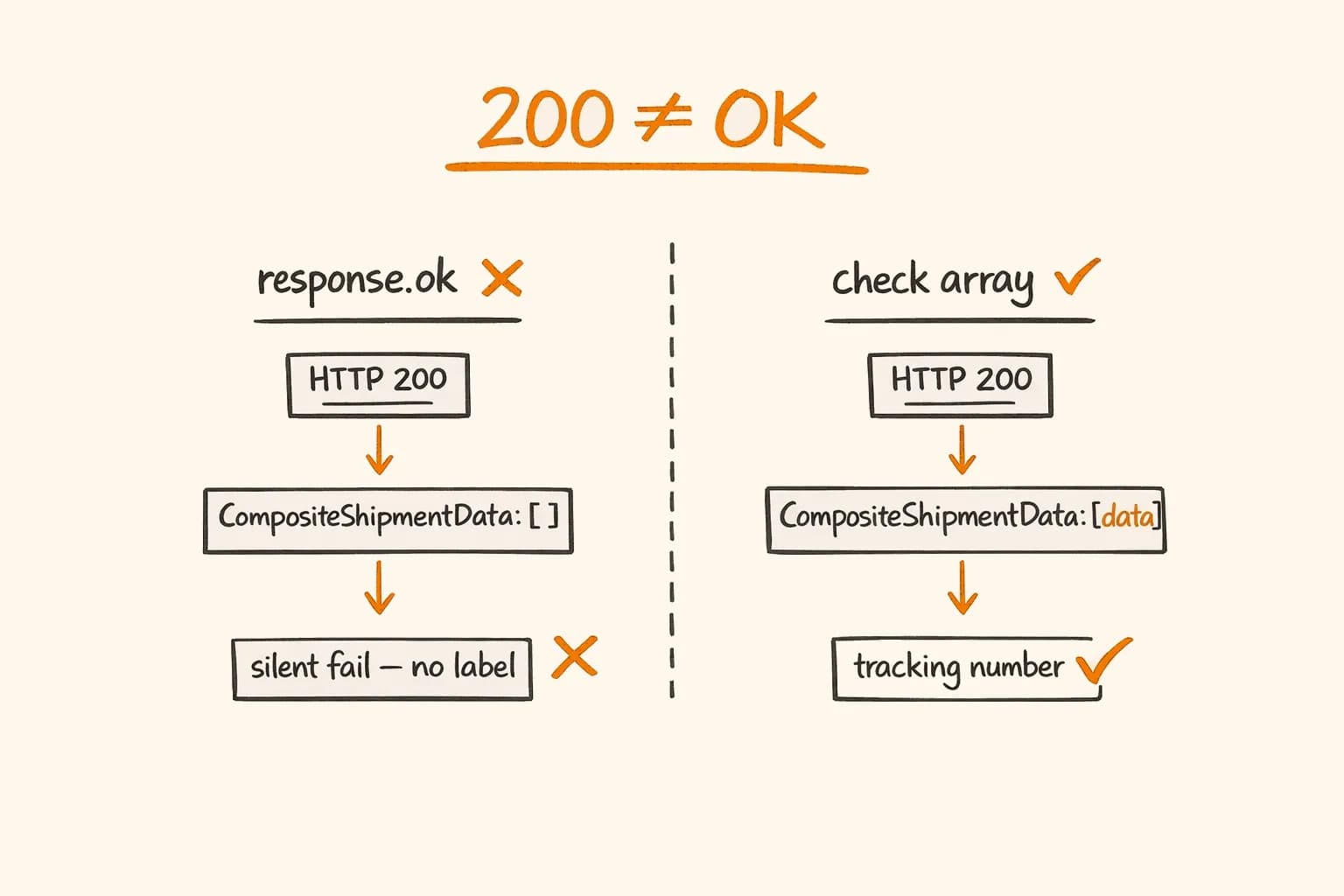
HTTP 200. Empty shipment array. No error field. No message.
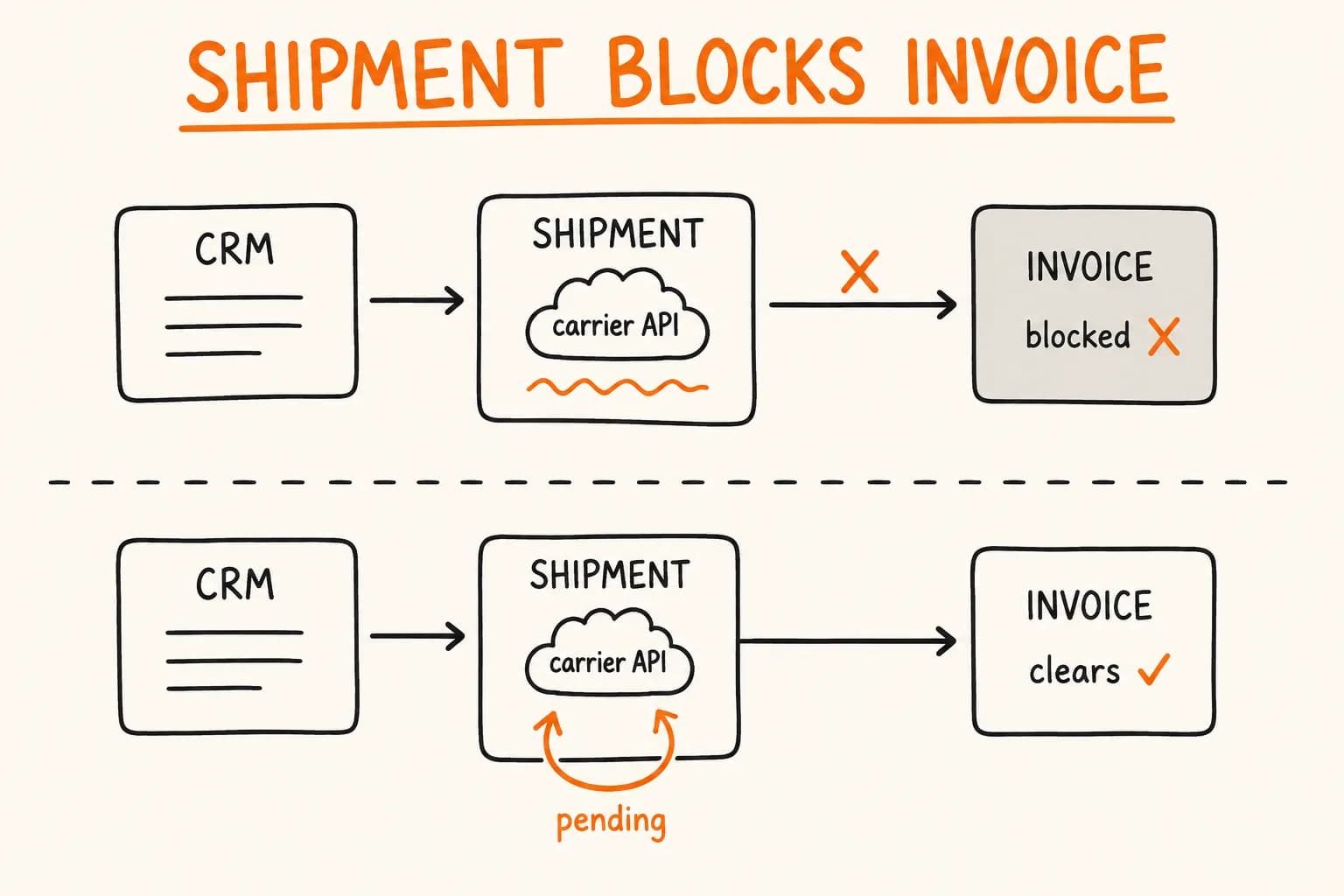
This is PostNord’s way of telling you that the service code you requested is unavailable for the destination country. If you’re checking response.ok and moving on, you just silently failed to create a shipping label. The order will proceed through your pipeline – Zoho CRM updated, accounting updated, confirmation email sent – with no tracking number and no label.
The correct implementation: always check that CompositeShipmentData is non-empty and treat an empty array as a hard error that should retry:
// lib/shipping/postnord.ts
interface PostNordShipmentResponse {
  httpStatusCode: number;
  CompositeShipmentData: PostNordShipmentData[];
}

interface PostNordShipmentData {
  parcels: Array<{
    parcelNumber: string;
    pdfs: Array<{
      pdf: string; // base64-encoded PDF
      fileName: string;
    }>;
  }>;
}

export async function createPostNordShipment(
  order: Order
): Promise<{ trackingNumber: string; labelPdf: Buffer }> {
  const response = await fetch("https://api2.postnord.com/rest/shipment/v5/shipment", {
    method: "POST",
    headers: {
      "x-api-key": process.env.POSTNORD_API_KEY!,
      "Content-Type": "application/json",
      Accept: "application/json",
    },
    body: JSON.stringify(buildShipmentPayload(order)),
  });

  if (!response.ok) {
    const errorText = await response.text();
    throw new Error(`PostNord API error ${response.status}: ${errorText}`);
  }

  const data = (await response.json()) as PostNordShipmentResponse;

  // This is the critical check — HTTP 200 does NOT mean success
  if (!data.CompositeShipmentData || data.CompositeShipmentData.length === 0) {
    throw new Error(
      `PostNord returned 200 but no shipment data. ` +
        `Service code may be unavailable for country: ${order.shippingAddress.country}`
    );
  }

  const shipmentData = data.CompositeShipmentData[0];
  const parcel = shipmentData.parcels[0];

  if (!parcel) {
    throw new Error("PostNord returned shipment data with no parcels");
  }

  const trackingNumber = parcel.parcelNumber;

  // Label is base64-encoded PDF
  const labelPdf = Buffer.from(parcel.pdfs[0].pdf, "base64");

  return { trackingNumber, labelPdf };
}
Building the Shipment Payload
PostNord’s payload structure is verbose. Here’s an illustrative version with the fields that typically matter:
// lib/shipping/postnord.ts
function buildShipmentPayload(order: Order): PostNordShipmentRequest {
  return {
    shipmentServiceCode: getServiceCode(order.shippingAddress.country),
    shipmentDate: new Date().toISOString().split("T")[0], // YYYY-MM-DD
    sender: {
      quickId: process.env.POSTNORD_SENDER_QUICK_ID!, // Your registered sender ID
      name: process.env.POSTNORD_SENDER_NAME!,
      address: {
        street1: process.env.POSTNORD_SENDER_STREET!,
        city: process.env.POSTNORD_SENDER_CITY!,
        stateOrProvinceCode: process.env.POSTNORD_SENDER_STATE!,
        postalCode: process.env.POSTNORD_SENDER_POSTAL!,
        countryCode: "FI",
      },
    },
    receiver: {
      name: order.customerName,
      address: {
        street1: order.shippingAddress.line1,
        street2: order.shippingAddress.line2 || undefined,
        city: order.shippingAddress.city,
        postalCode: order.shippingAddress.postalCode,
        countryCode: order.shippingAddress.country,
      },
      contact: {
        email: order.customerEmail,
        // Mobile required for MyPack Home — PostNord sends delivery notifications
        mobile: order.customerPhone || undefined,
      },
    },
    parcels: [
      {
        weight: calculateTotalWeight(order.lineItems),
        comment: `Order ${order.id}`, // Appears on the label
      },
    ],
    orderReference: order.id, // Your internal reference — returned in webhook callbacks
    printMedia: [
      {
        printMediaType: "PDF",
        mediaSize: "A4",
      },
    ],
  };
}

// Service code selection by destination country
function getServiceCode(countryCode: string): string {
  // Finland domestic
  if (countryCode === "FI") return "19"; // MyPack Home

  // Nordic countries
  if (["SE", "NO", "DK"].includes(countryCode)) return "PD2"; // Parcel Connect

  // EU
  return "PD2"; // Parcel Connect covers most EU destinations

  // If you ship to specific countries that need different services,
  // add them here — this is where 200+empty often originates
}
The service code issue: PostNord has different service codes for different shipping products, and not every product ships to every country. MyPack Home (code 19) is Finland domestic only. Using it for a German delivery returns 200 + empty array. Map your destination countries to the correct service codes explicitly, and add the destination country to your error message so debugging is fast.
Storing the Label PDF
The label PDF needs to be stored somewhere accessible:
- The operations team needs to print it
- It should be attached to the Zoho Desk ticket (more on that below)
- It should survive if the VPS restarts
A common pattern is uploading to Vercel Blob with the tracking number as the filename:
// lib/shipping/store-label.ts
import { put } from "@vercel/blob";

export async function storeShippingLabel(
  labelPdf: Buffer,
  trackingNumber: string
): Promise<string> {
  const blob = await put(`shipping-labels/${trackingNumber}.pdf`, labelPdf, {
    access: "public",
    contentType: "application/pdf",
  });

  return blob.url;
}
That URL is what flows downstream – to Zoho CRM (stored on the Deal), to Zoho Desk (attached to the ticket), and to the customer email.
Zoho CRM: The EU Data Center Trap
Before the Zoho Desk integration, a quick note about Zoho CRM that trips up many EU developers: Zoho has separate data centers for EU and non-EU customers. If your Zoho account is in the EU data center (which it should be if you’re an EU business), your API base URL is zohoapis.eu, not zohoapis.com.
// WRONG — will produce auth errors that look like token problems
const BASE_URL = "https://www.zohoapis.com/crm/v3";

// CORRECT for EU data center accounts
const BASE_URL = "https://www.zohoapis.eu/crm/v3";
The error message you get with the wrong data center is something like INVALID_TOKEN – which leads you to debug your OAuth flow for an hour before you realize it’s a URL issue.
Zoho Desk: Auto-Creating Logistics Tickets
A typical pattern: after a PostNord shipment is created, automatically create a Zoho Desk ticket with:
- The customer details
- The order number
- The tracking number
- The shipping label PDF attached (as a URL or file)
This gives the operations team a single view: all logistics issues appear as Desk tickets, linked to the CRM deal, with the label ready to print.
// lib/crm/zoho-desk.ts
interface ZohoDeskTicketResult {
  ticketId: string;
  ticketNumber: string;
}

export async function createShipmentTicket(
  order: Order,
  trackingNumber: string,
  labelUrl: string,
  dealId: string
): Promise<ZohoDeskTicketResult> {
  const token = await getZohoAccessToken(); // Shared OAuth token cache with CRM

  // Create the ticket
  const ticketResponse = await fetch("https://desk.zoho.eu/api/v1/tickets", {
    method: "POST",
    headers: {
      Authorization: `Zoho-oauthtoken ${token}`,
      "Content-Type": "application/json",
      orgId: process.env.ZOHO_DESK_ORG_ID!,
    },
    body: JSON.stringify({
      subject: `Shipment — Order ${order.id} — ${order.customerName}`,
      description: buildTicketDescription(order, trackingNumber, labelUrl),
      status: "Open",
      priority: "Medium",
      channel: "Automated",
      contactId: await findOrCreateDeskContact(order, token),
      // CRM Deal ID — links ticket to the deal in CRM
      cf: {
        cf_crm_deal_id: dealId,
        cf_tracking_number: trackingNumber,
        cf_label_url: labelUrl,
      },
      departmentId: process.env.ZOHO_DESK_LOGISTICS_DEPT_ID!,
    }),
  });

  if (!ticketResponse.ok) {
    const error = await ticketResponse.text();
    throw new Error(`Zoho Desk ticket creation failed: ${error}`);
  }

  const ticket = await ticketResponse.json();
  return {
    ticketId: ticket.id,
    ticketNumber: ticket.ticketNumber,
  };
}

function buildTicketDescription(order: Order, trackingNumber: string, labelUrl: string): string {
  return `
<b>Order:</b> ${order.id}<br>
<b>Customer:</b> ${order.customerName}<br>
<b>Email:</b> ${order.customerEmail}<br>
<b>Shipping address:</b> ${order.shippingAddress.line1}, ${order.shippingAddress.city}, ${order.shippingAddress.country}<br>
<br>
<b>Tracking number:</b> ${trackingNumber}<br>
<b>PostNord tracking:</b> <a href="https://tracking.postnord.com/en/?id=${trackingNumber}">Track parcel</a><br>
<b>Shipping label:</b> <a href="${labelUrl}">Download PDF</a><br>
<br>
<b>Items:</b><br>
${order.lineItems.map((i) => `• ${i.name} × ${i.quantity}`).join("<br>")}
  `.trim();
}
Zoho Desk Contact Lookup
Desk contacts are separate from CRM contacts. When creating a ticket, you need a Desk contact ID – not a CRM contact ID. This is a common source of confusion.
// lib/crm/zoho-desk.ts
async function findOrCreateDeskContact(order: Order, token: string): Promise<string> {
  // Search for existing Desk contact by email
  const searchResponse = await fetch(
    `https://desk.zoho.eu/api/v1/contacts/search?email=${encodeURIComponent(order.customerEmail)}`,
    {
      headers: {
        Authorization: `Zoho-oauthtoken ${token}`,
        orgId: process.env.ZOHO_DESK_ORG_ID!,
      },
    }
  );

  const searchData = await searchResponse.json();
  const existingContact = searchData.data?.[0];

  if (existingContact) {
    return existingContact.id;
  }

  // Create new Desk contact
  const createResponse = await fetch("https://desk.zoho.eu/api/v1/contacts", {
    method: "POST",
    headers: {
      Authorization: `Zoho-oauthtoken ${token}`,
      "Content-Type": "application/json",
      orgId: process.env.ZOHO_DESK_ORG_ID!,
    },
    body: JSON.stringify({
      lastName: order.customerName.split(" ").slice(-1)[0] || order.customerName,
      firstName: order.customerName.split(" ").slice(0, -1).join(" ") || "",
      email: order.customerEmail,
      phone: order.customerPhone || undefined,
    }),
  });

  if (!createResponse.ok) {
    throw new Error(`Failed to create Desk contact: ${await createResponse.text()}`);
  }

  const newContact = await createResponse.json();
  return newContact.id;
}
OAuth Token Management
Both Zoho CRM and Zoho Desk use the same OAuth token (if you requested both scopes during initial authorization). Tokens expire after one hour – the most common production failure mode is calling Zoho with an expired token and getting an INVALID_TOKEN error.
The fix: cache the token with an expiry, refresh before expiry:
// lib/crm/zoho-auth.ts
interface CachedToken {
  accessToken: string;
  expiresAt: number; // Unix timestamp in ms
}

let tokenCache: CachedToken | null = null;

export async function getZohoAccessToken(): Promise<string> {
  // Refresh if within 5 minutes of expiry
  if (tokenCache && tokenCache.expiresAt - Date.now() > 5 * 60 * 1000) {
    return tokenCache.accessToken;
  }

  const response = await fetch("https://accounts.zoho.eu/oauth/v2/token", {
    method: "POST",
    headers: { "Content-Type": "application/x-www-form-urlencoded" },
    body: new URLSearchParams({
      refresh_token: process.env.ZOHO_REFRESH_TOKEN!,
      client_id: process.env.ZOHO_CLIENT_ID!,
      client_secret: process.env.ZOHO_CLIENT_SECRET!,
      grant_type: "refresh_token",
    }),
  });

  if (!response.ok) {
    throw new Error(`Zoho token refresh failed: ${await response.text()}`);
  }

  const data = await response.json();

  // Token is valid for 3600 seconds (1 hour)
  tokenCache = {
    accessToken: data.access_token,
    expiresAt: Date.now() + data.expires_in * 1000,
  };

  return tokenCache.accessToken;
}
Note: accounts.zoho.eu for EU data center accounts, not accounts.zoho.com. Same trap as the API URL.
Zoho’s token refresh endpoint is rate-limited at approximately 100 requests per minute. During a flash sale with high order volume, if every order job independently refreshes the token, you’ll hit this limit. The module-level tokenCache solves this for a single process. If you run multiple worker processes, you’d want to store the token in Redis instead.
Full Pipeline in the Worker
Putting it together – the complete order fulfilment step in the BullMQ worker:
// workers/fulfillment.worker.ts
import { Worker, Job } from "bullmq";
import { redis } from "@/lib/redis";
import { fetchOrderFromStripe } from "@/lib/payments/stripe";
import { createPostNordShipment } from "@/lib/shipping/postnord";
import { storeShippingLabel } from "@/lib/shipping/store-label";
import { createZohoDeal } from "@/lib/crm/zoho-crm";
import { createShipmentTicket } from "@/lib/crm/zoho-desk";
import { sendOrderConfirmationWithInvoice } from "@/lib/email/send-order-confirmation";
import { notifyTelegram } from "@/lib/monitoring/telegram";

interface FulfillmentJobData {
  paymentIntentId: string;
  eventId: string;
}

const worker = new Worker<FulfillmentJobData>(
  "fulfillment",
  async (job: Job<FulfillmentJobData>) => {
    const order = await fetchOrderFromStripe(job.data.paymentIntentId);

    // 1. CRM — non-blocking, runs first so deal ID is available
    const { dealId } = await createZohoDeal(order);

    // 2. Shipping label — the critical step
    const { trackingNumber, labelPdf } = await createPostNordShipment(order);
    const labelUrl = await storeShippingLabel(labelPdf, trackingNumber);

    // 3. Desk ticket — logistics team visibility
    await createShipmentTicket(order, trackingNumber, labelUrl, dealId);

    // 4. Customer email with invoice and tracking
    await sendOrderConfirmationWithInvoice({
      ...mapOrderToEmailData(order),
      trackingUrl: `https://tracking.postnord.com/en/?id=${trackingNumber}`,
    });

    return { dealId, trackingNumber, labelUrl };
  },
  {
    connection: redis,
    concurrency: 3,
  }
);

worker.on("failed", async (job, err) => {
  if (!job) return;
  const isLastAttempt = job.attemptsMade >= (job.opts.attempts ?? 1);
  if (isLastAttempt) {
    await notifyTelegram(
      `Fulfillment pipeline failed permanently\n` +
        `PaymentIntent: ${job.data.paymentIntentId}\n` +
        `Error: ${err.message}\n` +
        `Attempts: ${job.attemptsMade}`
    );
  }
});
Gotchas Summary
| Problem | Symptom | Fix |
|---|---|---|
| PostNord 200 + empty array | Silently missing tracking numbers | Always check CompositeShipmentData.length > 0 |
| Wrong Zoho data center URL | INVALID_TOKEN error on valid tokens | Use zohoapis.eu and accounts.zoho.eu for EU accounts |
| Token refresh on every request | Rate limit errors during flash sales | Cache token in module scope or Redis, refresh proactively |
| Desk vs CRM contact IDs | Ticket creation fails with INVALID_CONTACT | Desk has separate contact storage – search/create in Desk specifically |
| No phone in PostNord payload | MyPack Home delivery notifications don’t send | Include receiver.contact.mobile when available |
| Service code for wrong country | PostNord 200 + empty array | Map destination countries to correct service codes explicitly |
If you’re building post-purchase automation for an EU e-commerce platform – shipping labels, CRM updates, logistics tickets – and you’re hitting these kinds of issues, get in touch for automation workflows and API integration projects.
I’m available for freelance projects and long-term engagements.
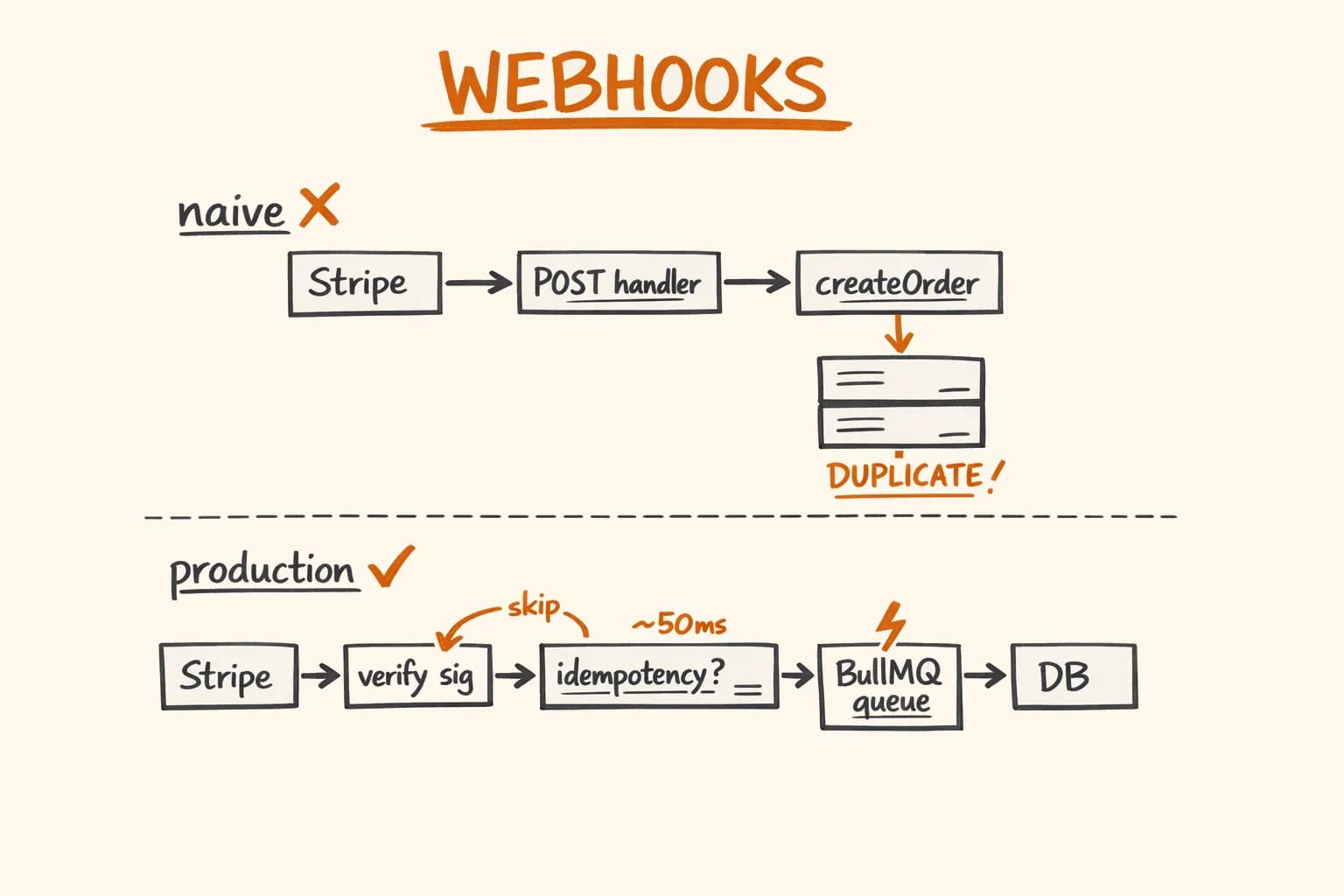
Related posts: How I Fully Automated E-commerce Order Processing – the full pipeline overview. Stripe Webhooks Done Right – the webhook architecture that drives this pipeline.
Related project: Pikkuna E-commerce Platform – an EU e-commerce platform with a similar fulfilment pipeline shape.