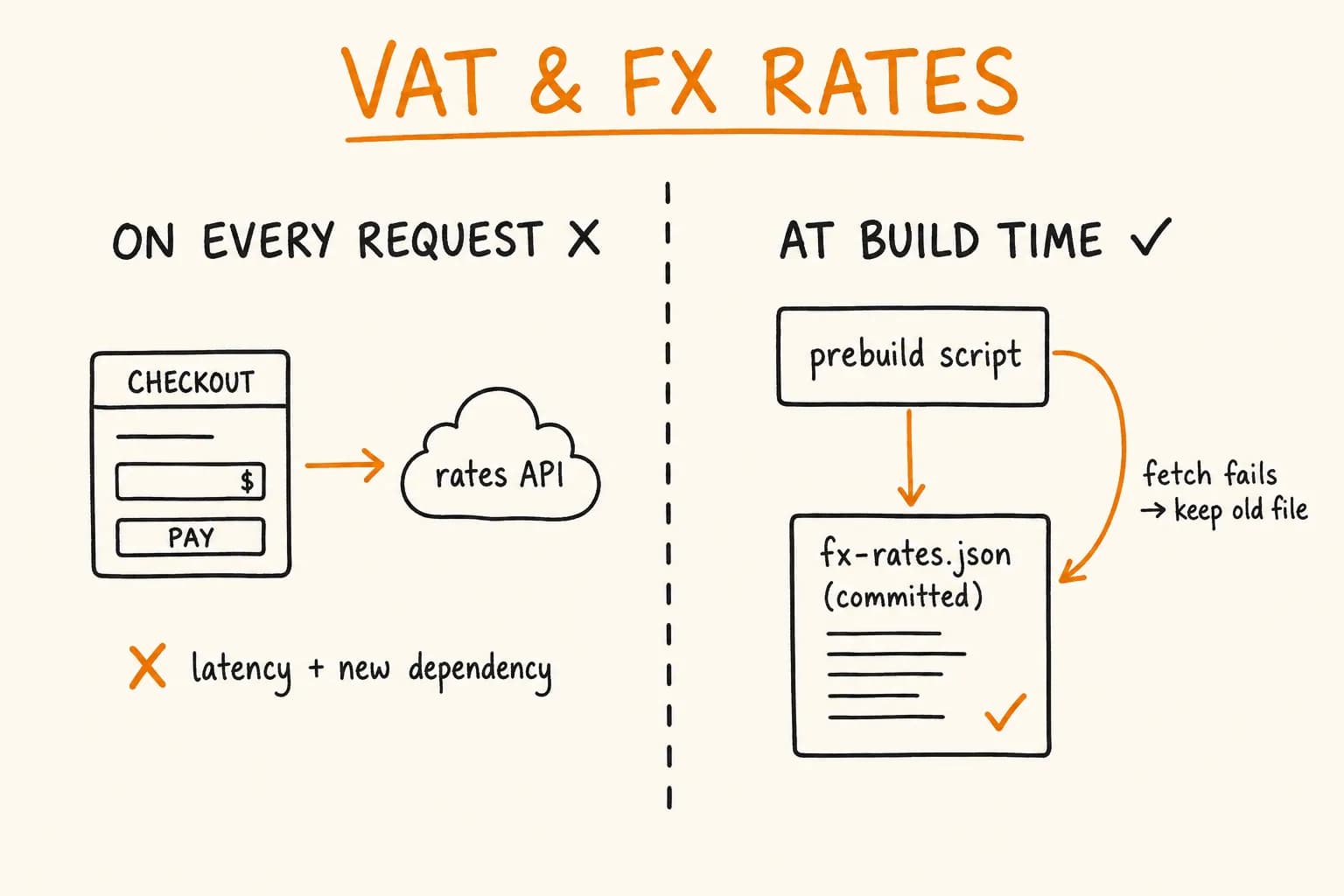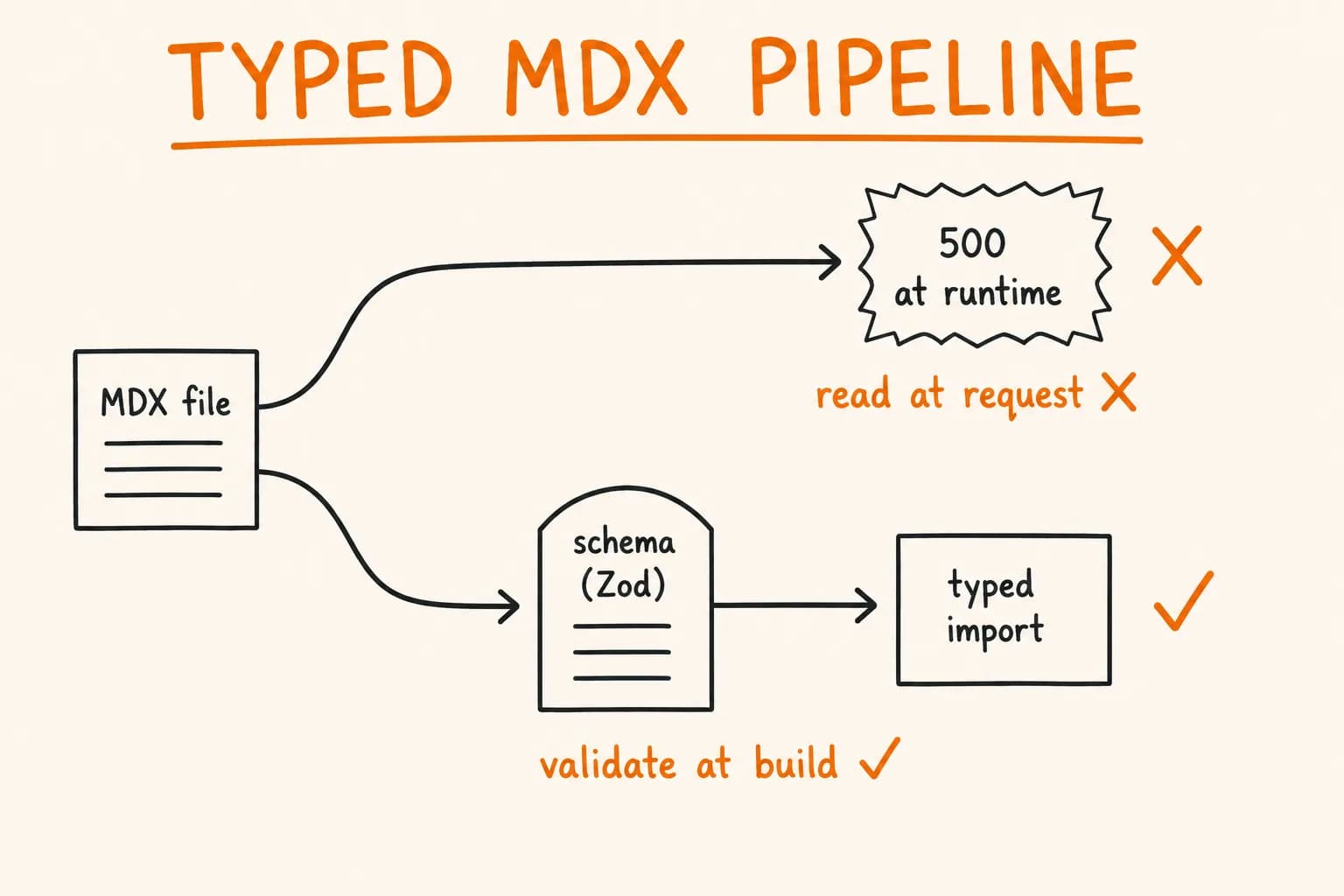
Most Next.js blogs read MDX at request time, hand you frontmatter as any, and discover a missing date or a typo in a tag when the page 500s in production. That works until the content set grows past a handful of posts. Then every rename, every new frontmatter field, every tag cleanup becomes a guessing game, because nothing checks the shape of your content until a user hits the route.
This site works differently. Content is compiled once, validated against Zod schemas, and emitted as typed JSON that the app imports like any other module. If a post is missing a required field, the build fails – not the page. Here’s how it’s wired, taken straight from the config that ships this site.
The Problem with Reading MDX at Request Time
The common pattern looks like this: a getPostBySlug() helper reads a file, runs gray-matter, and returns an object. TypeScript has no idea what’s in the frontmatter, so you either cast to any or hand-write an interface that drifts from reality the moment someone adds a field in an .mdx file.
Three things go wrong as the content grows:
- No validation. A post dated
2026-13-01or missing asummarysails through until render. - No single source of truth. The frontmatter shape lives in your head; the TypeScript type lives in a
types.tsthat nobody updates. - Runtime cost. Parsing and compiling MDX on every request, or fighting the router’s caching to avoid it.
Velite moves all of that to build time. You describe each content collection once, with a schema, and get back validated, typed data plus compiled MDX.
Defining a Collection with a Zod-Style Schema
Velite’s s object is a thin wrapper over Zod with content-aware helpers (s.slug(), s.isodate(), s.mdx(), s.raw()). A collection binds a glob pattern to a schema. Here is the blog collection this site uses, trimmed to the fields that matter:
// velite.config.ts
import { defineCollection, s } from "velite";

const posts = defineCollection({
  name: "Post",
  pattern: "blog/**/*.mdx",
  schema: s.object({
    title: s.string().max(120),
    seoTitle: s.string().max(70).optional(),
    subtitle: s.string().max(220).optional(),
    keyphrase: s.string().max(80).optional(),
    slug: s.slug("posts"),
    summary: s.string().max(300),
    date: s.isodate(),
    updated: s.isodate().optional(),
    category: s.enum(["dev", "business"]).default("dev"),
    verb: s.string().max(20).optional(),
    cta: s
      .object({
        service: s.string().optional(),
        text: s.string().max(280).optional(),
      })
      .optional(),
    raw: s.raw(),
    body: s.mdx(),
  }),
});
A few of these earn their place:
s.slug("posts")validates the slug is URL-safe and unique across thepostsset. Two posts with the same slug is a build error, not a silent overwrite.s.isodate()rejects anything that isn’t a real ISO date. The2026-13-01case above dies here.s.enum(["dev", "business"]).default("dev")is how the editorial track is enforced. A post either declares one of two categories or defaults – you can’t invent a third by typo.s.raw()keeps the untouched Markdown source around;s.mdx()compiles the body to a function string the renderer executes. Having both means you can derive things from the raw text (word count, headings) that the compiled output has already thrown away.
The .max() limits aren’t decoration. A summary capped at 300 characters and a seoTitle at 70 mean malformed metadata fails the build instead of quietly breaking a SERP snippet weeks later.
Sharing Schema Fragments
Tags on this site aren’t a flat array – they’re categorized into stack, libraries, databases, services, and topics. That structure is identical across posts, projects, and reviews, so it lives in one schema fragment:
const tagsSchema = s
  .object({
    stack: s.array(s.string()).default([]),
    libraries: s.array(s.string()).default([]),
    databases: s.array(s.string()).default([]),
    services: s.array(s.string()).default([]),
    topics: s.array(s.string()).default([]),
  })
  .default({});
Each collection reuses tags: tagsSchema. Change the categories once and every collection updates. This is the same DRY instinct you’d apply to a shared type – it just happens at the content-schema layer.
Computed Fields with .transform()
Raw frontmatter is rarely what the app wants to consume. You want a permalink, a reading time, a flattened tag array, an extracted table of contents. Velite’s .transform() runs after validation and lets you derive all of it, so the emitted record is enriched and still fully typed.
schema: s
  .object({ /* fields above */ })
  .transform(async (data) => {
    return {
      ...data,
      tagCategories: data.tags,
      tags: [
        ...data.tags.stack,
        ...data.tags.libraries,
        ...data.tags.databases,
        ...data.tags.services,
        ...data.tags.topics,
      ],
      permalink: `/blog/${data.slug}`,
      readingTime:
        data.readingTime ??
        Math.max(1, Math.round(data.raw.split(/\s+/).length / 200)),
      wordCount: data.raw.split(/\s+/).filter(Boolean).length,
      headings: extractHeadings(data.raw),
      coverImage,
    };
  }),
What’s happening here:
tagsis flattened from the categorized object into a singlestring[]that components can iterate – whiletagCategoriespreserves the grouped shape for anything that needs it. One source, two views.readingTimefalls back to a word-count estimate (words / 200) only when the frontmatter didn’t set it. Author override wins; otherwise it’s computed.headingsare extracted from the raw Markdown by a small parser that walks the source, skips fenced code blocks, and slugs each##/###withgithub-slugger– the same sluggerrehype-sluguses for anchors, so the table of contents links resolve.
The transform is async, which is what makes the next part possible.
Side Effects at Build Time: Cover Images
Because the transform runs at build time and can be async, it’s also the right place to do content-adjacent asset work. When a cover.png sits next to index.mdx, the transform copies it into public/, generates a WebP for serving, and pre-pads OG and dev.to variants with sharp:
const coverSrc = path.join(process.cwd(), "content", "blog", data.slug, "cover.png");
let coverImage: string | undefined;
if (existsSync(coverSrc)) {
  const destDir = path.join(process.cwd(), "public", "images", "blog", data.slug);
  mkdirSync(destDir, { recursive: true });
  copyFileSync(coverSrc, path.join(destDir, "cover.png"));
  await ensureWebp(coverSrc, path.join(destDir, "cover.webp"));
  await ensureCoverVariant(coverSrc, path.join(destDir, "cover-og.png"), 1200, 630);
  await ensureCoverVariant(coverSrc, path.join(destDir, "cover-devto.png"), 1000, 420);
  coverImage = `/images/blog/${data.slug}/cover.webp`;
}
The variant helpers are idempotent – they check the destination’s mtime against the source and skip work if nothing changed – so incremental builds stay cheap. That’s the point of a build-time content layer: image derivation, format conversion, and metadata validation happen in one pass, and the running app just references paths that are guaranteed to exist.
One Typed Import
Velite writes the compiled collections to .velite/ (configured via output.data), and the app imports them as @/.velite:
import { posts, projects } from "@/.velite";posts is a fully typed array. The category is "dev" | "business", not string. permalink, readingTime, headings – all present, all typed, because the transform put them there and Velite inferred the shape. There is no getPostBySlug() reading the filesystem at request time; there’s an array in memory, generated at build.
A worthwhile guardrail on top of this: you could add an ESLint no-restricted-imports rule that forbids importing from .velite in application code directly, routing everything through a thin lib/ layer instead. That would keep the raw generated output an implementation detail and give you one place to add filtering (drafts, future-dated posts) without touching every call site.
The Codegen Step: A Related-Posts Graph
Typed content unlocks work that’s awkward to do at runtime. This site computes a tag-overlap graph – related posts, related projects, related services – in a script that runs after velite build and before next build:
{
  "scripts": {
    "build": "velite build && tsx scripts/generate-relations.ts && next build"
  }
}
That’s the relevant slice of the build chain – the real build script has one more codegen step after this (generate-cv.tsx, which prebuilds a PDF), unrelated to the content pipeline and out of scope here. The script reads the JSON Velite just emitted, scores every pair by shared tags, and writes .velite/relations.json:
// scripts/generate-relations.ts
import { services } from "../lib/services";

const posts: VeliteItem[] = JSON.parse(readFileSync(join(root, ".velite/posts.json"), "utf8"));

function tagOverlap(tagsA: string[], tagsB: string[]): number {
  return tagsA.filter((t) => tagsB.includes(t)).length;
}

function findRelated(sourceSlug, sourceTags, candidates, limit = 2): string[] {
  return candidates
    .filter((c) => c.slug !== sourceSlug)
    .map((c) => ({ slug: c.slug, overlap: tagOverlap(c.tags, sourceTags), date: c.date }))
    .filter((c) => c.overlap > 0)
    .sort(
      (a, b) => b.overlap - a.overlap || new Date(b.date).getTime() - new Date(a.date).getTime()
    )
    .slice(0, limit)
    .map((c) => c.slug);
}
The scoring is deliberately boring: count shared tags, sort by overlap descending, tie-break on newest first, take the top N. It runs across four relationship types – post→posts, post→projects, post→reviews, post→services – and because it reads the same categorized-then-flattened tags array the schema produced, the graph is consistent with what the site renders everywhere else.
Two design choices are worth calling out. First, services feed the graph from lib/services.ts, not from MDX – service definitions live in TypeScript with their own tags field, and the script imports them as the single source of truth for that side of the relation. Second, the whole thing is a build artifact: relations.json is written once, committed to nothing, and read as static data. No runtime tag-matching, no per-request cost, no way for the graph to disagree with the pages.
Where This Pays Off and Where It Doesn’t
The build-time model earns its keep when:
- content is large enough that manual consistency breaks down;
- you cross-link content by shared metadata (tags, categories, series);
- frontmatter mistakes should block a deploy, not surface as production 500s;
- you want derived data – reading time, TOC, related items – computed once, not per request.
It’s overhead you don’t need when the site is three static pages and a contact form, or when content changes so often that a rebuild per edit is friction rather than safety. A CMS with runtime rendering fits that better. There’s also a real constraint: everything lives in the repo and requires a build to publish. If non-technical editors need to publish without a deploy, this isn’t the shape for them – that’s a headless CMS decision, not a Velite one.
For a code-owned, developer-authored content set, the trade is clean: one schema, one typed import, validation at the build boundary, derived data generated in the same pass. The content layer stops being a source of runtime surprises and becomes just another typed module the app depends on.
If you’re building a content-heavy Next.js product and want the content layer typed and validated from the start – the schema, the codegen, the guardrails that keep it from rotting – that’s the kind of foundation I put in before feature work begins. Get in touch if you’re spinning up an MVP and want it built on something that won’t break silently as it grows.
Further reading:
- Velite documentation
- Generating dynamic OG images in Next.js – another build-time asset step in this pipeline
- Writing effective CLAUDE.md rules for AI coding agents – how this content architecture is documented for tooling