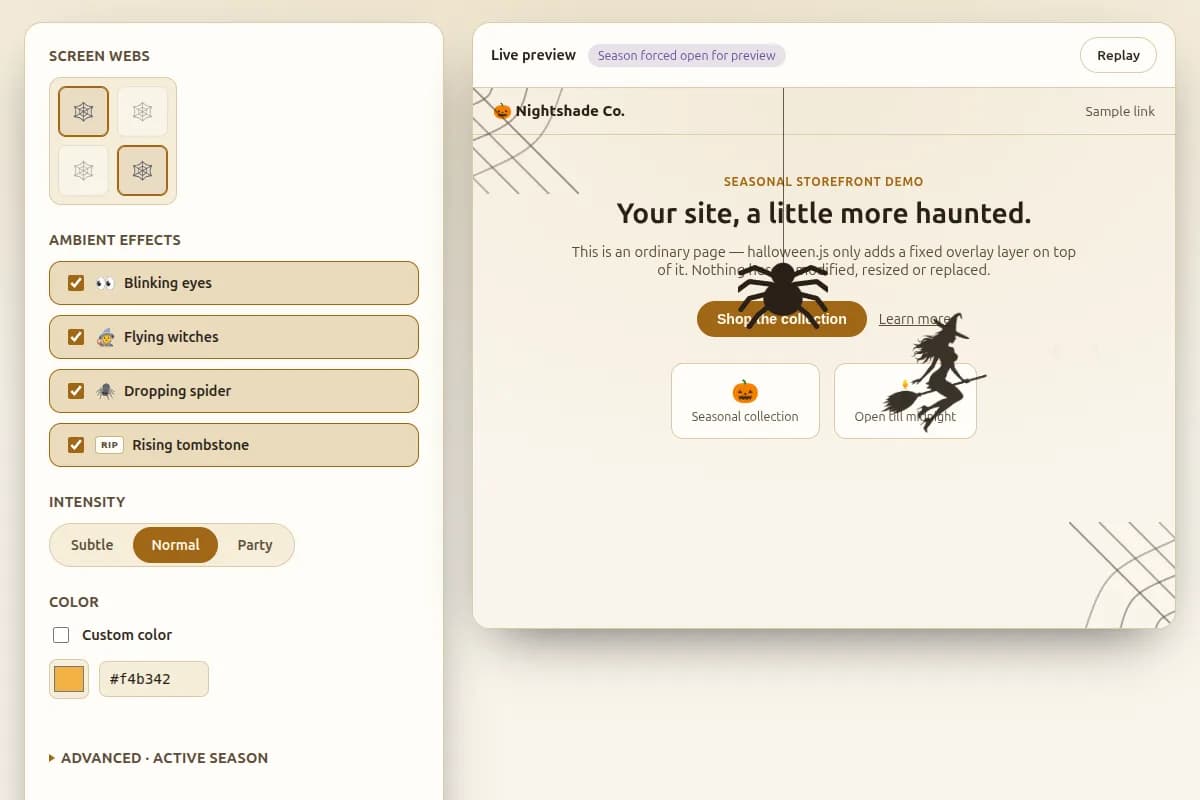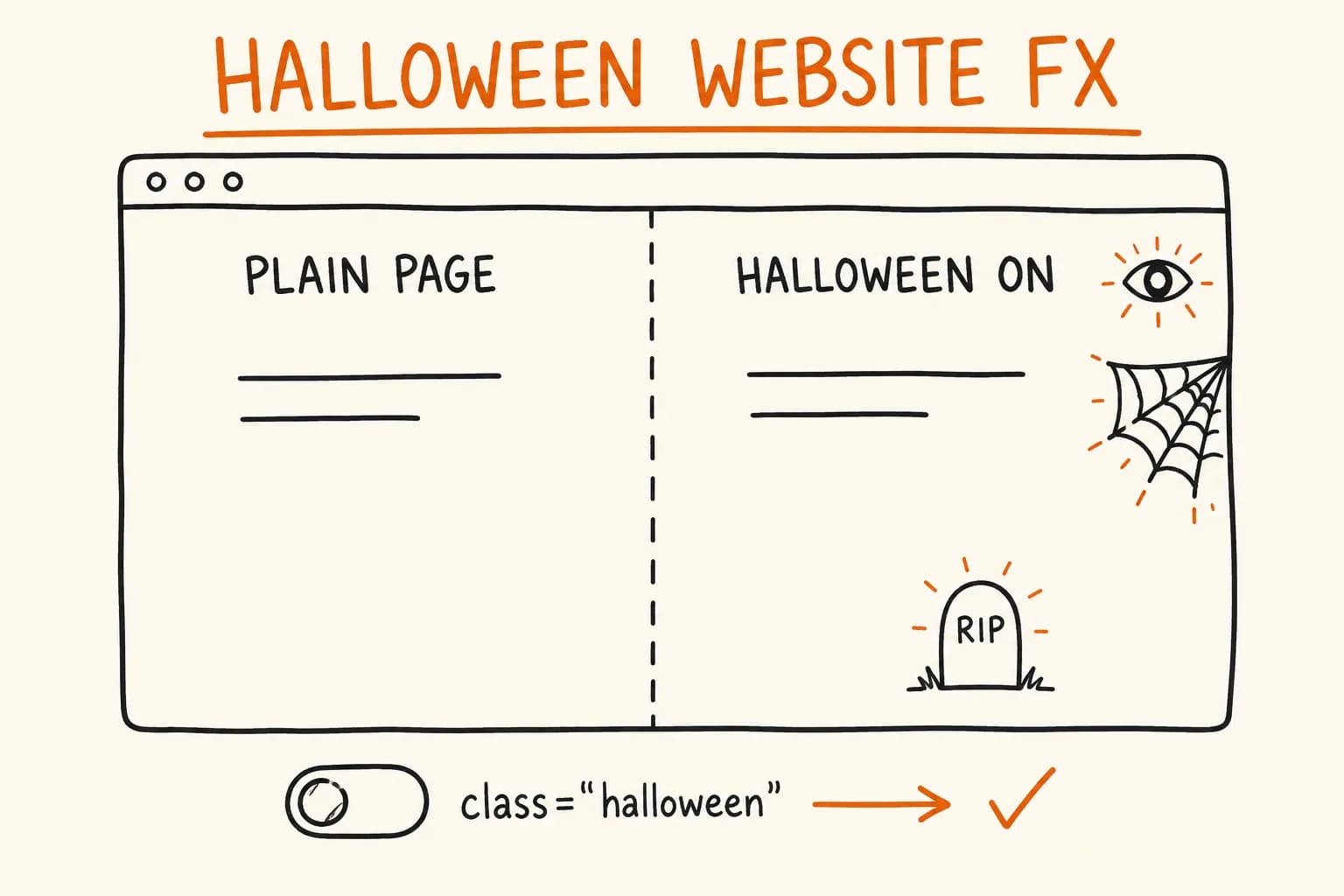
halloween.js is a small library I built to put Halloween on a website: spider webs in the corners, blinking eyes, flying witches, a dropping spider, a rising tombstone, each with subtle/normal/party intensity presets and a color that inherits the host page’s theme via currentColor. Drop in a script tag or npm install it, add class="halloween" to <body>, and the page is decorated. It’s seasonal by default – the effects run inside a real-calendar window around Halloween (18 Oct–2 Nov) and stop the rest of the year, so nobody has to remember to switch it off on November 3rd.
That one-class interface is where the interesting engineering problem sits. Most small JS libraries want you to call something – a line your code has to remember to run, at the right time, before the effect it’s wiring up exists. That works until the thing controlling the library isn’t a call site anymore – it’s a class toggled from three different places, or a route change in a single-page app that never re-runs your bootstrap script. halloween.js doesn’t need to be told when to turn on. It watches the DOM and reacts.
The Problem With ‘Call This When You’re Ready’
The common pattern for a page-effects library looks like this: import it, call an init function once the DOM is ready, pass it some config, and from then on your application code and the library’s internal state can drift. If a route change adds a class the library doesn’t know to check for, nothing happens until the next explicit re-init – if there ever is one.
halloween.js’s one input is that same class on <body>: class="halloween" turns the whole system on; additional classes (halloween-eyes, halloween-witches, halloween-webs, and so on) opt into individual decorations. There’s no required call to make that happen. A MutationObserver watches <body>’s class attribute and re-evaluates the master switch and every effect class on every mutation:
// illustrative — pattern-level TypeScript matching the documented
// class-driven sync model, not a literal excerpt from the repo's src/
const observer = new MutationObserver(() => {
  syncEffectsToClassList(document.body.classList);
});

observer.observe(document.body, {
  attributes: true,
  attributeFilter: ["class"],
});

function syncEffectsToClassList(classList: DOMTokenList) {
  const isActive = classList.contains("halloween") && isWithinSeasonWindow();
  for (const effect of EFFECTS) {
    const shouldRun = isActive && classList.contains(effect.className);
    effect.setRunning(shouldRun);
  }
}
That’s the whole integration surface for the common case. document.body.classList.toggle("halloween-eyes", condition) from anywhere – a click handler, a feature flag check, a Next.js route change – is enough on its own. There’s no bootstrap step to forget, and no state to fall out of sync with because there’s only one state: the classList itself.
The library still exports a halloween() function, but it isn’t an init call in the traditional sense. It forces an immediate re-check ahead of the observer’s next automatic pass, running the exact same master-switch and season logic the observer already runs. Use it when you’ve just changed several classes at once and want the effects to reconcile before the next paint. Nothing is broken without it.
The trade-off: a MutationObserver is a persistent observer with a callback that fires on every relevant DOM mutation, which is marginally more overhead than a function that runs once and returns. For a library gating a handful of screen-corner decorations, that cost is negligible. It would not be the right default for something reacting to high-frequency DOM churn.
Season Gating: Fail Open, Not Fail Closed
The library is seasonal by default: effects only run inside a window around Halloween (18 Oct – 2 Nov by default). Two ways to override it – data-halloween-start / data-halloween-end attributes on <body>, or ?s=/?e= query params on the script’s own src tag for the no-build case. Attribute values take precedence, and each boundary resolves independently, so you can override just the start date and leave the default end date in place.
There are two ways to handle a bad date-range config: reject it silently and disable the whole library, or reject it silently and run unrestricted. halloween.js does the second – a malformed but non-empty value fails open.
// illustrative — pattern-level TypeScript matching the documented
// calendar-validated, fail-open season window behavior
function resolveSeasonWindow(startAttr: string | null, endAttr: string | null) {
  const start = startAttr ? parseCalendarDate(startAttr) : DEFAULT_START;
  const end = endAttr ? parseCalendarDate(endAttr) : DEFAULT_END;

  // a present-but-invalid override fails open: unrestricted,
  // not disabled — a config typo shouldn't take down a working page
  if (startAttr && start === null) return UNRESTRICTED;
  if (endAttr && end === null) return UNRESTRICTED;

  return { start, end };
}

function parseCalendarDate(value: string): CalendarDate | null {
  const [day, month] = value.split("-").map(Number);
  if (!isValidCalendarDayForMonth(day, month)) return null; // rejects 31-04
  return { day, month }; // 29-02 is valid; resolved against the actual year at check time
}
parseCalendarDate doesn’t just check ‘is this a two-digit-dash-two-digit string’. It validates against the actual calendar. 31-04 is rejected outright (April has 30 days). 29-02 is accepted as a valid date year-round, but resolving whether today falls before or after it has to account for the year: in a non-leap year, 29-02 has to behave as 28 Feb, not silently vanish from the calendar or throw.
Why fail-open rather than fail-closed: a marketing site owner typing a date attribute by hand is going to typo it eventually – a wrong separator, a transposed day and month, an end date they meant as a start date. If that typo disabled the whole library, the failure is invisible until someone notices, weeks later, that decorations never appeared, with no error anywhere. Fail-open makes the failure visible instead: the effects ran a bit longer than intended. Annoying, self-correcting, and nowhere near as bad as a silently broken feature nobody’s watching for.
A naive implementation goes wrong in the other direction. String-comparing "18-10" <= today <= "02-11" breaks the moment the window wraps a year boundary. The default window doesn’t – 18 Oct–2 Nov stays within one calendar year – but a custom window spanning December into January would silently never match. And it has no calendar validation at all, so 31-04 would silently ‘work’ as a date that never actually exists.
Reduced Motion, Checked Live
prefers-reduced-motion is usually read once, on load, with a matchMedia(...).matches check that never runs again. That’s wrong for two reasons: the user can change the OS-level setting while the page is open, and even sites that do add a listener often let an in-flight animation finish before honoring the change.
halloween.js does both differently – it listens live, and it removes running effects immediately rather than waiting out their current animation:
// illustrative — pattern-level TypeScript matching the documented
// live reduced-motion handling
const reducedMotionQuery = window.matchMedia("(prefers-reduced-motion: reduce)");

function applyReducedMotionState(reduced: boolean) {
  if (!reduced) return;
  // stop spawning new ambient effects, and remove anything
  // currently on screen immediately — not after its animation finishes
  for (const effect of AMBIENT_EFFECTS) {
    effect.stop();
    effect.removeInstancesImmediately();
  }
}

reducedMotionQuery.addEventListener("change", (event) => {
  applyReducedMotionState(event.matches);
});

applyReducedMotionState(reducedMotionQuery.matches);
Ambient effects – blinking eyes, flying witches, a dropping spider, rising tombstones – stop spawning and clear immediately. Static corner webs are unaffected, since they were never animated to begin with. Every decorative SVG carries aria-hidden, since none of it is content – it’s page chrome, and screen readers shouldn’t have to navigate around it.
A listener that toggles a flag but lets a setTimeout-driven animation loop run to completion passes a code review and still fails the accessibility requirement. The user asked for the motion to stop now.
Shipping It: One Source, Three Build Targets
Consumers still have to get the library into their project the way their stack expects. halloween.js ships from one TypeScript source, built with tsup, into three targets:
- ESM and CJS, each with its own
.d.ts/.d.ctsdeclaration file, for npm/bundler consumers on either module system - A self-contained IIFE – styles inlined, no separate CSS file to remember to link – for the no-build case: WordPress, a plain HTML page, any CMS with a script-tag field
The IIFE build is the one under real size pressure, since it’s the one loaded synchronously on a page that has nothing to do with build tooling: 9,102 bytes gzipped, styles included, zero runtime dependencies.
One package.json detail decides whether the ESM build’s auto-init survives: sideEffects has to be declared explicitly. The library’s ESM entry point does real work when it’s imported – attaching the MutationObserver, the reduced-motion listener – as a module-level side effect, not inside an exported function a bundler can see is called. Without "sideEffects": false scoped correctly (or the file listed as having side effects), a bundler doing aggressive tree-shaking on import "halloween.js" with no other imports used from it can legally conclude the import does nothing and drop it. For a library whose entire common-case API is ‘import it and it works,’ that’s a silent, hard-to-diagnose failure hitting exactly the consumers who did everything right.
Release is gated by CI: the full check suite – typecheck, all 130 tests, build, package-export verification – runs on Node 22 and 24 for every push and PR. Publishing is a separate workflow, triggered only by a v* tag, that verifies the tag matches package.json’s version before it runs npm publish, using npm’s trusted publishing via GitHub Actions OIDC. No npm token sits in CI secrets waiting to leak.
Where This Pattern Doesn’t Apply
A class-driven MutationObserver sync model isn’t the right choice everywhere:
- It needs JavaScript to run at all. The IIFE requires the script tag to load and execute – there’s no server-rendered fallback that shows decorations at first paint before JS runs. For a purely decorative, non-critical effect that’s an acceptable trade-off; it wouldn’t be for anything that has to be visible without JavaScript.
- It assumes DOM class state is the right sync signal. If an application already tracks the relevant state somewhere else – a global store, a URL param, a WebSocket message – routing that through a body class just to trigger this library is an extra indirection, not a simplification. The pattern earns its keep specifically because
classListis already the lowest-common-denominator signal every framework and no-build page can produce. - A page already running a heavier animation library (GSAP, Lottie, a full canvas engine) gets little from adding a second, smaller one for one specific effect – the marginal maintenance cost of a second dependency usually isn’t worth it once one is already paying for a heavier toolkit’s capabilities.
MutationObserversupport is universal in any browser this library’s other requirements (ES2020+,matchMedia) already assume, so this isn’t a live constraint today. It’s listed because it’s the actual dependency the sync model rests on, not because it’s expected to matter in practice.
The Underlying Idea
None of this is specific to Halloween decorations. ‘Watch a piece of state your application already maintains, react to changes, and provide an escape hatch for forcing an immediate check’ is a pattern that applies to feature flags, A/B test variants, theme switching – anywhere a library’s on/off state should track application state instead of asking the application to remember to tell it.
The project card has the full write-up, including the results table and a closer look at the release pipeline: halloween.js project. Source is on GitHub, the package is on npm, and there’s a live demo at halloween.js.org.
If you’re shipping something small – a library, a widget, an MVP’s first version – the same three things apply: typed builds for every consumer, defaults that fail safely instead of taking the whole thing down, and a CI pipeline that won’t publish anything that hasn’t passed its own tests. That’s the discipline behind an MVP build I ship, not just an open-source side project. Get in touch.