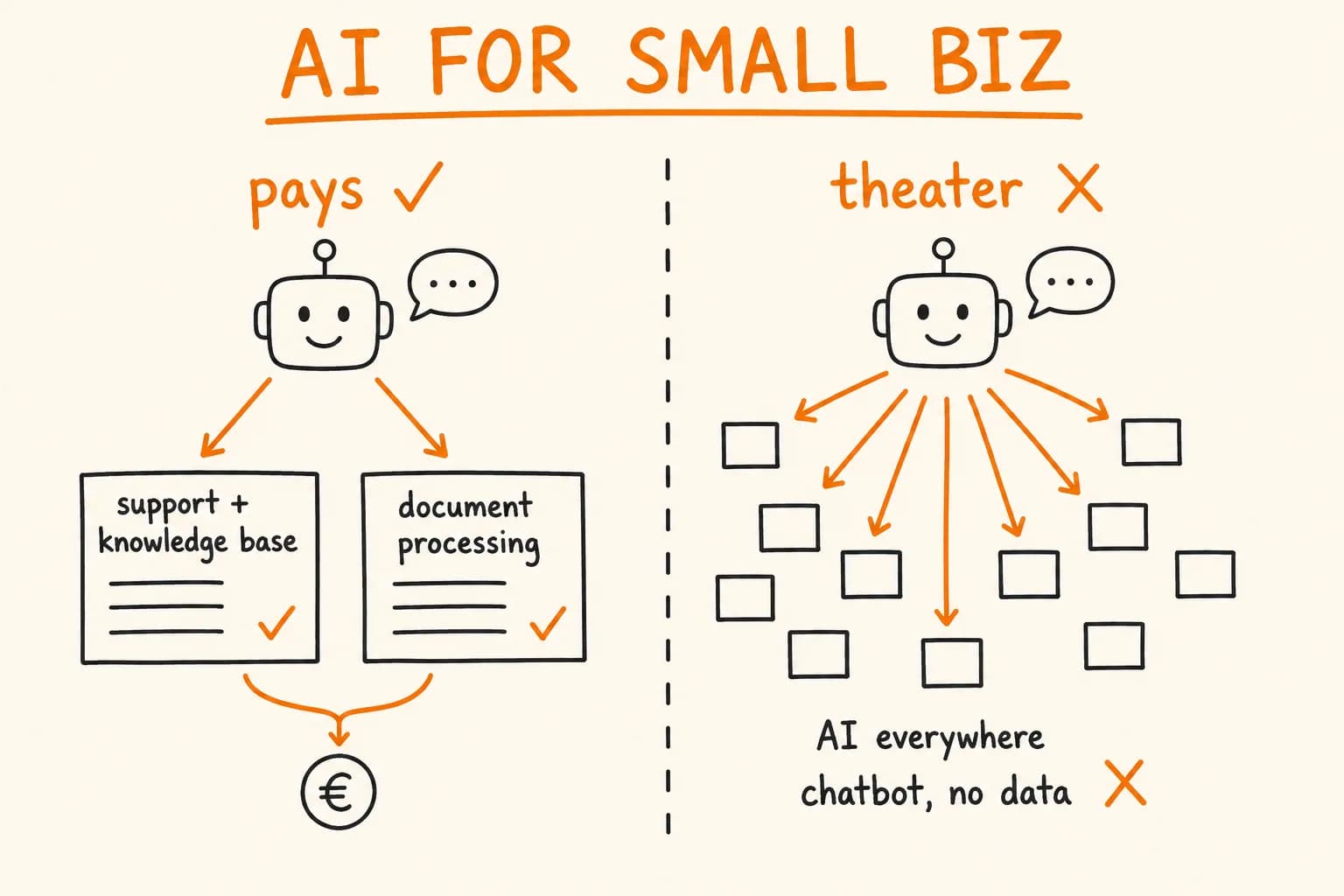
Every vendor selling you AI right now has the same pitch: it will transform your business. Most of the time, that’s the wrong frame – and it’s how small businesses end up paying a monthly fee for a chatbot nobody uses.
The useful question isn’t ‘how do we use AI?’ It’s narrower and far more valuable: which specific tasks in your business does AI actually make cheaper, and which ones does it just make look modern? Those are different lists, and telling them apart before you spend money is the whole skill.
I’ve built AI into real production systems – a support chatbot handling thousands of customer questions a month, a document-analysis service built for banks and law firms. I’ve also talked plenty of people out of AI they didn’t need. Here’s where the line actually falls.
Where AI Earns Its Cost
AI pays for itself in a narrow band of work: tasks that are high-volume, follow a repeating shape, and were previously done by a person reading and typing. Two categories are worth your attention.
Customer support over a real knowledge base
If your team answers the same questions all day – delivery times, sizing, ‘does this work with my setup,’ where’s my order – AI is genuinely good at this. Not because it’s clever, but because those questions have real answers that already exist somewhere: your FAQ, your product pages, your shipping tables.
The technique that makes this work is unglamorous. You point the AI at your own documented answers and it retrieves the right one before replying. It isn’t inventing anything; it’s looking things up in your material and phrasing the answer back. On one e-commerce system I built, that setup resolved more than 70% of incoming questions without a human touching them – around three thousand answers a month, in the customer’s own language, at any hour.
The critical word is real. The AI is only as good as the knowledge base underneath it. Point it at accurate, maintained answers and it saves your team hours. Point it at nothing – let it ‘just answer’ from general knowledge – and it will confidently make things up about your delivery times. That’s not a support tool. That’s a liability with a chat bubble.
Document processing
The second place AI reliably earns its keep is turning messy documents into structured data. Invoices, contracts, forms, receipts – anything where a person currently reads a PDF and copies numbers into a system by hand.
This is repetitive, error-prone, and high-volume in a lot of businesses, which is exactly the profile where automation wins. I built a document-analysis service that inspects uploaded PDFs and returns a clear result in seconds – work that used to require an expensive manual check or an enterprise contract. It’s built for banks, law firms and HR teams that need to verify documents without a human squinting at metadata.
The pattern underneath both of these is the same: the AI reads and sorts; a human still owns the judgment. That’s when it works.
Where It’s Theater
Now the part the vendors won’t tell you, because it’s the part that costs them a sale.
AI where a simple rule already works. If a task can be described as ‘if X, then Y’ – flag orders over a certain amount, route emails from a domain to a folder, apply a discount code – you do not need AI. You need a rule. A rule is faster, free to run, never hallucinates, and does exactly the same thing every single time. Wrapping a fixed decision in a language model adds cost, latency, and a small chance of a wrong answer, in exchange for nothing. This is the single most common way businesses overpay: buying AI for work a five-line rule would do better.
AI for judgment calls. Deciding whether to accept a risky customer, negotiating with someone who’s angry, approving an exception, choosing which supplier to trust – these are slow because they require a person to weigh things a model can’t see. AI here doesn’t remove the work; it produces a fast, confident answer that sounds right and sometimes isn’t. Automating judgment gives you quick mistakes, not saved time.
AI for the rare stuff. Something that happens twice a year isn’t worth automating with anything, AI included. The setup cost never earns itself back. It’s a hobby dressed as an investment.
AI as a headline feature. A chatbot on the homepage because competitors have one. ‘AI-powered’ in the marketing because it tests well. If you can’t name the specific task it makes cheaper, it isn’t saving you money – it’s a costume.
The Test I Actually Use
Before recommending AI for anything, I ask three questions about the task. All three need a yes.
- Does it repeat often? Dozens of times a week, not twice a month. Volume is what turns saved seconds into saved salaries.
- Does it follow the same shape each time? Same kind of question, same kind of document, same fields. AI handles variation within a pattern well; it handles genuinely novel decisions badly.
- Is the ‘right answer’ something that already exists? In your FAQ, in the document, in your data. If answering requires human judgment about things not written down anywhere, keep the human.
If a task fails any of these, AI is the wrong tool – and often a plain rule, a better form, or one part-time hour a week beats it outright. Being honest about that is the difference between technology that pays for itself and a subscription you forget to cancel.
What ‘Done Right’ Looks Like
The businesses that get real value from AI have one thing in common: they added it in exactly one place, measured whether it worked, and left everything else alone.
A done-right AI addition has three properties worth insisting on:
- It sits on top of what you already have. You should not be rebuilding your website or your order system to ‘become AI-ready.’ The good integrations are a layer added to working systems, not a reason to replace them. If a vendor’s plan starts with a rebuild, be very suspicious.
- It has a fallback. When the AI is unsure or unavailable, the work still gets done – routed to a person, handled by the old process, nothing dropped. AI that silently fails is worse than no AI, because you find out from an angry customer.
- It’s measured against a number you picked first. ‘How many questions did it handle without us?’ ‘How many documents did it process correctly?’ Decide what success looks like before you switch it on, or you’ll never know whether you’re paying for results or for the appearance of them.
The honest summary: AI is a genuinely good tool for a narrow, specific band of work – high-volume reading, sorting, and answering from material you already own. Outside that band, a human or a simple rule is usually cheaper, more reliable, and less trouble. The money is saved not by adopting AI, but by knowing precisely where it belongs and refusing to put it anywhere else.
If you can name the one task that quietly eats your team’s hours and follows the same shape every time, you already know where to start. Let’s check whether AI actually fits it – or whether something simpler would do the job.