An internal admin tool is the easiest place to stop building a client data layer. One viewer, no SEO, no public traffic, and a question that is always ‘what is the state right now’. For the admin of my PDF-verification SaaS I built a React Server Components admin dashboard that fetches nothing from the browser: no query cache, no fetch hooks, no chart library.
The title says ‘no client data layer’, not ‘zero JavaScript’. The admin tree has five Server Component pages. Mutations and a few interactive controls are small client components. What is missing is the layer that usually comes with a dashboard: a client-side cache, API routes that only exist to feed it, and loading states for every panel.
Why an Admin Dashboard Needs No Client Data Layer
Next.js puts it plainly: use Server Components to fetch data from databases close to the source and to reduce the JavaScript sent to the browser, and use Client Components for state, event handlers and browser APIs. An admin screen is mostly reads. A page component can query PostgreSQL through Drizzle, compute what it needs and return finished markup.
In this dashboard the split is simple. Pages read and render. Client components exist only where something has to react to a click: block an account, grant credits, toggle overage, filter a table. They receive props and call Server Actions. None of them fetches.
Role Guard Before the First Query
The guard is the first statement of every admin page, before any data is touched:
// lib/auth/admin.ts (simplified)
export function isAdminEmail(email: string | null | undefined): email is string {
  return email === ADMIN_EMAIL;
}

export function requireAdmin(session: Session | null): void {
  if (!isAdminEmail(session?.user?.email)) {
    redirect("/dashboard");
  }
}

// app/(dashboard)/dashboard/admin/page.tsx
const session = await auth();
requireAdmin(session);
redirect() in a Server Component throws NEXT_REDIRECT and terminates rendering of that route segment, so the queries below it never run for a non-admin session. There is no component that renders for everyone and hides sections with a flag.
That covers the pages. It does not cover the mutations, and this is where admin tools usually leak. The Next.js data-security guide says it directly: a page-level authentication check does not extend to the Server Actions defined within it, because an action is a separate entry point reachable by a direct POST. Every admin action in this project repeats the check:
// app/actions/admin-overage.ts (simplified)
export async function setUserOverage(userId: string, enabled: boolean) {
  const session = await auth();
  if (!session || !isAdminEmail(session.user.email)) {
    return { ok: false, error: "Forbidden" };
  }
  // ...
}
Every admin Server Action in app/actions calls isAdminEmail, the same function the pages use, so ‘admin’ has one definition and it is checked at every entry point.
The proxy is not a substitute. The proxy reference notes that Server Functions are POSTs to the route where they are used, so a matcher that skips a path skips the actions on it too, and says to verify authentication and authorization inside each one. More in Next.js 16 proxy.ts Migration.
Let SQL Do the Counting
The overview needs check counts per user, split by source (web or API). The tempting version loads every check row and counts in JavaScript. The version in the code groups in the database:
// app/(dashboard)/dashboard/admin/page.tsx
const checkAgg = await db
  .select({
    userId: checks.userId,
    source: checks.source,
    total: sql<number>`cast(count(*) as integer)`,
  })
  .from(checks)
  .where(sql`${checks.userId} IS NOT NULL`)
  .groupBy(checks.userId, checks.source);
The result is one row per user and source, not one row per check. The JavaScript that follows only indexes those rows into a Map so each table row is a lookup. That is bookkeeping, not aggregation.
The per-user page does the same for the activity chart: it groups by day number in SQL and returns a row per active day, about 30 at most.
// app/(dashboard)/dashboard/admin/[userId]/page.tsx
const dailyRows = await db
  .select({
    day: sql<number>`cast(${checks.checkDate} / 86400 as integer)`,
    count: sql<number>`cast(count(*) as integer)`,
  })
  .from(checks)
  .where(sql`${checks.userId} = ${userId} AND ${checks.checkDate} >= ${thirtyDaysAgo}`)
  .groupBy(sql`cast(${checks.checkDate} / 86400 as integer)`);
Timestamps are stored as epoch seconds, so dividing by 86 400 gives a UTC day bucket. Days are UTC days, not the viewer’s local ones – acceptable for an operator tool, wrong for anything a customer reads.
Not everything here is done this way. The overview reads every user row into memory and derives subscriber counts and MRR from that array in JavaScript. With a user table that fits comfortably in a request, that is fine. It does not paginate, and I would not copy that part to a table that grows without bound.
A Chart That Is Only JSX
A bar chart needs numbers and proportions. The query above supplies the numbers. What SQL does not return is the days with no rows, and a chart that silently skips empty days lies about the shape of the activity. So the page fills the gaps from day arithmetic before rendering:
// simplified: the repo inlines the label formatting
const todayDay = Math.floor(nowSec / DAY);
const dailyMap = new Map(dailyRows.map((r) => [r.day, r.count]));
const chartDays: { label: string; count: number }[] = [];
for (let i = 29; i >= 0; i--) {
  const day = todayDay - i;
  chartDays.push({ label: formatDayLabel(day), count: dailyMap.get(day) ?? 0 });
}
const maxCount = Math.max(...chartDays.map((d) => d.count), 1);
Each bar is then a div whose height is its count divided by maxCount, as a percentage. No axes, no zoom, no brush selection. If the question is ‘how busy was this account over the last month’, that is the whole chart. I wrote the same CSS-height technique up in the real-time dashboard article; here the point is that it can be a plain Server Component with no hydration at all.
I have not measured what a chart library would add here, so I will not quote a number. Nothing on this page needs what a library provides.
Filters Live in the URL
The per-user page lists that account’s checks with filters (verdict, source, how the check was funded, file name) and pagination. That state is not in a store. It is in the query string, and the page reads it as a Promise, the shape since Next.js 15 and still in 16, for params and searchParams:
// app/(dashboard)/dashboard/admin/[userId]/page.tsx
interface PageProps {
  params: Promise<{ userId: string }>;
  searchParams: Promise<{ page?: string } & CheckFilters>;
}

const { userId } = await params;
const sp = await searchParams;
const page = Math.max(1, parseInt(sp.page || "1", 10) || 1);
The filters become WHERE conditions in the same Drizzle query that counts the total and fetches the page. The filter bar is one of the client components. It holds the text in local state so typing stays instant, debounces it, and navigates:
// components/Dashboard/ChecksFilters.tsx
startTransition(() => router.replace(buildUrl(overrides), { scroll: false }));
router.replace triggers a server render of the same route with the new query string. The server runs the filtered query and sends back new markup. A filtered view is also a URL you can reload or paste.
Two caveats. First, reading searchParams opts the page into dynamic rendering, which is the right behaviour for an admin page, but it means nothing here is cached. Second, query strings are user input, so the page treats them that way: the page number is clamped, and the guard has already run before any filter is read.
The overview users table is the opposite case. Its activity tabs are client state over rows the server passes down as props. Switching is instant, but every row is serialised into the page. The data-security guide recommends passing client components only the fields they need, mainly so private data is not exposed. Here the viewer is the admin, so the concern is payload size as the table grows. At a larger size, those tabs would belong in the URL and the filtering in SQL.
What You Give Up
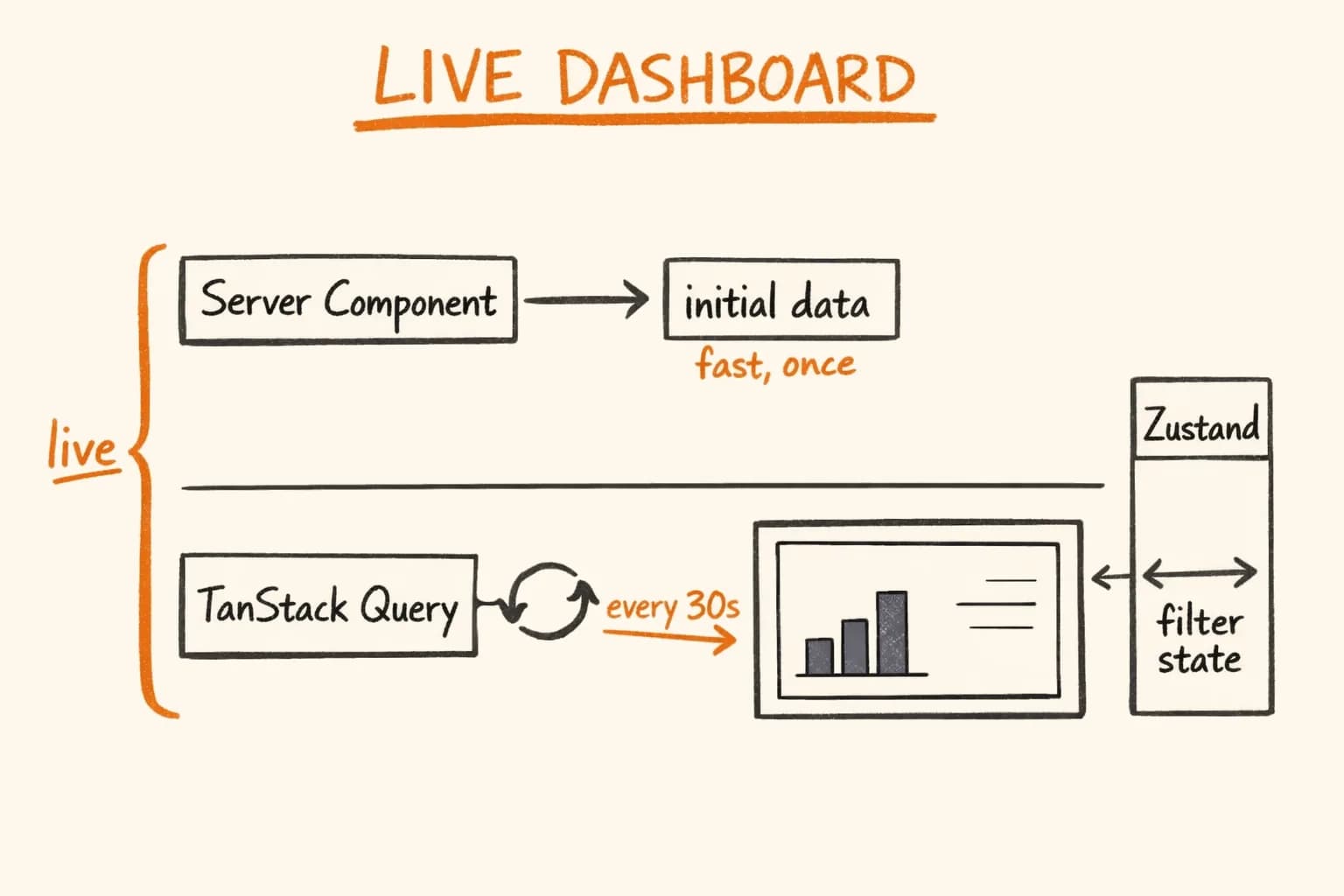
- No live updates. The page shows the state at render time. You reload to see a new signup. If you want numbers moving on screen, you need polling or a push channel and a client cache, which is the case I describe in the real-time dashboard article.
- Every filter change is a server round trip. The browser does not reload, but the server re-renders the whole route. On the per-user page that means every query on it runs again, including the ones the filter does not touch, and they are awaited one after another. For one operator that is invisible. For many concurrent viewers it would not be.
- Mutations still need client code. Buttons, forms and pending states are client components calling Server Actions, and each action carries its own authorization check. That is more code to get right than one guarded route, not less.
- Size is a real limit. Loading all users into a client table works only while the table stays small.
The rule I take from this: use server-only reads when the viewer is one trusted person who needs current state. Add client state when the data must move without a reload, when several people use the screen at once, or when interaction becomes the product – drag, zoom, live filters over large sets.
If you are building an internal admin for a SaaS and want the first version to be small, guarded and honest about its limits, get in touch. Admin tooling like this is part of the MVP development work I do, and I built this one myself, from schema to deployment.
Related projects: HTPBE? Admin Dashboard – the dashboard this article is based on.
Further reading:
- Next.js: Server and Client Components
- Next.js: How to think about data security – why Server Actions need their own authorization check
- Next.js: redirect()
- Next.js: page.js (params and searchParams)
- Next.js: proxy.js – and why it is not your only authorization layer
- Real-Time Dashboard in Next.js with TanStack Query + Zustand – when the same dashboard needs live data
- Next.js 16 proxy.ts Migration: From middleware.ts – moving authorization out of the proxy layer