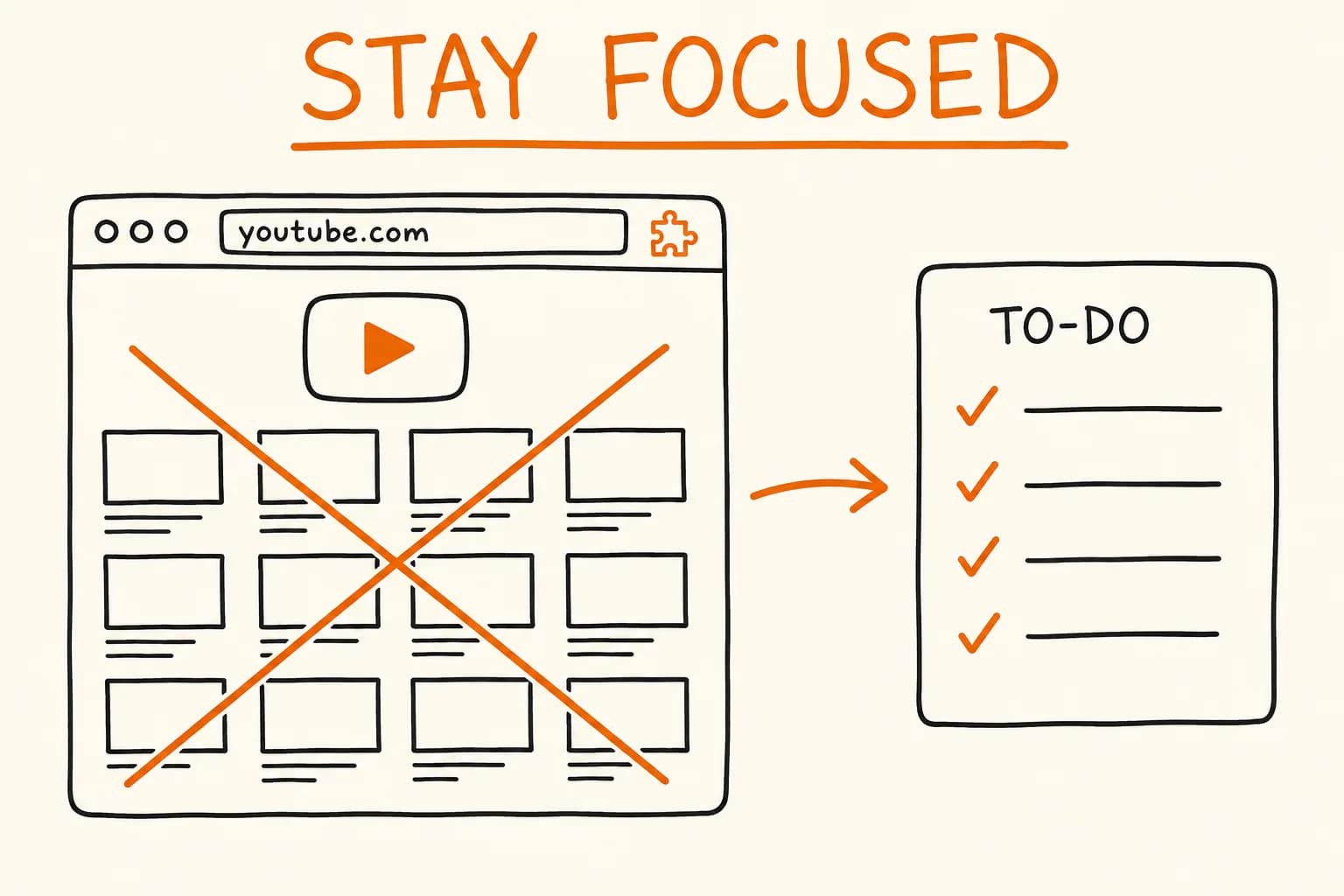
I open youtube.com to grab one specific video, and forty minutes later I’m three recommendations deep into something I never went there for. The homepage feed is one of the platform’s most effective attention traps, and it’s designed to keep you watching.
The obvious fixes all overreach. Block the whole domain and you lose search, video pages, subscriptions, and watch history along with the feed. Install a heavyweight ‘site blocker’ and you hand it broad permissions, a background worker on every tab, and usage tracking to justify a subscription. I wanted the opposite: remove only the home feed, leave the rest of YouTube fully working, and ask for the least a user has to trust. That turned into a Manifest V3 extension that’s about 30 lines of vanilla JS – no build step, no dependencies, no background service worker. Here’s how it works and the few decisions that actually mattered.
Why Not an Existing Extension?
Plenty of tools touch this problem, and for many people one of them is the right answer. Unhook and DF Tube hide YouTube UI elements – the feed included – behind a rich options panel. uBlock Origin can do the same with a single cosmetic filter rule. LeechBlock and Redirector are general-purpose site blockers and URL rewriters you can configure to cover this case.
Every one of them is more capable than what I built – which is exactly why I passed. Unhook, DF Tube, and uBlock Origin solve a broader class of problems than I needed to; uBlock in particular runs everywhere and carries a large, general-purpose engine. Redirector would do the job too, but as a tool I configure rather than one that does this out of the box. I wanted the smallest possible artifact: behaviour I can hold in my head and a permission list I can justify line by line. For one sharp itch – remove the home feed, touch nothing else – 30 lines I fully understand beat a powerful tool I’ve half-configured. If you already run one of the above, there’s no reason to switch; this is for the case where you’d rather own the whole thing.
Three Constraints That Shape Everything
Before any code, the requirements pin down the whole design:
- No flash of feed. If the recommendations render and then the page navigates away, the distraction already won – your eyes caught it. The redirect has to fire before the feed paints.
- Surgical scope. Only the exact homepage (
/) redirects./watch,/results,/feed/subscriptions,/@channel– every other path stays exactly as it is. - Minimal trust surface. A focus tool that quietly phones home is self-defeating. It should request the fewest permissions that make it work and keep the user’s one setting on the user’s machine.
Each constraint maps to one specific technical choice. None of them needs a framework.
Beating the Feed to the Paint
The ‘no flash’ requirement comes down to two words in the manifest: "run_at": "document_start". A content script with that setting runs before YouTube’s own application code initializes, while the page is still effectively blank – so in practice the redirect fires before the homepage feed renders, and you never see the wall of recommendations flash up and disappear.
It’s worth being precise about what this guarantees. document_start is the earliest hook Chrome offers, but it isn’t a promise of zero visual artifact: the browser may already have painted a blank frame, and a future change to how YouTube boots could reintroduce a flicker. What it does reliably is run ahead of YouTube’s own scripts – early enough that, in months of daily use, I’ve never caught the feed rendering before the redirect.
// content.js — runs at document_start, redirects only the exact homepage
chrome.storage.sync.get({ redirectUrl: "https://app.todoist.com/app/today" }, (data) => {
  if (location.hostname === "www.youtube.com" && location.pathname === "/") {
    location.replace(data.redirectUrl);
  }
});
That location.pathname === "/" check is the whole of constraint #2. Match the root path and only the root path, then hand off. Visit any other YouTube URL and the guard is false, so the script does nothing and the page loads untouched. There’s no allowlist to maintain, no regex to get wrong – just one exact-string comparison.
Why location.replace(), Not location.href =
The redirect uses location.replace() on purpose. The difference is what happens to the browser’s history:
location.href = urlpushes a new entry. The YouTube homepage stays in history, so the very next Back press bounces the user straight into the feed they were trying to skip.location.replace(url)swaps the current entry in place – the homepage never lands in history. Back goes to wherever they came from, not into the trap.
It’s a one-word change that decides whether the tool actually holds the line or just adds a speed bump. This is the kind of detail that doesn’t show up in a feature list but is the entire difference between ‘works’ and ‘works the way you’d want.’
One Setting, Synced, Owned by the User
The destination is the only state the extension keeps, and it lives in chrome.storage.sync. That choice does a lot of quiet work: the setting follows the user across their signed-in Chrome browsers – no account, no server, and not a single network call from the extension itself. Chrome handles the sync; the extension just reads and writes a key.
The popup is the entire settings surface. Load the current value into an input on open, write it back on Save:
// popup.js — load the saved URL, persist edits on Save
chrome.storage.sync.get({ redirectUrl: "https://app.todoist.com/app/today" }, (data) => {
  input.value = data.redirectUrl;
});

save.onclick = () => {
  chrome.storage.sync.set({ redirectUrl: input.value.trim() }, () => {
    save.textContent = "Saved ✓";
    setTimeout(() => (save.textContent = "Save"), 1500);
  });
};
The default is the Todoist Today view – open YouTube on autopilot and you land on your task list instead of the feed. Change it to a calendar, a blank tab, a Kanban board, anything. The same redirectUrl key is read by both files, so the popup and the content script share one source of truth with no message passing between them.
A Trust Surface You Can Read in a Minute
The strongest privacy claim is the one a user can verify for themselves. With this extension, the manifest is the whole story:
// manifest.json — the entire permission surface
{
  "manifest_version": 3,
  "permissions": ["storage"],
  "host_permissions": ["https://www.youtube.com/*"],
  "content_scripts": [
    {
      "matches": ["https://www.youtube.com/*"],
      "js": ["content.js"],
      "run_at": "document_start"
    }
  ]
}
Two grants: the storage permission and host access to www.youtube.com. No tabs, no scripting, no analytics endpoint, no background service worker watching anything. Could a content script with DOM access on youtube.com exfiltrate data in principle? Yes – that’s what host access means, and it would be dishonest to claim otherwise. The point is narrower and verifiable: the current implementation makes zero network requests, and you can confirm that by reading the two short scripts yourself.
The guarantee isn’t ‘it can’t.’ The guarantee is that you can verify exactly what it does in under a minute.
When the Chrome Web Store review page lists ‘This extension can read and change your data on youtube.com,’ that single line is the entire capability – and the code shows it uses almost none of it.
Manifest V3 gets criticized for the friction it adds, but for a tool like this its constraints are a feature. This extension doesn’t include a background service worker at all, so there’s no separate execution context running outside the page. The smaller the surface, the easier it is to trust – and a focus tool that you don’t fully trust is one you’ll uninstall.
What This Deliberately Doesn’t Handle
A tool this focused earns its keep by being honest about its edges. A few cases it intentionally leaves alone:
- In-app navigation to the homepage. YouTube is a single-page app. Click the logo or the Home button while you’re already on the site and it’s a client-side route change – the content script doesn’t re-run, so that path isn’t redirected. The redirect fires on full page loads and direct visits to
youtube.com, which is exactly where the ‘open YouTube on autopilot’ habit lives. Supporting in-app navigation is entirely possible – listen for YouTube’syt-navigate-finishevent, or patch the History API – but it requires a long-lived script observing route changes, complexity I intentionally chose not to add. - Mobile and alternate hosts. Host access is scoped to
www.youtube.com.m.youtube.comand other variants are out of scope by design. - YouTube relocating the feed. The exact-path guard assumes the feed lives at
/. If YouTube ever moves it, the guard is a one-line change – a deliberate trade for the simplicity of matching one exact path instead of maintaining a pattern.
None of these are oversights. Each is a place where handling the case would cost more complexity or more permissions than it’s worth for a single-purpose tool.
Results
| Metric | Value |
|---|---|
| Codebase | ~30 lines of vanilla JS across two scripts – no build, no deps |
| Manifest | V3, no background service worker |
| Permissions | 2 – storage + www.youtube.com host access |
| Injection | document_start, before YouTube’s app code initializes |
| Scope | Exact / path only; every other YouTube page untouched |
| Storage | chrome.storage.sync – syncs across browsers, no server |
| Telemetry | None – no tracking, no accounts, no network calls |
| License | MIT, open-source |
Takeaways
-
run_at: document_startruns ahead of the page’s own code. If you need to intervene before a site’s scripts boot, inject the content script atdocument_start– it’s the earliest hook Chrome gives you and, in practice, early enough that the content typically hasn’t rendered yet. It’s not a hard guarantee against any flicker, but it’s the right lever. -
An exact-path guard beats an allowlist. When you want to act on one route and leave everything else alone,
location.pathname === "/"is simpler and safer than enumerating the paths to skip. There’s nothing to forget. -
location.replace()keeps the trap out of history. For a redirect the user shouldn’t be able to Back into, replace the current entry instead of pushing a new one. -
chrome.storage.syncgives you cross-device settings for free. No backend, no account – Chrome handles the sync entirely. -
The smallest trust surface wins. Request only the permissions you genuinely need. For anything privacy-adjacent, ‘you can read the entire thing in a minute’ is a stronger guarantee than any privacy policy.
The discipline in a tool like this is in what it doesn’t do. It removes one feed and touches nothing else. The code is on GitHub, and the full project write-up is in the YouTube Home Blocker project card.
If you’ve got a small, sharp tool that needs to actually ship – built properly, packaged, and put in front of users rather than left sitting in a scratch folder – that’s exactly the kind of focused build I take from zero to released.