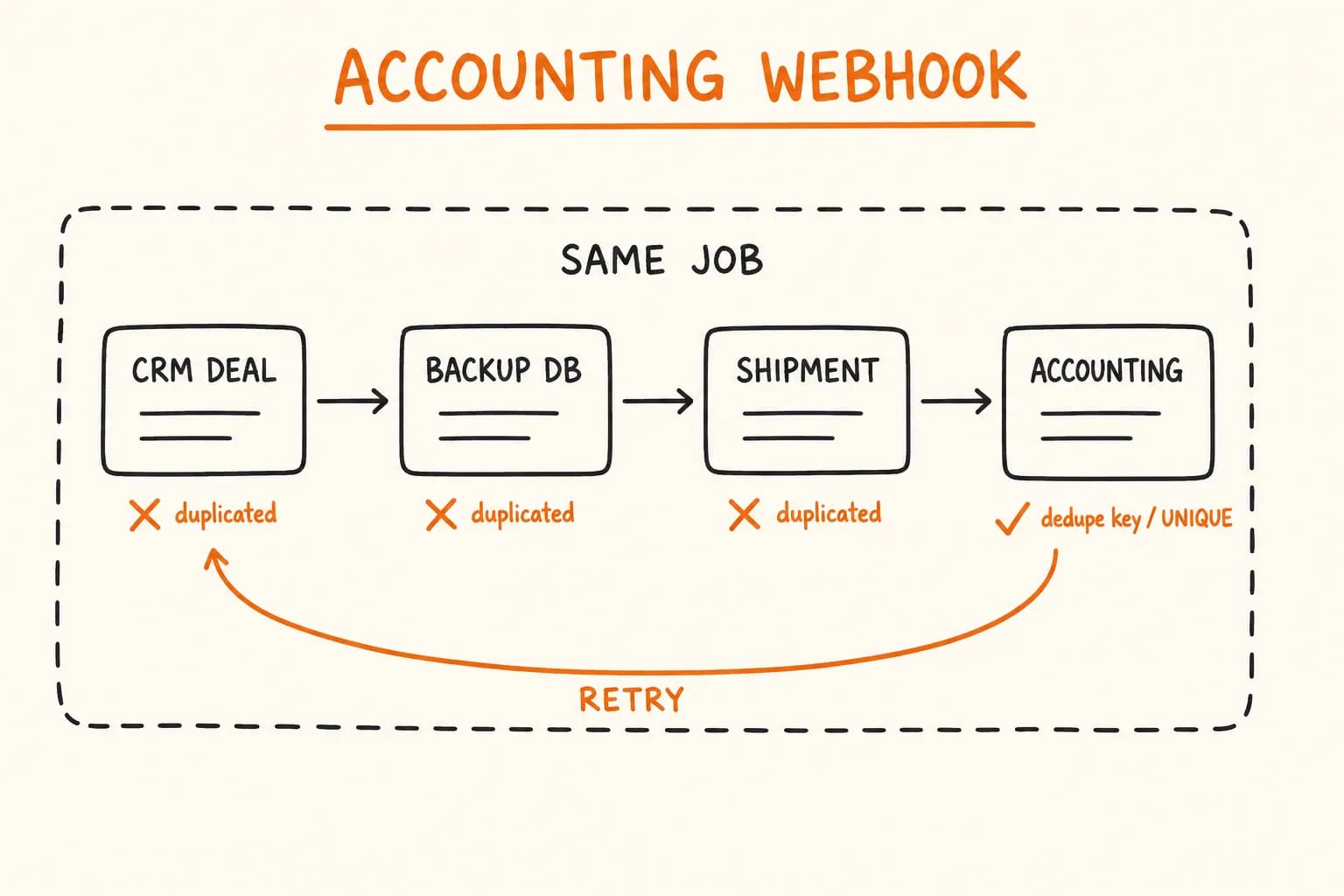
On Pikkuna, the same BullMQ worker that books a Netvisor accounting entry for every confirmed order also writes a record to Airtable, earlier in the same sequence:
// workers/order-processor.ts
const worker = new Worker("orders", async (job) => {
  const { sessionId } = job.data;
  const session = await fetchSession(sessionId);

  await createZohoDeal(session); // CRM
  await createAirtableRecord(session); // Backup DB
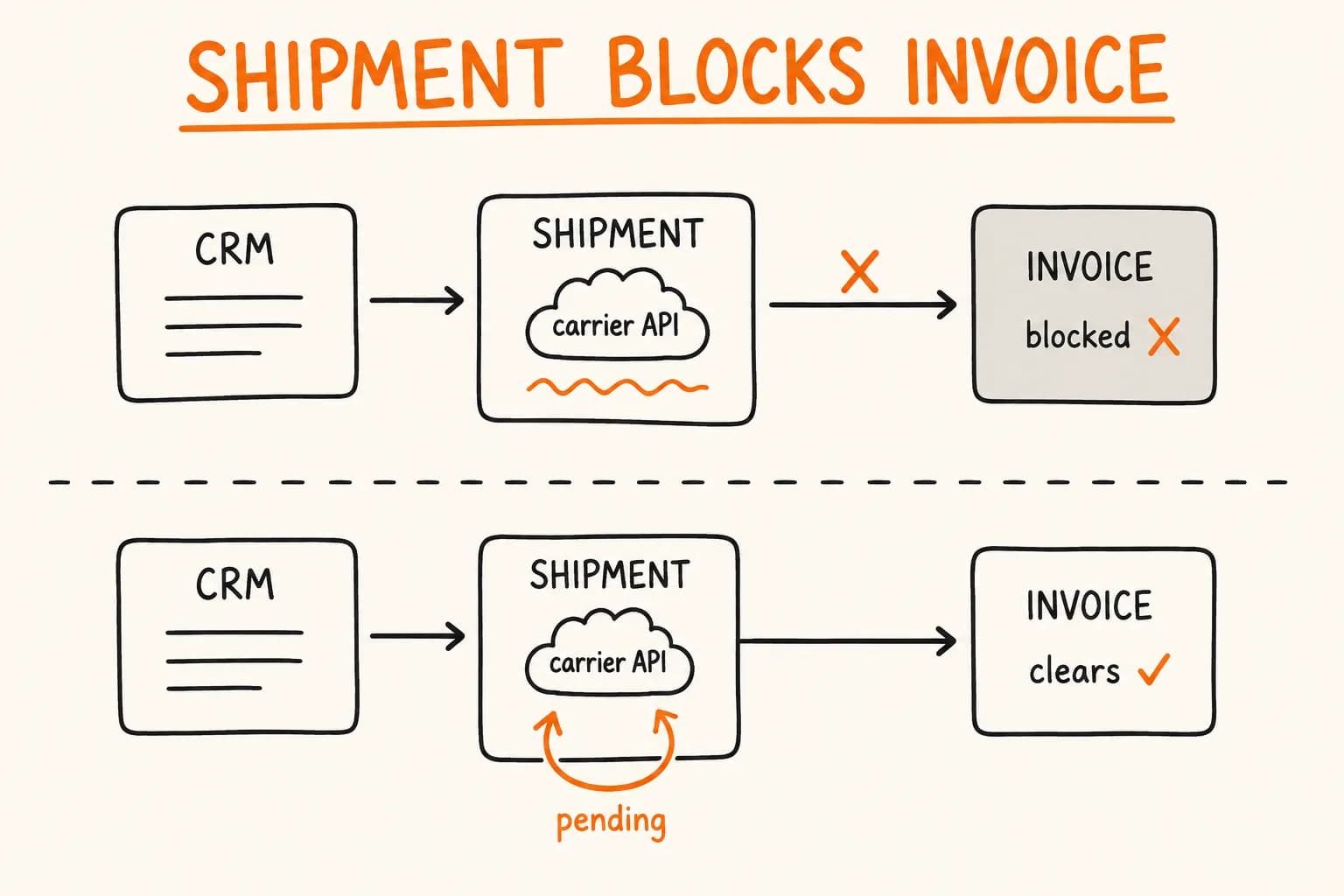
  await createPostNordShipment(session); // Shipping label
  await sendToNetvisor(session); // Accounting
  const invoice = await generateInvoicePDF(session);
  await sendEmailWithInvoice(session, invoice);
});
That line – createAirtableRecord(session); // Backup DB – is easy to skim past. It sits between a CRM write and a shipping-label call, doing what looks like the least interesting job in the whole function: writing the same order data somewhere else. I don’t have Airtable’s specific API surface – field types, endpoints, rate limits – to walk you through, and this isn’t an Airtable tutorial. The part that matters is why that line exists at all, what it’s supposed to guarantee, and why it needs the same idempotency treatment as the Netvisor call next to it – for a different reason than money.
Why Keep a Second, Dumber Copy of the Order
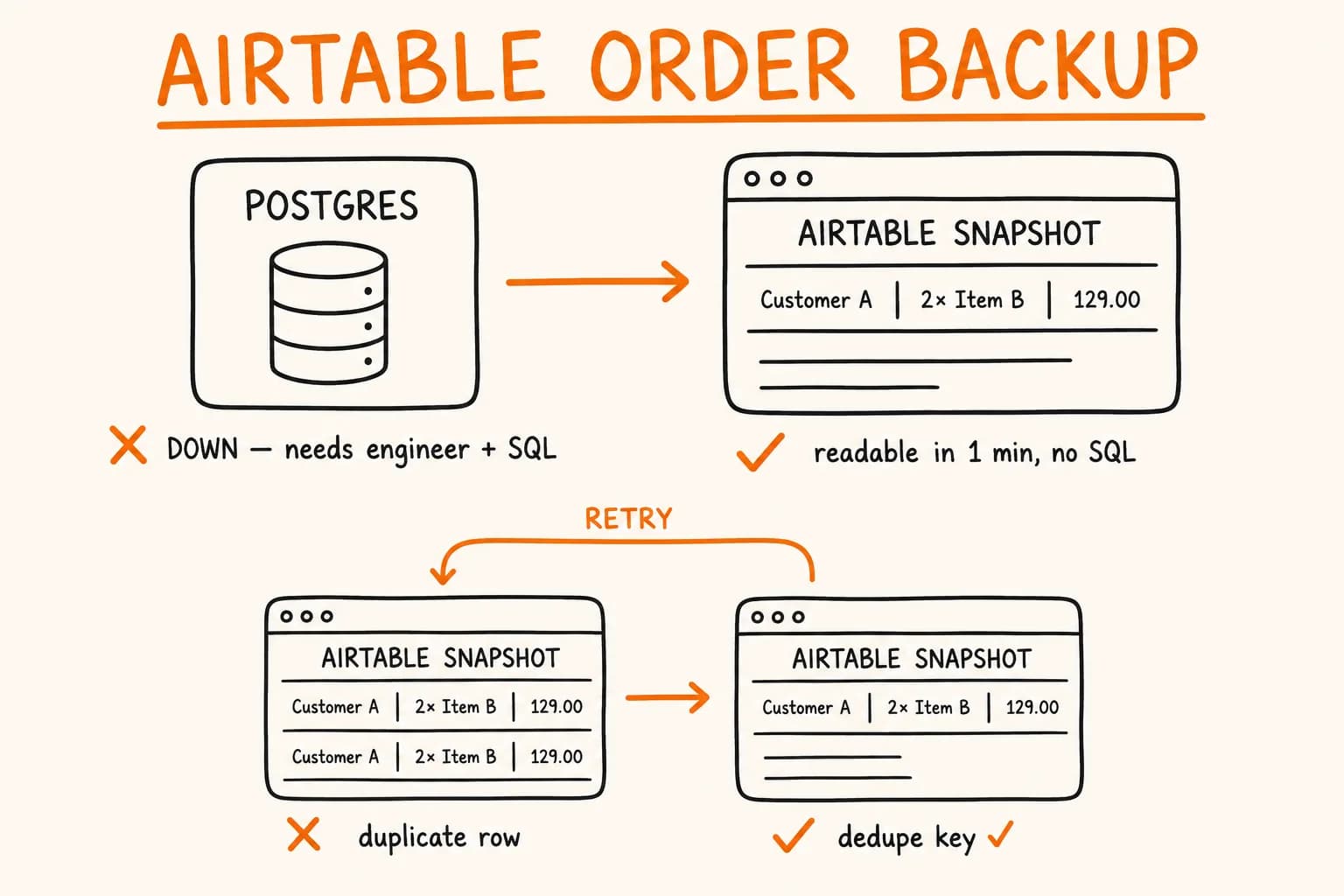
Pikkuna’s real system of record for an order is Postgres, reached through the app, the admin views, and whatever tooling exists on top of it. That’s where the order actually lives. Airtable holds a parallel copy – a snapshot of the same event, written at the same moment, sitting in a tool that opens like a spreadsheet.
The reason to duplicate the write isn’t redundancy for its own sake. It’s who can read the backup and how, when the primary system is the thing that’s broken. If the database has an outage, a bad migration wipes a table, or the admin panel throws a 500 at 11pm, ‘did order #4821 actually get placed, and what was in it’ becomes a question only an engineer with database access can answer – and only after they’re paged, awake, and connected. A backup record in a tool that opens in a browser and reads like rows in a spreadsheet turns that same question into something ops, support, or an accountant can answer themselves, in under a minute, without SQL and without waking anyone up.
That’s the entire value proposition, and it’s narrower than ‘keep two systems in sync.’ A synced mirror and a disaster-recovery snapshot solve different problems and want different designs.
A Snapshot, Not a Mirror
The order data in that record – customer, items, amount, shipping destination, the fields that make the order legible on its own – is written once, at order confirmation, from the same session object every other step in that worker reads, and it is never rewritten after that. It is not a live view of the order’s current state. If the order later gets refunded, the shipping address gets corrected by support, or a line item gets adjusted, none of that reaches the Airtable row: it still shows what was true the moment the order was confirmed. The one thing that does land on the record later is the shipment label, which the same worker attaches to it a couple of steps further down, once PostNord returns it. That’s not a contradiction of ‘write once’ – it’s a file dropped onto a record that already exists, not a resync of the order’s state. The label doesn’t get regenerated if the shipment changes, and nothing else about the row gets touched to accommodate it. This backup’s job is ‘what did we actually receive and confirm, and what did we ship it with,’ not ‘what does this order look like right now.’
That’s a deliberate, narrower contract. The alternative is tempting and wrong. Once a backup record exists, the reflex is to keep feeding it – sync every update, every refund, every status change, so it always matches the primary system. That’s a second full integration, doubling the surface area of every change to the order model, in service of a use case (‘what happened when the primary system is unreachable’) that a point-in-time snapshot already satisfies. Build that and you’ve quietly turned a disaster-recovery fallback into a second source of truth that has to be kept correct forever. That’s a much bigger promise than this pattern was meant to make, and a maintenance burden nobody signed up for when the backup record was added.
The same discipline applies to what fields go in the snapshot. Everything the order confirmation actually needs to be legible to a human – customer, items, amount, shipping destination – belongs. Anything that’s really ‘current CRM state’ or ‘current shipment status’ doesn’t; that’s what Zoho and PostNord already own, and pulling their live values into a static row just creates a second place they can go stale in a way nobody’s watching for. A spreadsheet-like tool is chosen here specifically because it’s readable without a query language, not because it’s a good place to keep two systems’ state in agreement.
The Same Retry Bug, Lower Stakes, Still Real
The Airtable write sits inside the exact worker function the Netvisor accounting integration article covers in detail, and it inherits the exact same problem: BullMQ has no concept of a half-finished job. If the job fails a step later – say the PostNord call times out – the next attempt starts the function over, and createAirtableRecord(session) runs a second time, right alongside createZohoDeal and everything else that already succeeded once.
For the Netvisor call, that risk is a duplicate accounting entry an accountant later reconciles against a bank statement – real money, real paperwork to unwind. For Airtable, the failure mode is a second row for the same order sitting in the backup base. Nobody reconciles a spreadsheet against a bank statement, so on the surface this looks like the lowest-stakes step in the whole worker. It’s still a bug, and it still costs something, because it undermines the one property the backup exists to provide.
The backup exists for one situation: someone who isn’t an engineer opens it during an outage and needs a fast, trustworthy answer. Two or three duplicate rows for the same order don’t just clutter the view – they turn ‘quick read’ into ‘which of these is real, and did we actually ship this order twice, or is this just a retry artifact?’ That’s exactly the question this tool was built to make disappear. A backup record that requires judgment calls to interpret correctly has lost the property that made it worth building in the first place, even though the duplicate itself never touches a bank balance or triggers a tax filing.
The fix isn’t a new mechanism – it’s the same dedupe-key-and-status-row pattern the Netvisor accounting integration article walks through for the accounting call, applied here: a deterministic key derived from the Stripe session ID, a claim written before the Airtable call goes out, and a guard that makes a retried createAirtableRecord recognize the key it already claimed and return without writing a second row. What changes here is the reasoning, not the mechanism: a step with no euro amount attached still deserves the same guard. Low stakes doesn’t mean no stakes – the cost of getting it wrong shows up as eroded trust in a tool instead of a line on a balance sheet, and that’s a real cost too.
Where This Fits and Where It Doesn’t
This pattern generalizes past Airtable and past Pikkuna. Any business event worth protecting against a primary-system outage – an order, a signed contract, a support escalation – can get the same treatment: a write-once snapshot, in a tool a non-technical person can open unassisted, guarded by the same idempotency discipline as every other step in the same retried job. It doesn’t have to be Airtable specifically; a shared spreadsheet, Notion, or any tool with a decent write API does the same job. The requirement is human-readability without a database client, not a particular vendor.
It’s also not free, and it’s fair to ask when it’s worth adding. For a low-volume operation where an engineer is reachable and a database restore is a realistic first response to an outage, a second write path is one more integration to maintain for a scenario that may never come up. It earns its keep once the business has grown past the point where ‘wake up the engineer’ is an acceptable incident-response plan for ‘can you tell me what order #4821 was’ – which, for Pikkuna, arrived somewhere around the same point that going from a dozen domestic orders a week to a 32-country launch made a 30-minute manual process untenable in the first place.
A backup record that duplicates on retry, or one that’s been quietly promoted into a second source of truth nobody’s syncing correctly – both defeat the reason it was built. If you’re wiring a payment or order flow into more than one downstream system and want the failure modes designed in from the start, get in touch.
Further reading:
- Wiring an Accounting System into a Payment Webhook Without Losing Money – the dedupe-key and status-row pattern this article applies to the Airtable step
- Idempotency Keys: Building Retries That Don’t Double-Charge – the general server-side contract both articles build on
- Pikkuna – E-commerce for Vinyl Curtains & PVC Products – the project this pattern is drawn from