
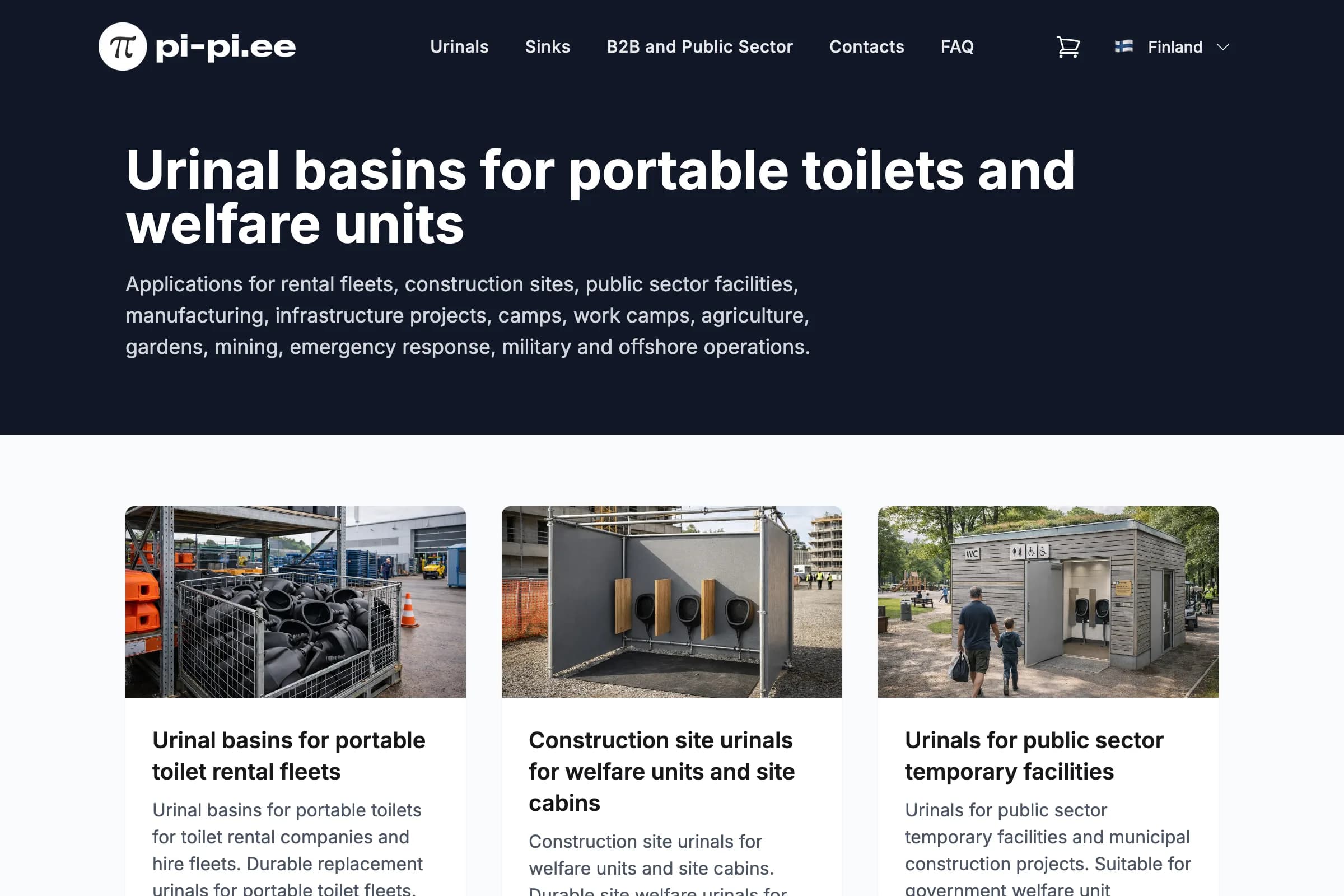
i18n B2B e-commerce platform for waterless urinal products across 32 European countries with automated VAT handling, PDF invoicing, and CRM integration.
On-demand PDF presentation generator for 31 European markets – one codebase, one URL pattern. Streamed directly from a Next.js route handler with zero storage and ~200 ms generation time.
Key Results
The pi-pi.ee sales team sells waterless urinal systems across 31 European markets. Reaching distributors and facility managers means communicating in their language – and that communication starts with a product presentation.
The existing workflow: a single PowerPoint file, maintained manually, in one language. When the sales team needed to send a deck to a prospect in Poland or Estonia, someone had to translate it, reformat it, and export it to PDF. Each iteration of the product – new prices, updated specs, different material grades – required the same process all over again. With 31 potential markets, the problem was structurally unsolvable with manual tooling.
The core requirements:
pi-pi.ee/en/presentation.pdf, pi-pi.ee/et/presentation.pdf, pi-pi.ee/de/presentation.pdf opens directly in the browser; no login, no form, no download pageI built a Next.js App Router route handler at /[locale]/presentation.pdf that generates the PDF on demand and streams it directly in the HTTP response. The key architectural decision: the presentation reuses the site’s existing next-intl translation files verbatim – no separate content, no translators, no duplication. The same JSON keys that power the product pages, pricing tables, and feature lists on the website are read by the PDF route and composed into a structured sales deck.
The PDF is assembled with @react-pdf/renderer – React components describe the layout declaratively, and the whole document compiles to a PDF byte stream on the server. No file is saved to disk, and nothing is uploaded to a storage bucket: the PDF exists only for the duration of the request. When the product team edits a spec or price on the site, the next request to that market’s presentation URL picks up the change automatically – no rebuild, no deploy, no manual sync.
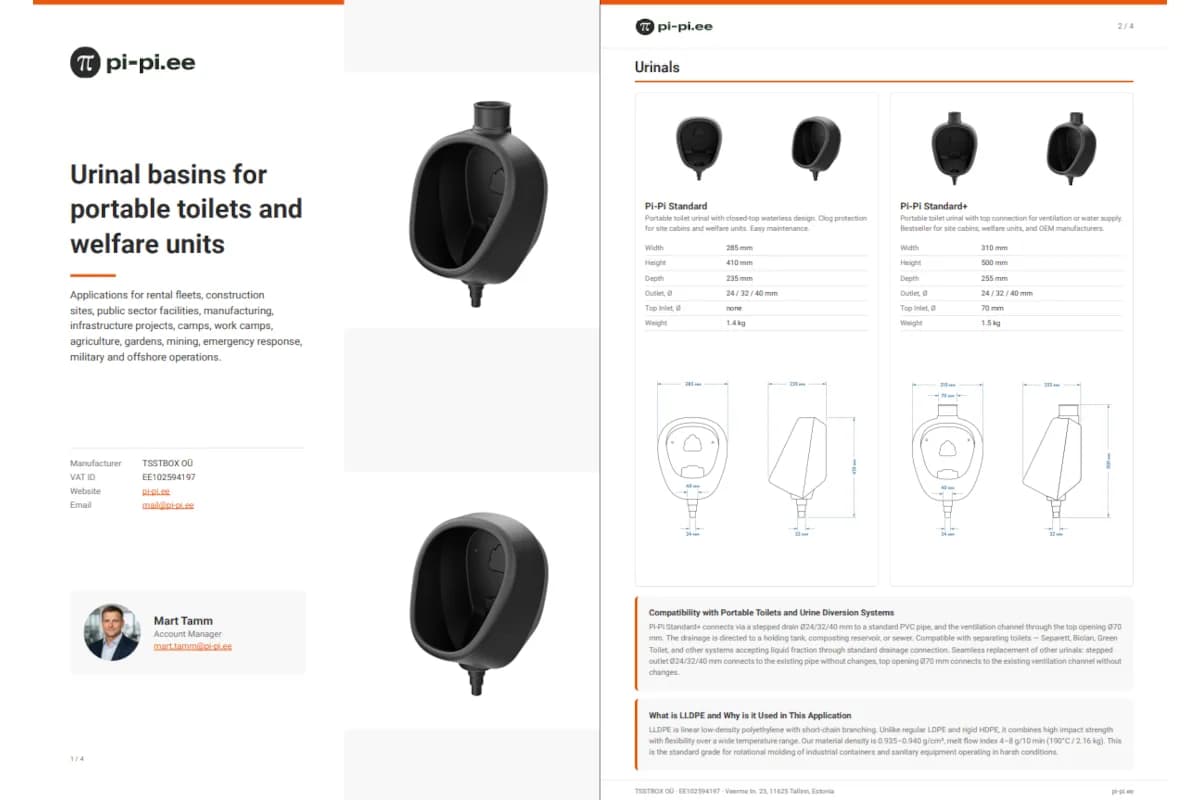
The presentation is four A4 pages, each with a distinct purpose:
Slide 1 – Cover. Company logo, product hero image, tagline, and the sales manager’s name and contact details. The contact block is locale-aware – different markets may have different account managers.
Slide 2 – Manufacturer Capabilities. A grid of proof points: factory certifications, production capacity, material grades, export geography. All text comes from the site’s existing capabilities message namespace.
Slide 3 – Dual Product Specs. Side-by-side comparison of the two main product lines with dimensions, flow rates, compatibility, and installation requirements. Uses a two-column View grid with aligned label/value rows.
Slide 4 – LLDPE Material Deep-Dive. The most layout-intensive slide: a 3×2 grid of stat cards (tensile strength, temperature range, chemical resistance, UV stability, recyclability, service life), followed by a comparison table of pi-pi material versus standard alternatives.
The presentation is live at pi-pi.ee/[locale]/presentation.pdf for all 31 locales. B2B managers now share a single URL in their outreach emails. The recipient gets a professionally formatted presentation in their language – with specs, pricing, and copy that always match the live site – without any manual preparation or translator involvement.
| Metric | Value |
|---|---|
| Locales | 31 (full EU coverage + other languages) |
| Generation time | ~200 ms (A4, 4 slides, images + tables) |
| Storage required | None – generated on demand |
| Translators involved | Zero – reuses existing site i18n files |
| Content sync | Automatic – site update = PDF update |
| Deployment | Vercel serverless, scales automatically |
For the technically curious, here is how the core pieces are built.
The route reads the locale from the URL, loads the relevant message namespaces from the site’s i18n files, renders the PresentationDocument component tree, and writes the resulting bytes directly to the response:
// app/[locale]/presentation.pdf/route.ts
export async function GET(
  _req: Request,
  { params }: { params: Promise<{ locale: string }> }
) {
  const { locale } = await params;

  const messages = await Promise.all([
    getBaseMessages(locale),
    getUseCasesMessages(locale),
  ]);

  const pdfBuffer = await renderToBuffer(
    <PresentationDocument
      messages={messages}
      {...extractors(getMessages(locale))}
    />
  );

  return new Response(Buffer.from(pdfBuffer), {
    headers: {
      "Content-Type": "application/pdf",
      "Content-Disposition": `inline; filename="pi-pi-presentation-${locale}.pdf"`,
    },
  });
}
No file saved to disk. No upload to a storage bucket. The PDF exists only for the duration of the request.
The route imports message loaders that are shared with the rest of the Next.js app. There is no separate content management step for the presentation:
// lib/pdf/messages.ts — reads the same files next-intl uses on the site
import { getMessages } from "@/i18n/server";

export async function getPresentationMessages(locale: string) {
  const messages = await getMessages({ locale });

  return {
    cover: messages.presentation.cover,
    capabilities: messages.capabilities,
    products: messages.products,
    material: messages.material,
  };
}
When the product team edits a spec value in messages/de.json to update a Polish-language page on the site, the next request to /de/presentation.pdf picks up the change automatically. No rebuild, no deploy, no manual sync.
@react-pdf/renderer uses its own text rendering engine and does not inherit system fonts or browser fonts. Without explicit font registration, any character outside the Latin-1 range renders as an empty rectangle. The fix is to register a full Unicode font with an explicit CDN URL before the document renders:
// lib/pdf/fonts.ts
Font.register({
  family: "Roboto",
  fonts: [
    { src: "https://fonts.gstatic.com/.../Roboto-Regular.ttf", fontWeight: 400 },
    { src: "https://fonts.gstatic.com/.../Roboto-Bold.ttf", fontWeight: 700 },
    { src: "https://fonts.gstatic.com/.../Roboto-Italic.ttf", fontStyle: "italic" },
  ],
});

// Disable automatic hyphenation globally.
// The built-in algorithm is English-only — applied to non-Latin locales
// it produces incorrect line breaks mid-word.
Font.registerHyphenationCallback((word) => [word]);
The hyphenation callback is the less obvious one: @react-pdf/renderer runs a hyphenation pass on every text node by default. For non-English locales this produces broken line breaks. Returning [word] as a single-element array tells the engine to never split the word, which gives correct results for all 31 locales at once.
Because the presentation reads from the same i18n JSON files as the rest of the site, hot-reload should work automatically – edit a message, refresh the PDF URL, see the change. In practice, the PDF route had its own module-level Map that cached parsed message objects between requests. The cache survived Next.js hot-reload, so edits to JSON files had no effect until a full server restart.
The fix is a single environment check:
// lib/pdf/messages.ts
const cache = new Map<string, Messages>();

export async function getMessages(locale: string): Promise<Messages> {
  if (process.env.NODE_ENV !== "development" && cache.has(locale)) {
    return cache.get(locale)!;
  }
  const messages = await loadJSON(locale); // same files the site uses
  cache.set(locale, messages);
  return messages;
}
In development, the cache is bypassed entirely – every request re-reads the JSON from disk. In production on Vercel, the module-level cache persists for the lifetime of the serverless function instance, which is the desired behaviour: warm requests are fast without redundant I/O.
 Available
Need something similar?
I build custom solutions – from APIs to full products. Let’s talk about your project.
i18n B2B e-commerce platform for waterless urinal products across 32 European countries with automated VAT handling, PDF invoicing, and CRM integration.
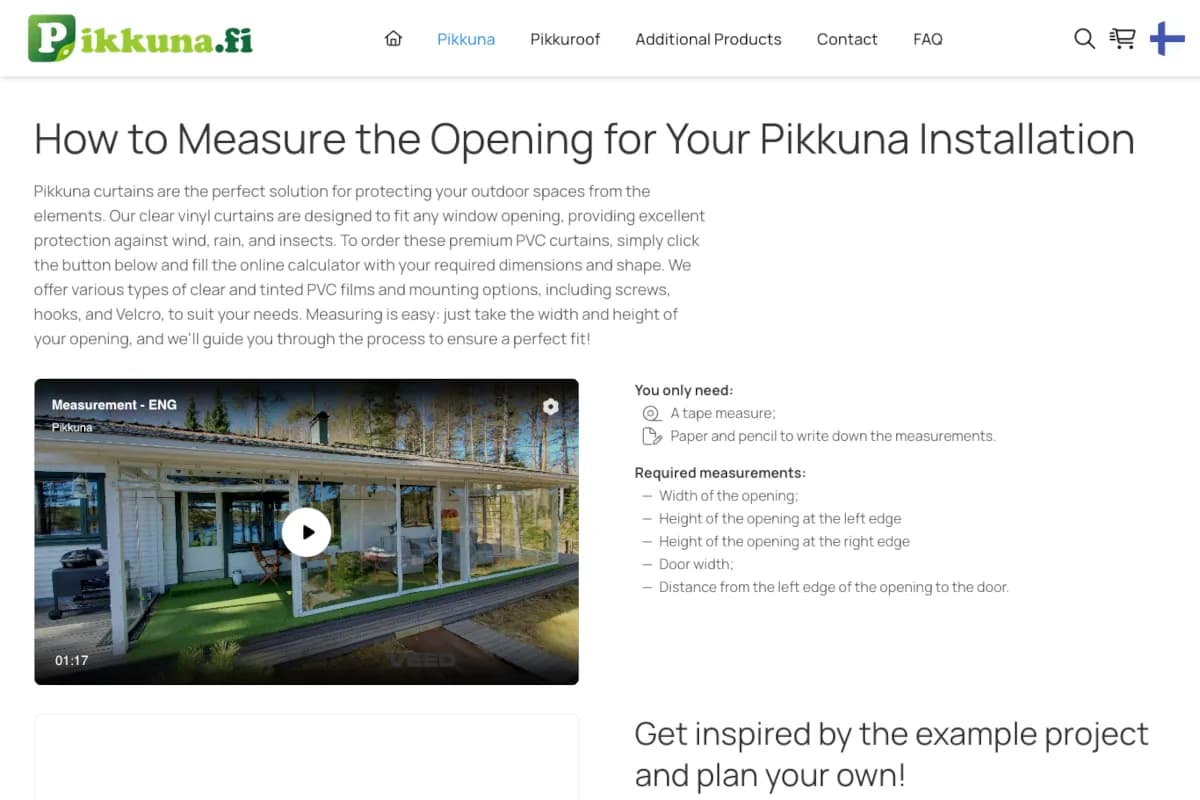
E-commerce platform with 30 locales, product configurators, AI chatbot, and fully automated order flow: Stripe → Zoho CRM → Airtable → Mailgun → PDF.

Puppeteer vs @react-pdf/renderer for Node.js PDF generation, decided by production use, not benchmarks.
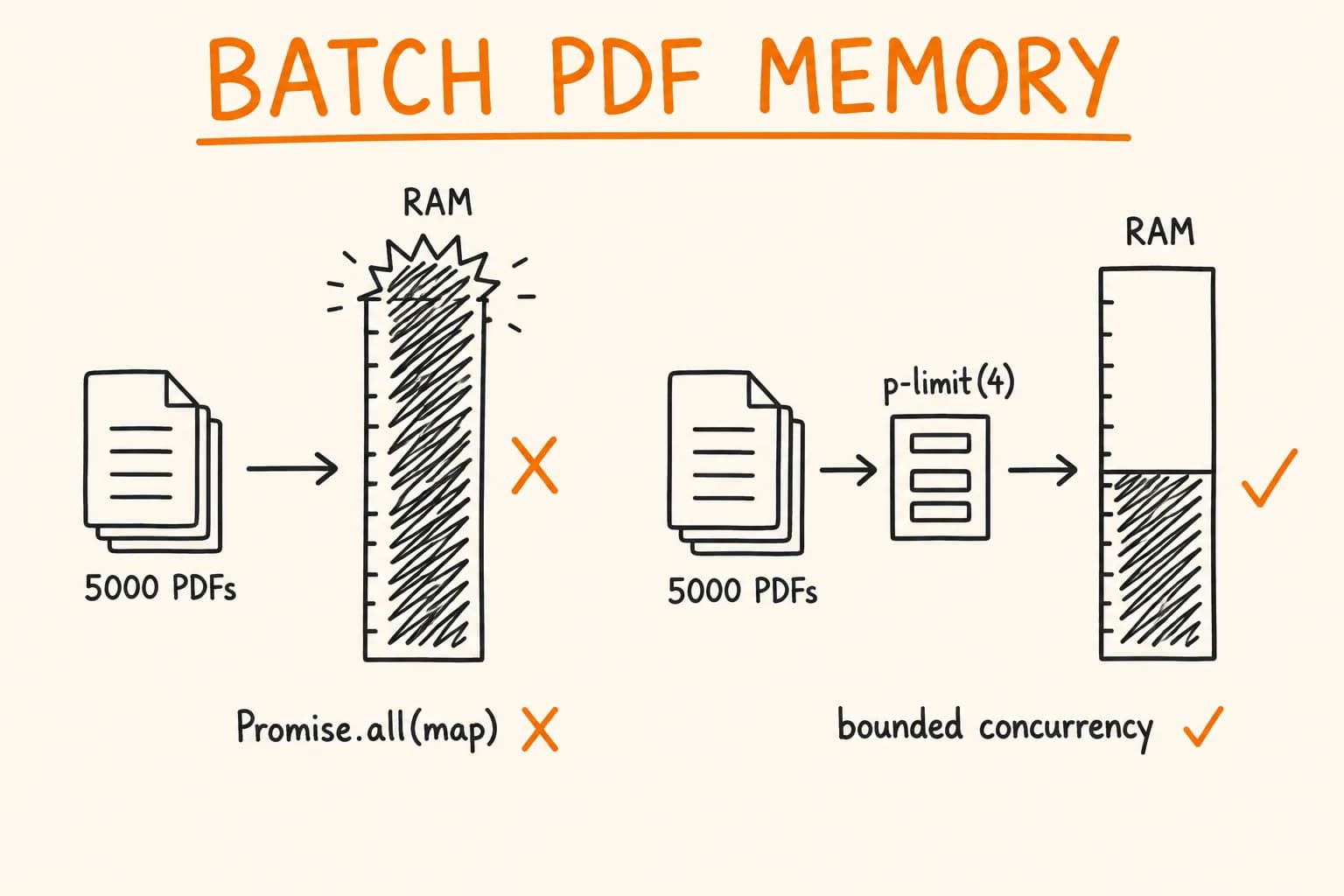
Batch PDF generation in Node.js without OOM: concurrency limits, back-pressure, releasing renderers between docs, and why Promise.all(map) fails at scale.
