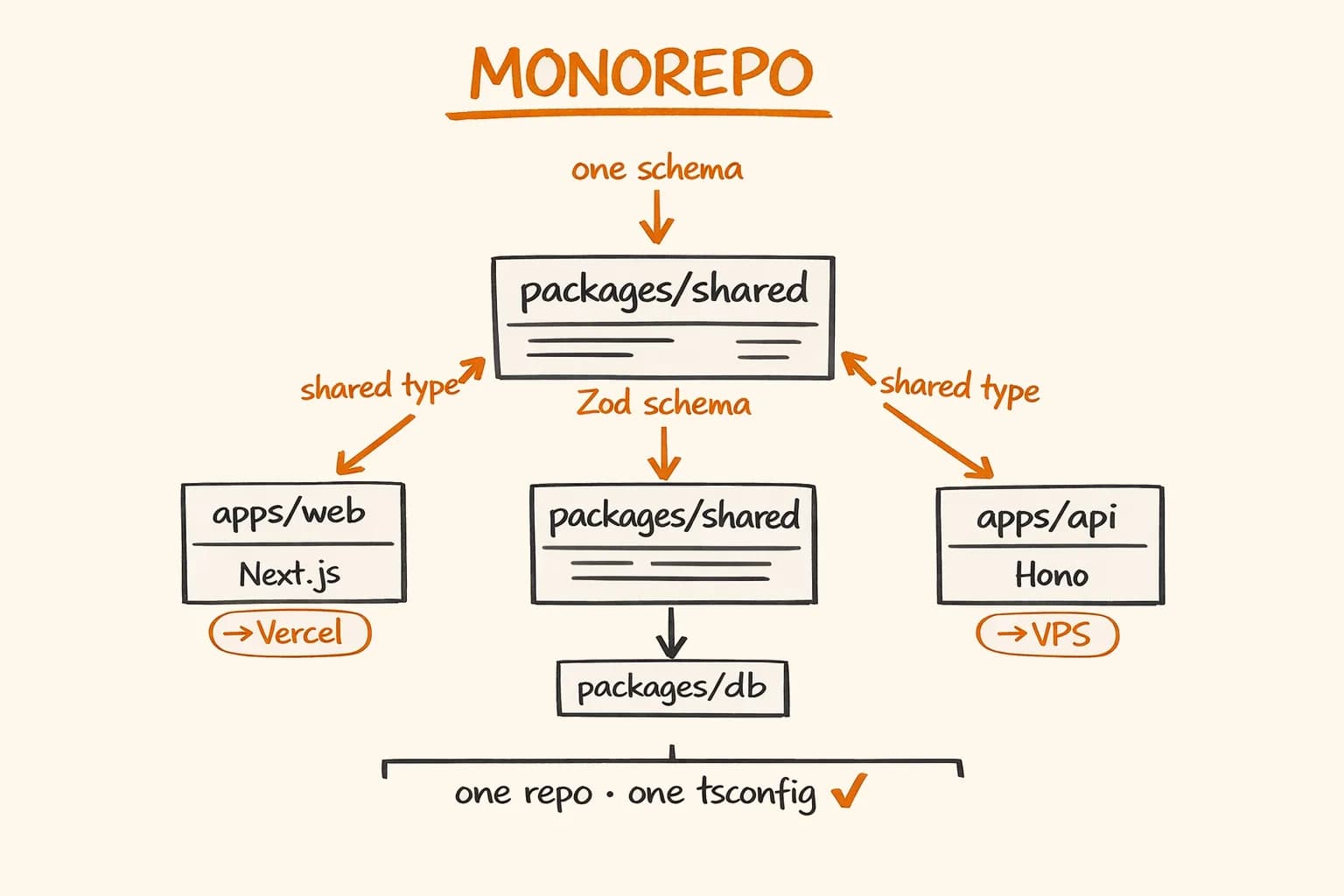
One repository, one TypeScript config, shared types between frontend and backend. No more copy-pasting response types into both projects. No more ‘the API returns a string but the frontend treats it as a number’ bugs discovered in production.
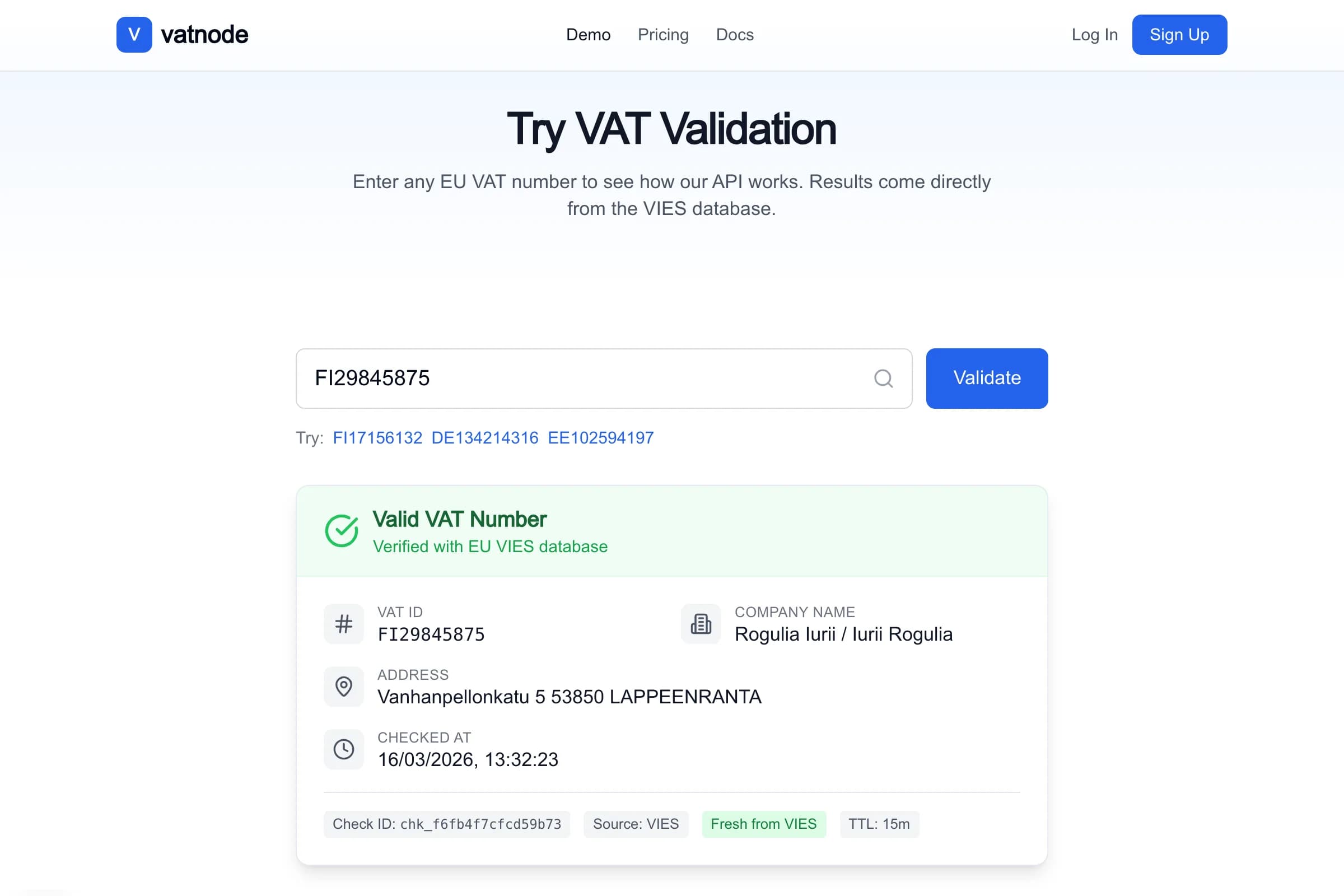
This is the monorepo architecture I use for my SaaS products, and specifically what powers vatnode.dev – an EU VAT validation SaaS with a Next.js 15 marketing and dashboard frontend and a separate Hono 4 API server. The separation matters for vatnode because the API is the product: it needs independent scaling, versioning, and deployment without touching the frontend. But they share too much – database types, validation schemas, response shapes – to live in separate repositories.
Here is what the setup looks like and what I learned building it.
Repo Structure
vatnode/
├── apps/
│   ├── web/          # Next.js 15 (App Router) — marketing + dashboard
│   └── api/          # Hono 4 + Node.js — the actual API product
├── packages/
│   ├── db/           # Drizzle ORM schema + client
│   ├── shared/       # Shared types, Zod schemas, utility functions
│   └── config/       # ESLint, TypeScript, and Tailwind configs
├── turbo.json
├── package.json      # pnpm workspace root
└── pnpm-workspace.yaml
The apps/ split is deliberate. The Next.js frontend deploys to Vercel. The Hono API deploys to a VPS via Docker. They have different runtimes, different deployment cycles, and different scaling requirements. Keeping them as separate apps in one repo gives you the benefits of colocation – shared packages, single git history, unified CI – without coupling their deployments.
The packages/ structure is where the real value lives. packages/db defines the Drizzle ORM schema and exports the database client. packages/shared exports Zod validation schemas and TypeScript types derived from them. Both apps/web and apps/api import from these packages. The types flow through the entire system with a single source of truth.
Why Hono Instead of Express
The short answer: Hono is what Express should have been in 2025.
Express was designed before TypeScript, before Web Standard APIs, and before the ecosystem settled on Request/Response as the primitive. Adding TypeScript to Express means fighting the type system – the middleware signature is (req: Request, res: Response, next: NextFunction) => void, which is not composable in the way TypeScript generics want.
Hono is TypeScript-first. Route handlers receive a typed Context object. The validator middleware infers types from your Zod schema directly into the handler. And because it uses Web Standard APIs (Request, Response, Headers), the mental model is the same whether you are writing a Hono handler or a Next.js Server Action.
Here is a complete Hono app setup with the middleware I use on vatnode:
// apps/api/src/app.ts
import { Hono } from "hono";
import { cors } from "hono/cors";
import { logger } from "hono/logger";
import { secureHeaders } from "hono/secure-headers";
import { rateLimiterMiddleware } from "./middleware/rate-limiter";
import { authMiddleware } from "./middleware/auth";
import { vatRoutes } from "./routes/vat";
import { billingRoutes } from "./routes/billing";

const app = new Hono();

// Global middleware — runs on every request
app.use("*", logger());
app.use("*", secureHeaders());
app.use(
  "*",
  cors({
    origin: [
      "https://vatnode.dev",
      process.env.NODE_ENV === "development" ? "http://localhost:3000" : "",
    ].filter(Boolean),
    credentials: true,
  })
);

// Rate limiting before auth — protect even unauthenticated routes
app.use("/v1/*", rateLimiterMiddleware);

// Auth on all API routes
app.use("/v1/*", authMiddleware);

// Route groups
app.route("/v1/vat", vatRoutes);
app.route("/v1/billing", billingRoutes);

// Health check — no auth, no rate limit
app.get("/health", (c) => c.json({ status: "ok", ts: Date.now() }));

export default app;
// apps/api/src/index.ts
import { serve } from "@hono/node-server";
import app from "./app";
serve(
{
fetch: app.fetch,
port: Number(process.env.PORT ?? 4000),
},
(info) => {
console.log(`API running on port ${info.port}`);
}
);The app.fetch pattern is significant. Hono exposes a standard fetch handler, which means you can run the same app on Node.js today and move it to Cloudflare Workers tomorrow without rewriting the application code. That portability has value even if you never actually switch runtimes.
Shared Types – The Main Advantage
This is the part that makes the monorepo worth the setup cost.
Without a monorepo, the frontend and backend drift apart. The API returns { vatNumber: string, isValid: boolean, companyName: string | null }. The frontend developer – maybe you six months later – writes a type that says companyName: string because they forgot it can be null. Everything works fine until a German company without a public trading name submits their VAT number.
With a shared package, there is one Zod schema. The API validates incoming requests against it and the response type is derived from it. The frontend imports the same type for its React components. The type error catches the bug before runtime.
Here is how this works across the vatnode stack:
// packages/shared/src/schemas/vat.ts
import { z } from "zod";

// Request validation — used by the Hono route to validate the incoming body
export const VatValidateRequestSchema = z.object({
  vatNumber: z.string().min(4).max(20),
  countryCode: z.string().length(2),
});

// Response shape — used by both the Hono handler and the React component
export const VatValidateResponseSchema = z.object({
  vatNumber: z.string(),
  countryCode: z.string(),
  isValid: z.boolean(),
  companyName: z.string().nullable(),
  address: z.string().nullable(),
  // "valid" | "invalid" | "unavailable" — unavailable means VIES is down
  status: z.enum(["valid", "invalid", "unavailable"]),
  cachedAt: z.string().datetime().nullable(),
});

// Derive TypeScript types from the schemas — single source of truth
export type VatValidateRequest = z.infer<typeof VatValidateRequestSchema>;
export type VatValidateResponse = z.infer<typeof VatValidateResponseSchema>;
// apps/api/src/routes/vat.ts
import { Hono } from "hono";
import { zValidator } from "@hono/zod-validator";
import { VatValidateRequestSchema, type VatValidateResponse } from "@vatnode/shared/schemas/vat";
import { validateVatNumber } from "../services/vat";
export const vatRoutes = new Hono();
vatRoutes.post(
"/validate",
// zValidator infers the type from the schema — c.req.valid("json") is typed
zValidator("json", VatValidateRequestSchema),
async (c): Promise<Response> => {
const { vatNumber, countryCode } = c.req.valid("json");
const result = await validateVatNumber({ vatNumber, countryCode });
// TypeScript enforces that result matches VatValidateResponse
const response: VatValidateResponse = result;
return c.json(response);
}
);// apps/web/src/app/dashboard/validate/page.tsx
import type { VatValidateResponse } from "@vatnode/shared/schemas/vat";
// The same type used in the API handler is used in the React component.
// If the API response shape changes, the TypeScript compiler catches it here.
async function validateVat(data: {
vatNumber: string;
countryCode: string;
}): Promise<VatValidateResponse> {
const res = await fetch("/api/vat/validate", {
method: "POST",
headers: { "Content-Type": "application/json" },
body: JSON.stringify(data),
});
if (!res.ok) throw new Error("Validation failed");
return res.json() as Promise<VatValidateResponse>;
}When I add a field to VatValidateResponse, the TypeScript compiler immediately flags every place in the codebase that needs updating – the API handler, the frontend component, the test fixtures. This alone has saved me from several subtle bugs that would have been invisible in a multi-repo setup.
Turborepo Pipeline Configuration
Turborepo’s value is in two things: task parallelism and caching. Without it, building the monorepo means running tsc in every package sequentially. With it, Turborepo understands the dependency graph and parallelizes what it can – and skips tasks entirely when the inputs haven’t changed.
// turbo.json
{
  "$schema": "https://turbo.build/schema.json",
  "ui": "tui",
  "tasks": {
    "build": {
      // build depends on the build output of packages this app imports
      "dependsOn": ["^build"],
      "inputs": ["$TURBO_DEFAULT$", ".env*"],
      "outputs": [".next/**", "!.next/cache/**", "dist/**"]
    },
    "dev": {
      "cache": false,
      "persistent": true
    },
    "typecheck": {
      "dependsOn": ["^build"],
      "outputs": []
    },
    "lint": {
      "dependsOn": ["^lint"],
      "outputs": []
    }
  },
  "remoteCache": {
    "enabled": true
  }
}
The ^build syntax means ‘run build in all dependencies first’. So when building apps/api, Turborepo first builds packages/shared and packages/db, then builds the API. This is the dependency graph working correctly.
Remote caching – via Vercel Remote Cache, which is free for personal projects – means CI only rebuilds packages whose source files changed. On vatnode, a commit that touches only apps/web skips the apps/api and packages/db build entirely. Cold CI runs take about 2 minutes; cached runs take under 30 seconds.
Drizzle ORM in a Shared Package
The database schema lives in packages/db and is the only place where table definitions exist. The API app imports the schema and the database client. The apps/web Next.js app can import the schema for type inference without importing the full database client – useful for TypeScript types in Server Actions without pulling in Node.js-specific database drivers into the client bundle.
// packages/db/src/schema.ts
import { pgTable, text, timestamp, boolean, integer, pgEnum } from "drizzle-orm/pg-core";

export const validationStatusEnum = pgEnum("validation_status", [
  "valid",
  "invalid",
  "unavailable",
]);

export const vatValidations = pgTable("vat_validations", {
  id: text("id").primaryKey(), // cuid2
  apiKeyId: text("api_key_id").notNull(),
  vatNumber: text("vat_number").notNull(),
  countryCode: text("country_code").notNull(),
  status: validationStatusEnum("status").notNull(),
  companyName: text("company_name"),
  address: text("address"),
  // Cache hit tracking — useful for monitoring the 95% hit rate
  cacheHit: boolean("cache_hit").notNull().default(false),
  responseTimeMs: integer("response_time_ms"),
  createdAt: timestamp("created_at").notNull().defaultNow(),
});

export const apiKeys = pgTable("api_keys", {
  id: text("id").primaryKey(),
  userId: text("user_id").notNull(),
  keyHash: text("key_hash").notNull().unique(), // SHA-256 hash, never store plaintext
  name: text("name").notNull(),
  plan: text("plan").notNull().default("free"),
  requestsThisMonth: integer("requests_this_month").notNull().default(0),
  createdAt: timestamp("created_at").notNull().defaultNow(),
  lastUsedAt: timestamp("last_used_at"),
});
// packages/db/src/client.ts
import { drizzle } from "drizzle-orm/node-postgres";
import { Pool } from "pg";
import * as schema from "./schema";
// The client is created once and exported — apps import this, not pg directly
const pool = new Pool({
connectionString: process.env.DATABASE_URL,
max: 10, // connection pool size
});
export const db = drizzle(pool, { schema });
// Export schema for type inference in apps that don't need the client
export { schema };// packages/db/package.json (relevant fields)
{
"name": "@vatnode/db",
"exports": {
".": "./src/client.ts",
"./schema": "./src/schema.ts"
}
}The separate export condition for ./schema matters. apps/web can do import type { vatValidations } from "@vatnode/db/schema" for TypeScript inference without importing the pg driver, which would fail in the browser and in Next.js Edge Runtime.
Deployment
Next.js to Vercel
Vercel handles monorepos natively. Set the root directory to apps/web in the Vercel project settings, and it detects Next.js automatically. Turborepo remote caching integrates with Vercel’s build infrastructure – your Vercel builds benefit from the same cache as your local development.
Environment variables for the Next.js app live in the Vercel dashboard, scoped to the apps/web project. The only variables that need to reach the frontend are things like NEXT_PUBLIC_API_URL (the Hono API URL) and public analytics keys.
Hono API to VPS via Docker
The Hono API runs on a Vultr VPS behind Nginx, managed by Docker Compose and deployed with PM2 inside the container. The Dockerfile builds only the API, using Turborepo’s pruning feature to create a minimal dependency tree:
# apps/api/Dockerfile
FROM node:22-alpine AS base
RUN npm install -g pnpm turbo

# Prune the monorepo to only what the API needs
FROM base AS pruner
WORKDIR /app
COPY . .
RUN turbo prune @vatnode/api --docker

# Install dependencies for the pruned subset
FROM base AS installer
WORKDIR /app
COPY --from=pruner /app/out/json/ .
COPY --from=pruner /app/out/pnpm-lock.yaml ./pnpm-lock.yaml
RUN pnpm install --frozen-lockfile

# Build
COPY --from=pruner /app/out/full/ .
RUN pnpm turbo build --filter=@vatnode/api...

# Runtime image — no dev dependencies, no source code
FROM node:22-alpine AS runner
WORKDIR /app
ENV NODE_ENV=production

COPY --from=installer /app/apps/api/dist ./dist
COPY --from=installer /app/node_modules ./node_modules

EXPOSE 4000
CMD ["node", "dist/index.js"]
turbo prune @vatnode/api --docker creates an out/ directory with only the packages that @vatnode/api depends on. This keeps the Docker build context small – no Next.js build artifacts, no packages/config files that are only needed for linting.
The Docker Compose setup on the VPS:
# docker-compose.yml on VPS
services:
  api:
    image: vatnode-api:latest
    restart: unless-stopped
    ports:
      - "4000:4000"
    environment:
      - DATABASE_URL=${DATABASE_URL}
      - REDIS_URL=${REDIS_URL}
      - STRIPE_SECRET_KEY=${STRIPE_SECRET_KEY}
      - NODE_ENV=production
  redis:
    image: redis:7-alpine
    restart: unless-stopped
    volumes:
      - redis-data:/data

volumes:
  redis-data:
Environment variables for the API live in a .env file on the VPS, never committed to the repository. The pattern in the monorepo: each app has its own .env.example documenting what it needs. apps/web/.env.example has frontend variables. apps/api/.env.example has backend variables. Root-level .env does not exist – this prevents accidentally exposing backend secrets to the Next.js build.
What Did Not Work and How I Fixed It
Circular dependencies between packages
The first version had packages/shared importing from packages/db for some shared utilities, while packages/db exported types that extended shared types. TypeScript handled it, but Turborepo’s dependency graph became circular – db depended on shared depended on db.
The fix: strict layering. packages/config has no internal dependencies. packages/shared depends only on external libraries (Zod, etc.). packages/db depends on packages/shared for shared types, never the reverse. apps/* can depend on any package. Draw the graph before you write the code – circles are much harder to untangle later.
Hot reload in development
Running turbo dev starts all apps in parallel, but file changes in packages/shared do not automatically trigger reloads in apps/api. The reason: tsx watch (used for running the Hono app in development) watches the apps/api/src directory, not the workspace packages.
The fix is in the tsx watch command:
// apps/api/package.json
{
  "scripts": {
    "dev": "tsx watch --clear-screen=false --include='../../packages/**' src/index.ts"
  }
}
The --include flag tells tsx to also watch files in the monorepo packages. Changes to packages/shared/src/schemas/vat.ts now trigger a restart of the API dev server.
TypeScript path configuration
Each package needs tsconfig.json to understand the workspace package imports. I use a base config in packages/config/tsconfig.base.json and extend it everywhere:
// packages/config/tsconfig.base.json
{
  "compilerOptions": {
    "strict": true,
    "target": "ES2022",
    "module": "NodeNext",
    "moduleResolution": "NodeNext",
    "skipLibCheck": true,
    "declaration": true,
    "declarationMap": true,
    "sourceMap": true
  }
}
// apps/api/tsconfig.json
{
"extends": "@vatnode/config/tsconfig.base.json",
"compilerOptions": {
"outDir": "dist",
"rootDir": "src"
},
"include": ["src"]
}The key detail: "moduleResolution": "NodeNext" requires package.json exports fields on every workspace package. If a package doesn’t have exports, TypeScript won’t find its types. This tripped me up for an afternoon – the error message (Cannot find module '@vatnode/shared') looked like a missing package, not a missing exports field.
pnpm workspaces
I use pnpm workspaces, not npm workspaces. The reason: pnpm’s strict symlink structure prevents phantom dependencies – packages that are available in node_modules because something else installed them, but not declared in your own package.json. npm and Yarn hoist everything, which means you can accidentally import a package in apps/api that is only listed as a dependency of apps/web. pnpm makes this a hard error.
# pnpm-workspace.yaml
packages:
  - "apps/*"
  - "packages/*"
What This Looks Like in Production
On vatnode.dev, the monorepo builds in parallel: packages/shared and packages/db build first (they have no internal dependencies), then apps/api and apps/web build in parallel because they only depend on packages, not on each other.
The Hono API handles EU VAT validation with a 95% Redis cache hit rate and a 30 req/min rate limit enforced at the middleware layer. The Next.js frontend serves the marketing site and dashboard from Vercel’s edge network. They share zero runtime infrastructure but share 100% of the TypeScript types that matter.
The setup took about half a day to get right the first time. Since then, adding a new API endpoint means updating one Zod schema in packages/shared, implementing the handler in apps/api, and calling it from apps/web – all with full type safety at every step, and a compiler error if any step is out of sync.
If you are building a SaaS with both a public API and a frontend – whether it’s EU e-commerce, developer tooling, or anything else that needs a proper backend layer – this architecture is worth the setup cost. The self-hosting setup article covers how the Hono API half of this monorepo deploys to a VPS with Docker and Caddy.
I have built this pattern across multiple production systems, including vatnode.dev and pi-pi.ee. If you need a senior developer who can design and own the full-stack architecture end-to-end – get in touch. I am available for freelance projects and long-term engagements.