Without rate limiting, one script can take down your API. With the wrong implementation, abuse is still possible – just harder to spot.
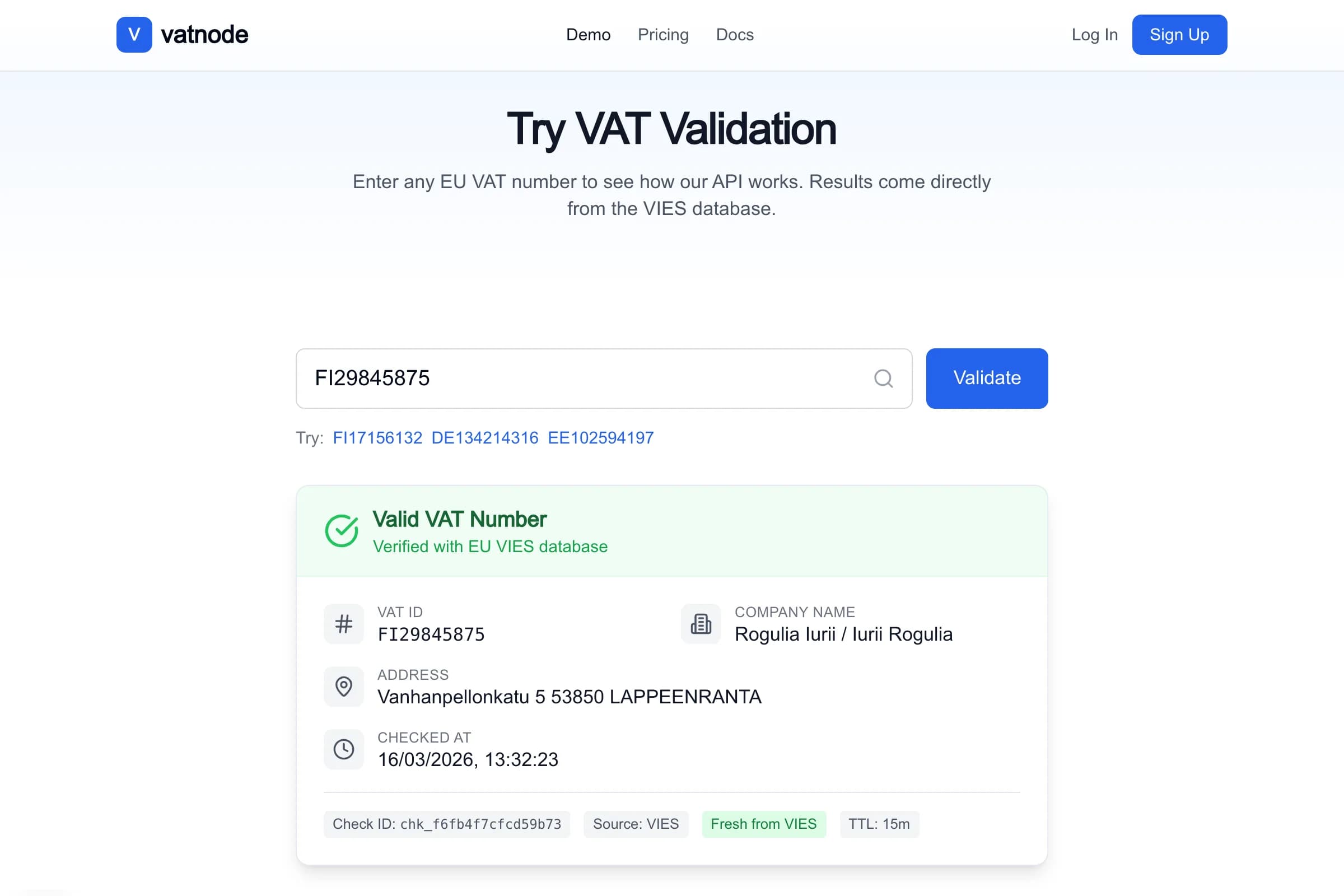
I learned this building vatnode.dev, a SaaS API for EU VAT validation. The API is public, key-authenticated, and handles validation requests that hit VIES – a third-party EU government system with its own rate limits. If a single customer sends 300 requests per minute, they don’t just exhaust their own quota: they eat into the shared VIES capacity and degrade the service for everyone else. Rate limiting is not optional. The question is which algorithm to use, and how to implement it so it doesn’t become a production liability.
The Four Algorithms – and When Each One Breaks
Fixed Window
The simplest approach: count requests in a fixed time bucket (e.g., the current minute). When the count exceeds the limit, reject. Reset the counter when the minute rolls over.
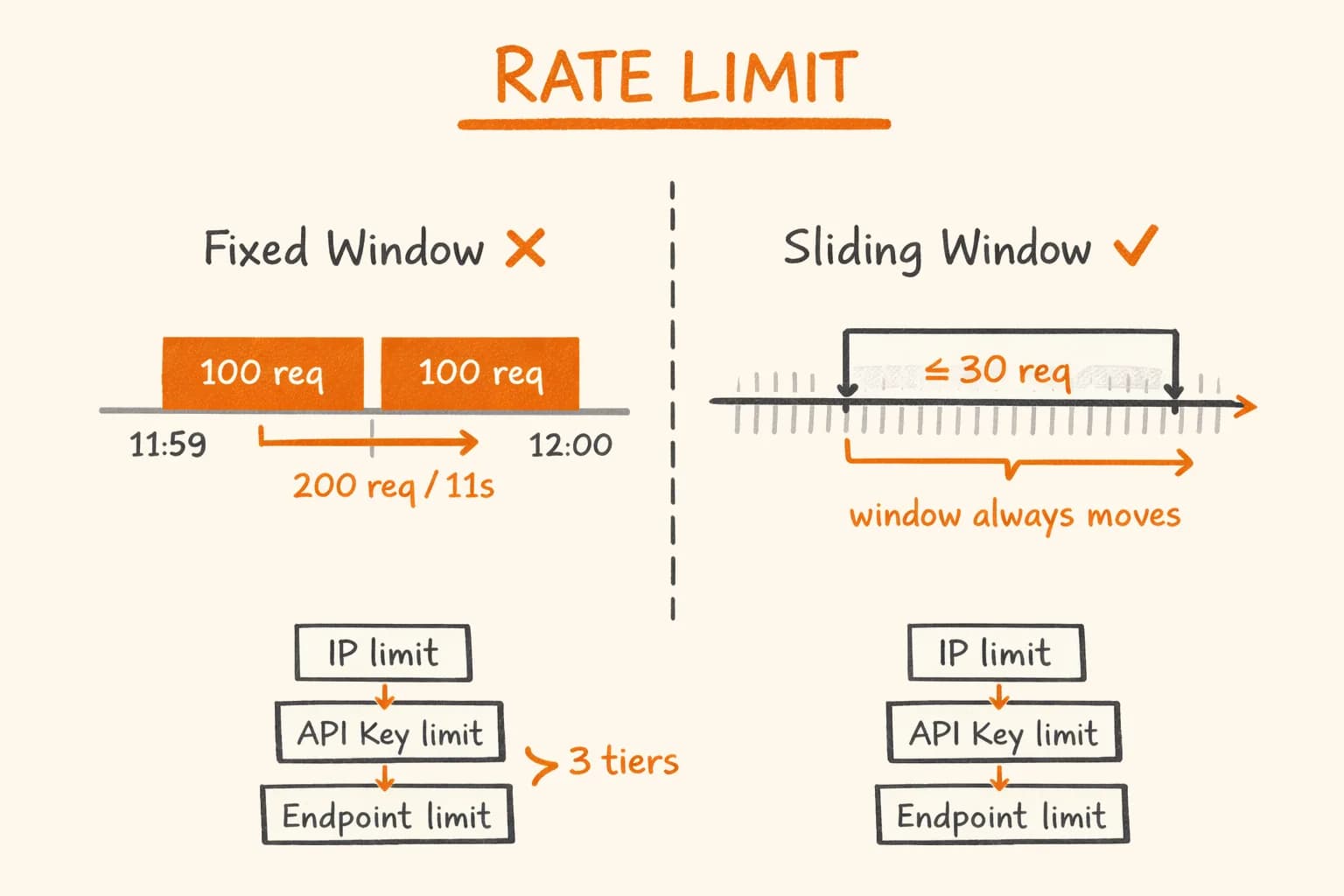
The problem is the boundary attack. If your limit is 100 requests per minute, a client can send 100 requests at 11:59:50, then another 100 at 12:00:01. They sent 200 requests in 11 seconds. Fixed window treats them as two separate windows – both under the limit.
Sliding Window
Sliding window fixes this by tracking the actual timestamps of requests, not just a bucket count. At any given moment, you count how many requests occurred in the past N seconds – not ‘since the minute started’.
This is what I use in vatnode. It’s more accurate and eliminates the boundary attack, at the cost of slightly more Redis memory (you store timestamps, not just counts).
Token Bucket
A bucket fills at a fixed rate (e.g., 10 tokens per second, max 100). Each request consumes one token. If the bucket is empty, the request is rejected. Otherwise, it succeeds even if the burst rate was high, as long as the overall rate stays within bounds.
Token bucket gives the best developer experience for burst traffic. A client can fire 50 requests in one second if they’ve accumulated enough tokens. Good for human-interactive clients; less predictable for billing and quota enforcement.
Leaky Bucket
Requests enter a queue and are processed at a fixed rate regardless of when they arrive. Strict and predictable, but it means clients might wait – not great for synchronous APIs where latency matters.
When to use which:
| Algorithm | Best for | Weakness |
|---|---|---|
| Fixed window | Simple internal APIs | Boundary attacks |
| Sliding window | Public SaaS APIs | Slightly more Redis memory |
| Token bucket | Interactive clients, SDKs | Hard to reason about billing |
| Leaky bucket | Strict throughput control | Adds latency |
For a public API with key-based tiers, sliding window is the right default. That’s what the rest of this article covers.
Sliding Window on Redis
Why Redis, Not a Database
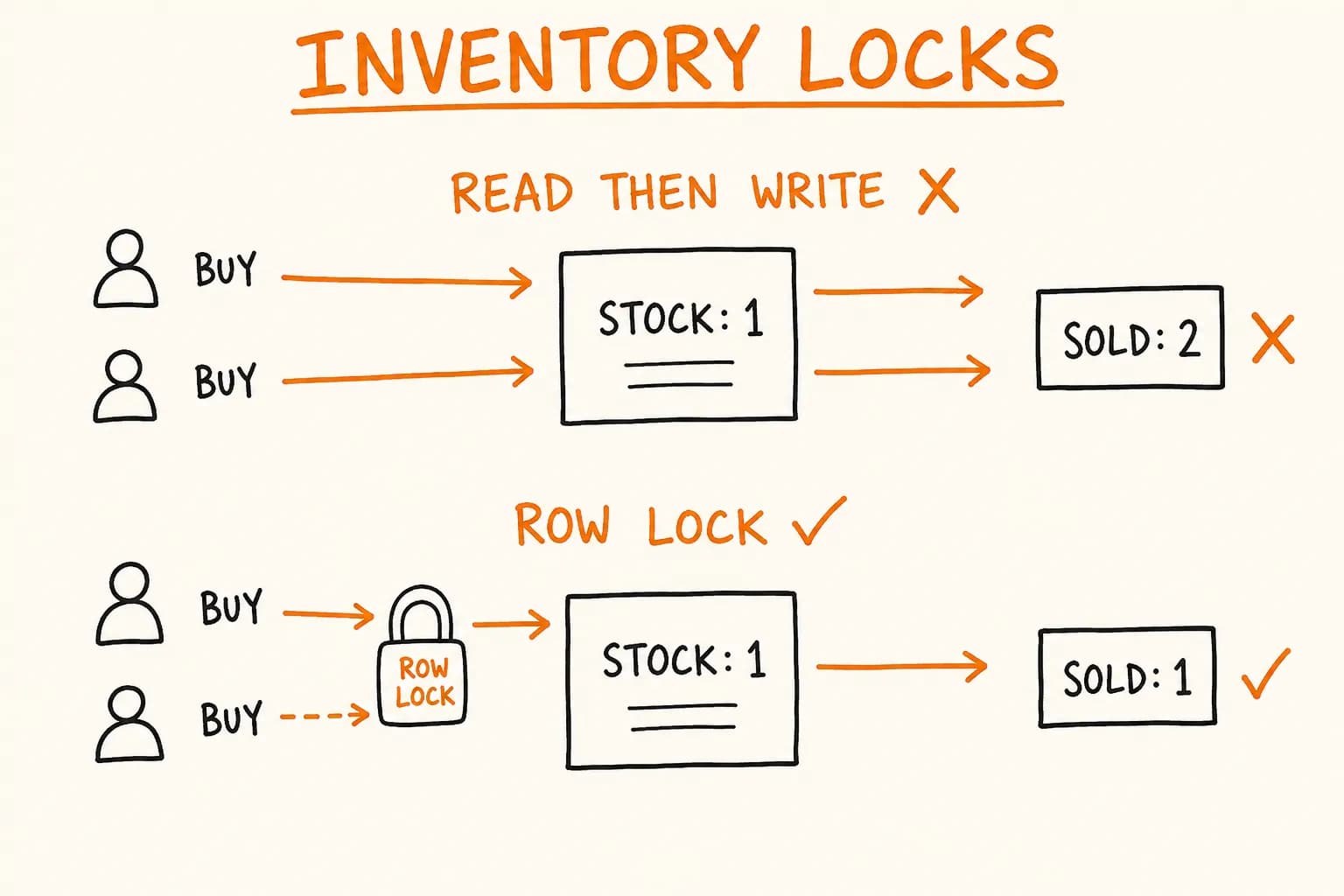
Rate limiting requires atomic read-modify-write operations happening dozens of times per second. A SQL database with row locks works at low traffic, but adds contention and latency. Redis is single-threaded and processes commands atomically – a ZADD followed by a ZCOUNT in a Lua script is guaranteed to run without interruption. This matters at 30+ requests per second per key.
The ZADD + ZREMRANGEBYSCORE Pattern
The core idea: store each request’s timestamp as a member in a sorted set, keyed by the rate-limit identity (IP or API key). To check if a request is allowed:
- Remove all timestamps older than the window (
ZREMRANGEBYSCORE) - Count the remaining timestamps (
ZCARD) - If under the limit, add the current timestamp (
ZADD) and allow the request - If over the limit, reject
Here’s the TypeScript implementation using ioredis:
// lib/rate-limit/sliding-window.ts
import Redis from "ioredis";

export interface RateLimitResult {
  allowed: boolean;
  limit: number;
  remaining: number;
  resetAt: number; // Unix timestamp in seconds
}

export interface RateLimitOptions {
  windowMs: number; // Window size in milliseconds
  max: number; // Max requests allowed in the window
}

export async function checkSlidingWindow(
  redis: Redis,
  key: string,
  options: RateLimitOptions
): Promise<RateLimitResult> {
  const now = Date.now();
  const windowStart = now - options.windowMs;
  const resetAt = Math.ceil((now + options.windowMs) / 1000); // Approximate reset

  // Lua script for true atomicity — no race conditions between ZCARD and ZADD
  const luaScript = `
    local key = KEYS[1]
    local now = tonumber(ARGV[1])
    local window_start = tonumber(ARGV[2])
    local max = tonumber(ARGV[3])
    local ttl = tonumber(ARGV[4])

    -- Remove expired entries outside the current window
    redis.call('ZREMRANGEBYSCORE', key, '-inf', window_start)

    -- Count how many requests are in the current window
    local count = redis.call('ZCARD', key)

    if count < max then
      -- Under the limit — record this request and allow it
      -- Use now as both score and member (appending a random suffix for uniqueness)
      redis.call('ZADD', key, now, now .. '-' .. math.random(1000000))
      redis.call('EXPIRE', key, ttl)
      return {1, max - count - 1}   -- {allowed=1, remaining}
    else
      -- Over the limit — reject without recording
      return {0, 0}
    end
  `;

  const ttlSeconds = Math.ceil(options.windowMs / 1000);

  const result = (await redis.eval(
    luaScript,
    1, // number of keys
    key, // KEYS[1]
    String(now), // ARGV[1]: current timestamp in ms
    String(windowStart), // ARGV[2]: window start in ms
    String(options.max), // ARGV[3]: max requests
    String(ttlSeconds) // ARGV[4]: TTL for auto-cleanup
  )) as [number, number];

  return {
    allowed: result[0] === 1,
    limit: options.max,
    remaining: result[1],
    resetAt,
  };
}
The Lua script is the critical piece. Without it, you have a race condition: two concurrent requests could both pass the ZCARD check before either adds its timestamp to the set – both get through, pushing you 2 over the limit. Lua scripts run atomically in Redis: no other command executes between the ZCARD and the ZADD.
Hono Middleware
In vatnode, the API is built on Hono 4 running on Node.js. Here’s the middleware that applies rate limiting per-request:
// middleware/rate-limit.ts
import { MiddlewareHandler } from "hono";
import { redis } from "@/lib/redis"; // ioredis instance
import { checkSlidingWindow, type RateLimitOptions } from "@/lib/rate-limit/sliding-window";
import { inMemoryFallback } from "@/lib/rate-limit/fallback";

interface RateLimitConfig {
  keyFn: (c: Parameters<MiddlewareHandler>[0]) => string;
  options: RateLimitOptions;
}

export function rateLimitMiddleware(config: RateLimitConfig): MiddlewareHandler {
  return async (c, next) => {
    const key = config.keyFn(c);

    let result;
    try {
      result = await checkSlidingWindow(redis, key, config.options);
    } catch (err) {
      // Redis unavailable — use in-memory fallback rather than blocking all traffic
      console.warn("Redis rate limit unavailable, falling back to in-memory:", err);
      result = inMemoryFallback(key, config.options);
    }

    // Always set rate limit headers — even on rejected requests
    c.header("X-RateLimit-Limit", String(result.limit));
    c.header("X-RateLimit-Remaining", String(result.remaining));
    c.header("X-RateLimit-Reset", String(result.resetAt));

    if (!result.allowed) {
      const retryAfter = result.resetAt - Math.floor(Date.now() / 1000);
      c.header("Retry-After", String(Math.max(1, retryAfter)));

      return c.json(
        {
          error: "rate_limit_exceeded",
          message: "Too many requests. Check the Retry-After header.",
          retryAfter,
        },
        429
      );
    }

    await next();
  };
}
Fallback When Redis Is Unavailable
If Redis goes down and your rate limiting middleware throws, you have two bad options: either block every request (100% downtime) or skip rate limiting entirely (abuse window until Redis is back). The right answer is a third option: degrade gracefully with an in-memory fallback that enforces limits within a single process.
In-memory fallback is weaker – it does not coordinate across multiple server instances – but it prevents both extreme failure modes:
// lib/rate-limit/fallback.ts
import type { RateLimitOptions, RateLimitResult } from "./sliding-window";

// In-memory store: key → array of request timestamps
const store = new Map<string, number[]>();

// Cleanup old entries every 5 minutes to prevent unbounded memory growth
setInterval(
  () => {
    const now = Date.now();
    for (const [key, timestamps] of store.entries()) {
      const recent = timestamps.filter((t) => t > now - 60_000 * 10);
      if (recent.length === 0) {
        store.delete(key);
      } else {
        store.set(key, recent);
      }
    }
  },
  5 * 60 * 1000
);

export function inMemoryFallback(key: string, options: RateLimitOptions): RateLimitResult {
  const now = Date.now();
  const windowStart = now - options.windowMs;

  const timestamps = (store.get(key) ?? []).filter((t) => t > windowStart);

  const allowed = timestamps.length < options.max;

  if (allowed) {
    timestamps.push(now);
    store.set(key, timestamps);
  }

  return {
    allowed,
    limit: options.max,
    remaining: Math.max(0, options.max - timestamps.length),
    resetAt: Math.ceil((now + options.windowMs) / 1000),
  };
}
The tradeoff: if you run four Node.js instances, each gets its own in-memory store. A client could make max * 4 requests by round-robining across instances. This is acceptable degradation – it’s far better than either a complete outage or zero rate limiting.
Multi-Tier Rate Limiting
The vatnode API has three independently configurable rate limit axes:
1. By IP – protect from unauthenticated abuse
Even unauthenticated endpoints (like the /health check or the docs page) should be protected. IP-based limits catch scripted scanners before they touch any real logic.
2. By API key – enforce plan quotas
Free plan: 100 requests per day. Paid plan: 10,000 requests per day. Each key gets its own counter. This is the primary mechanism for billing enforcement.
3. By endpoint – reflect actual cost
A /validate call that hits VIES costs more than a /rates call that reads from a local dataset. Rate-limit expensive endpoints more tightly.
Here is how this composes in the Hono router:
// app/api/index.ts
import { Hono } from "hono";
import { rateLimitMiddleware } from "@/middleware/rate-limit";

const app = new Hono();

// Tier 1: IP-based protection on all routes
app.use(
  "*",
  rateLimitMiddleware({
    keyFn: (c) => `ip:${c.req.header("x-forwarded-for") ?? "unknown"}`,
    options: { windowMs: 60_000, max: 120 }, // 120 req/min per IP
  })
);

// Tier 2: API key daily quota
app.use(
  "/v1/*",
  rateLimitMiddleware({
    keyFn: (c) => {
      const apiKey = c.req.header("x-api-key");
      const plan = c.get("userPlan") ?? "free"; // Set by auth middleware upstream
      const dailyMax = plan === "paid" ? 10_000 : 100;

      // Encode the limit into the key so the middleware picks it up per plan
      // The actual cap is enforced by passing the right options, not the key
      return `key:${apiKey}:daily`;
    },
    options: {
      windowMs: 24 * 60 * 60_000, // 24-hour sliding window
      max: 100, // Will be overridden per-plan — see note below
    },
  })
);

// Tier 3: Endpoint-specific limit on the expensive validation route
app.use(
  "/v1/validate",
  rateLimitMiddleware({
    keyFn: (c) => `validate:${c.req.header("x-api-key") ?? c.req.header("x-forwarded-for")}`,
    options: { windowMs: 60_000, max: 30 }, // 30 req/min — matches VIES capacity
  })
);
For per-plan limits, I resolve the max dynamically before passing it to checkSlidingWindow. The middleware factory receives a maxFn instead of a static max:
// Resolving per-plan limits dynamically
export function apiKeyRateLimitMiddleware(): MiddlewareHandler {
  return async (c, next) => {
    const apiKey = c.req.header("x-api-key");
    if (!apiKey) return c.json({ error: "missing_api_key" }, 401);

    const plan = c.get("userPlan") as "free" | "paid";
    const dailyMax = plan === "paid" ? 10_000 : 100;

    const key = `key:${apiKey}:daily`;
    const options = { windowMs: 24 * 60 * 60_000, max: dailyMax };

    let result;
    try {
      result = await checkSlidingWindow(redis, key, options);
    } catch {
      result = inMemoryFallback(key, options);
    }

    c.header("X-RateLimit-Limit", String(result.limit));
    c.header("X-RateLimit-Remaining", String(result.remaining));
    c.header("X-RateLimit-Reset", String(result.resetAt));

    if (!result.allowed) {
      c.header("Retry-After", String(result.resetAt - Math.floor(Date.now() / 1000)));
      return c.json({ error: "daily_quota_exceeded", plan }, 429);
    }

    await next();
  };
}
Rate Limit Headers That Don’t Frustrate Developers
When your API rejects a request, the client needs to know three things: what the limit is, how many requests remain, and when they can try again. Without these headers, debugging rate limit issues requires guessing – and developers give up or write to your support channel.
The standard headers:
X-RateLimit-Limit: 30          # Max requests in this window
X-RateLimit-Remaining: 0       # Requests left (0 when blocked)
X-RateLimit-Reset: 1728562800  # Unix timestamp when the window resets
Retry-After: 47                # Seconds to wait before retrying (on 429 only)
Retry-After is the most important one. Without it, a client library has to guess a backoff interval – and it will usually get it wrong, either hammering your API immediately or waiting too long. With it, a well-behaved SDK can sleep exactly the right amount and retry transparently.
I also expose a /v1/usage endpoint that returns the current quota state for an API key – useful for dashboard displays and for clients that want to check before making a burst of requests.
Testing Rate Limiting
Unit Testing
The trickiest part of unit-testing rate limiting is controlling time. Use ioredis-mock or a real Redis in a Docker container for tests, and inject a clock function so you can advance time without actually waiting:
// lib/rate-limit/sliding-window.test.ts
import { createClient } from "@/lib/redis.test-helper"; // in-memory Redis mock
import { checkSlidingWindow } from "./sliding-window";

describe("sliding window rate limiter", () => {
  let redis: ReturnType<typeof createClient>;

  beforeEach(async () => {
    redis = createClient();
    await redis.flushall();
  });

  it("allows requests under the limit", async () => {
    const opts = { windowMs: 60_000, max: 5 };
    for (let i = 0; i < 5; i++) {
      const result = await checkSlidingWindow(redis, "test-key", opts);
      expect(result.allowed).toBe(true);
      expect(result.remaining).toBe(4 - i);
    }
  });

  it("blocks the request that exceeds the limit", async () => {
    const opts = { windowMs: 60_000, max: 3 };

    for (let i = 0; i < 3; i++) {
      await checkSlidingWindow(redis, "test-key", opts);
    }

    const result = await checkSlidingWindow(redis, "test-key", opts);
    expect(result.allowed).toBe(false);
    expect(result.remaining).toBe(0);
  });

  it("allows requests again after the window passes", async () => {
    const opts = { windowMs: 1_000, max: 2 }; // 1-second window

    await checkSlidingWindow(redis, "test-key", opts);
    await checkSlidingWindow(redis, "test-key", opts);

    // Window elapsed
    await new Promise((r) => setTimeout(r, 1_100));

    const result = await checkSlidingWindow(redis, "test-key", opts);
    expect(result.allowed).toBe(true);
  });
});
Load Testing With k6
Unit tests verify correctness, but they don’t tell you whether the implementation holds under concurrent traffic. Use k6 to simulate realistic load:
// k6-rate-limit.js
import http from "k6/http";
import { check, sleep } from "k6";

export const options = {
  scenarios: {
    // Simulate a client hitting the per-minute limit
    burst: {
      executor: "constant-arrival-rate",
      rate: 40, // 40 requests/second
      timeUnit: "1s",
      duration: "30s",
      preAllocatedVUs: 10,
    },
  },
  thresholds: {
    // At least 30/40 req/s should succeed (limit is 30/min at 30 req/min endpoint)
    "http_req_failed{status:429}": ["rate<0.30"],
  },
};

export default function () {
  const res = http.post(
    "https://api.vatnode.dev/v1/validate",
    JSON.stringify({ countryCode: "FI", vatNumber: "FI12345678" }),
    {
      headers: {
        "Content-Type": "application/json",
        "X-API-Key": __ENV.API_KEY,
      },
    }
  );

  check(res, {
    "is 200 or 429": (r) => r.status === 200 || r.status === 429,
    "has rate limit headers": (r) => r.headers["X-RateLimit-Limit"] !== undefined,
  });

  sleep(0.1);
}
Run it: k6 run -e API_KEY=your-key k6-rate-limit.js. Watch the 429 rate – if it’s higher than expected, your limit key generation is probably wrong (e.g., all requests sharing the same key).
What This Looks Like in Production
On vatnode, the multi-tier setup enforces a 30 req/min limit on the validation endpoint. This matches the observed VIES capacity – going above this starts returning MS_UNAVAILABLE errors from the EU system, which count against the cache miss budget.
The per-key daily limit of 100 requests for free accounts and 10,000 for paid accounts is enforced with a 24-hour sliding window anchored to the actual request time, not to midnight. This means a free-plan user who hits their 100 requests at 3 PM will have their quota reset at 3 PM the next day – which is more predictable for automation use cases than a midnight reset.
Redis handles rate limit state for all keys. The in-memory fallback activates roughly once a month during Redis restarts or network hiccups, and the short duration (under 60 seconds) means the per-process limits are not meaningfully exploitable.
Gotchas That Bit Me
Using Date.now() as both score and member causes collisions. In the first version, I used the timestamp as the sorted set member directly: ZADD key NOW NOW. If two requests arrive in the same millisecond, the second ZADD silently updates the score rather than inserting a new entry. You lose a request from the count. The fix is appending a random suffix to the member value (as shown above) so members are unique even at identical timestamps.
x-forwarded-for can be spoofed. Clients can set this header to any value, so a naive IP rate limit is bypassable by rotating fake IPs. On vatnode, IP-based limits are a first layer only – the actual quota enforcement is on the API key, which is server-issued and cannot be faked. Use IP limits for broad abuse protection, not as your primary enforcement mechanism.
The Lua script uses math.random which requires seeding. By default, Redis’s Lua random state is seeded to the same value each command invocation in some older Redis versions – meaning the ‘random’ suffix is not actually random. Redis 7+ handles this correctly. If you’re on an older version, use a counter stored in Redis instead of a random number, or use redis.call('INCR', key .. ':counter') as the unique member suffix.
Daily sliding windows consume more Redis memory than fixed windows. A 24-hour sliding window at 10,000 requests stores up to 10,000 timestamps per key. At ~30 bytes per entry, that’s 300KB per heavy user. Acceptable for vatnode’s user count, but something to monitor if you have many high-volume API key users.
If you are building a public-facing SaaS API – especially one that sits in front of third-party services with their own rate limits – you will hit exactly this set of problems. I have solved them in production across vatnode and other systems. The full SaaS checklist covers where rate limiting fits in the broader architecture.
If you need a senior developer who can design and implement reliable API architecture end-to-end – get in touch. I am available for freelance projects and long-term engagements.
Further reading:
- ioredis documentation
- Hono middleware documentation
- Redis Lua scripting
- k6 load testing documentation
- vatnode.dev – the production API this architecture runs on