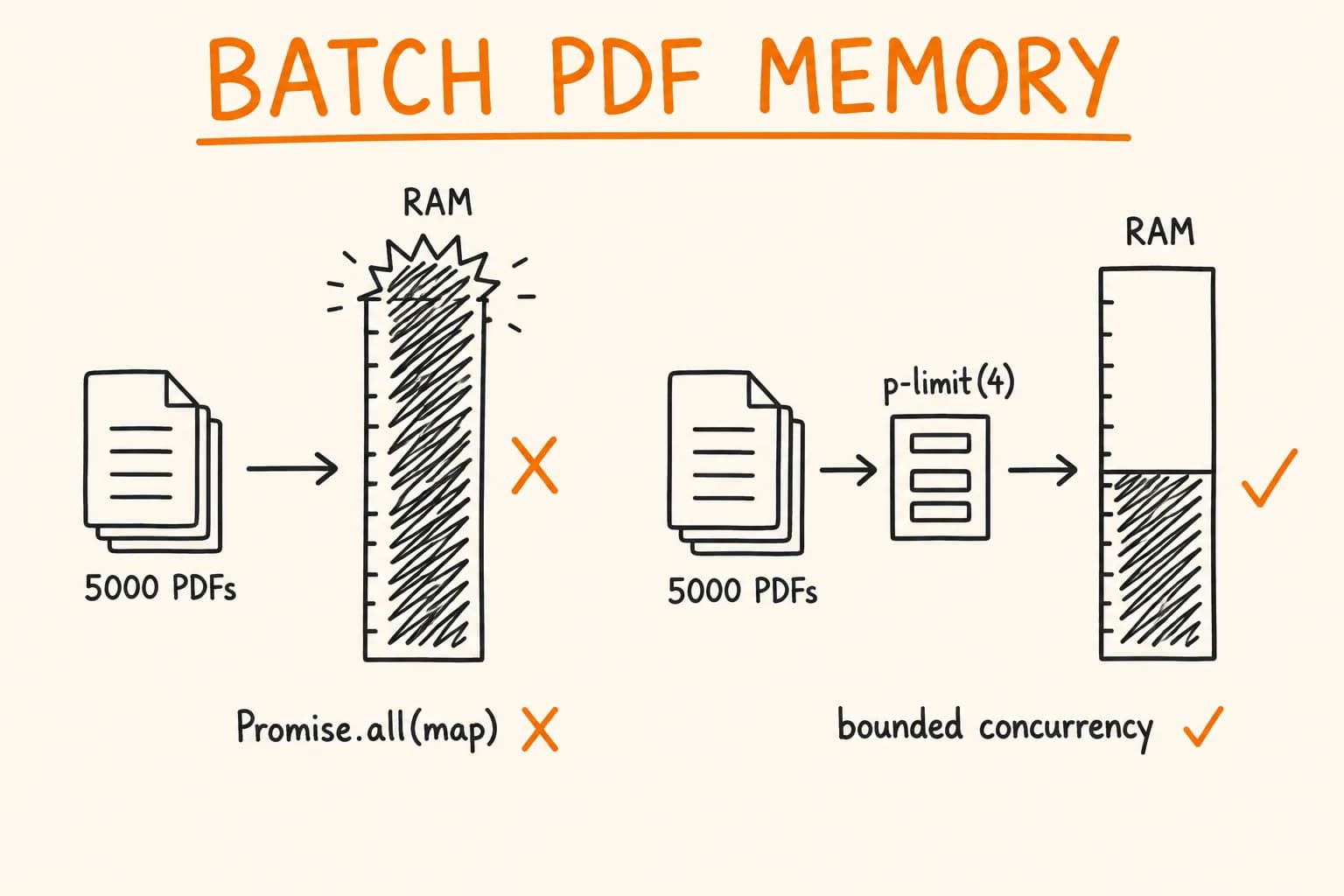
PDF invoices sound like a solved problem. Pick a library, render some HTML, done. Then you deploy to Vercel and discover Chromium doesn’t fit in a serverless function. Or you need a Russian invoice and your fonts are all question marks. Or your ‘fast’ generation blocks the request thread for 4 seconds.
I’ve hit all of these in production – twice, with two different tools, in two different e-commerce systems. At Pikkuna, I used Puppeteer to generate Finnish VAT invoices in a format Netvisor (Finnish accounting software) could import. At pi-pi.ee, I switched to @react-pdf/renderer because the platform runs on Vercel and needs Cyrillic support for Russian and Ukrainian customers.
This is what I actually learned.
The Honest Comparison Table
Before diving into implementation details, here’s the summary across the criteria that actually matter in production:
| Criterion | Puppeteer | @react-pdf/renderer |
|---|---|---|
| Bundle size | ~100 MB (Chromium) | ~2 MB |
| Generation time | 2–5 seconds | under 500ms |
| Cyrillic / non-Latin fonts | Works out of the box | Requires custom font loading |
| CSS support | Full HTML/CSS | Subset (flexbox, no grid, no pseudoselectors) |
| Vercel deployment | Problematic – needs workarounds | Works without configuration |
| Complexity | High (browser process management) | Medium (React-like API) |
| Best suited for | Complex layouts, exact web-to-PDF | Simple structured docs: invoices, receipts |
Neither is universally better. The right choice depends on your deployment target and document complexity.
When Puppeteer Is the Right Tool
Puppeteer launches a real Chromium browser, renders your HTML, and screenshots it to PDF. That means anything you can do in a browser – complex tables, multi-column layouts, CSS Grid, media queries, web fonts – works exactly as it does on the web.
This is worth a lot when:
- You already have HTML invoice templates and want PDFs that match them exactly
- Your layout is complex – nested tables, conditional columns, multi-page breakpoints
- You’re deploying on a VPS or dedicated server where 100 MB of Chromium isn’t a problem
- You need to render a web page as it appears in the browser (reports, dashboards)
For Pikkuna, Puppeteer was the right call. Finnish accounting software Netvisor has a specific invoice format – precise column widths, Finnish-language labels, VAT line items broken out per rate. The invoice template was already HTML (used for email previews), and reusing it for PDF generation saved significant time. The deployment runs on a VPS, so the Chromium binary wasn’t a concern.
Here’s the core generation function I used:
// lib/pdf/generate-invoice-puppeteer.ts
import puppeteer, { Browser } from "puppeteer";

// Reuse a single browser instance across requests — launching Chromium
// for every PDF is 1–2 seconds of overhead you don't want.
let browserInstance: Browser | null = null;

async function getBrowser(): Promise<Browser> {
  if (!browserInstance || !browserInstance.connected) {
    browserInstance = await puppeteer.launch({
      headless: true,
      args: [
        "--no-sandbox",
        "--disable-setuid-sandbox",
        "--disable-dev-shm-usage", // Required in Docker/Linux — /dev/shm is small
      ],
    });
  }
  return browserInstance;
}

export async function generateInvoicePDF(htmlContent: string): Promise<Buffer> {
  const browser = await getBrowser();
  const page = await browser.newPage();

  try {
    // setContent is faster than page.goto() for generated HTML
    await page.setContent(htmlContent, { waitUntil: "networkidle0" });

    const pdf = await page.pdf({
      format: "A4",
      printBackground: true, // Include background colors and images
      margin: { top: "20mm", right: "15mm", bottom: "20mm", left: "15mm" },
    });

    return Buffer.from(pdf);
  } finally {
    // Close the page but keep the browser running — pages are cheap, browsers are not
    await page.close();
  }
}
The browser reuse pattern is critical. Launching Chromium cold takes 1–2 seconds. If you create a new browser for each invoice, your generation time is dominated by startup overhead. Keep one browser alive and open pages from it.
One more thing: waitUntil: "networkidle0" ensures external resources (fonts, images) finish loading before the PDF is captured. If you’re loading a web font from Google Fonts in your HTML template, this matters.
When @react-pdf/renderer Is the Right Tool
@react-pdf/renderer doesn’t use a browser at all. It’s a React renderer that outputs PDF primitives directly – text, shapes, pages – using its own layout engine. No Chromium, no DOM, no browser APIs.
The tradeoffs follow from this design. The bundle stays small (under 2 MB). Generation is fast – under 500ms even for multi-page documents. It runs anywhere Node.js runs, including serverless functions.
The limitations are equally direct: you write layouts in JSX with a constrained set of components (View, Text, Image, Page) and a subset of CSS properties. Flexbox works; CSS Grid does not. Pseudo-selectors don’t exist. If your mental model is ‘HTML but compiled to PDF’, you’ll hit a wall. If your mental model is ‘a document layout API with React syntax’, it clicks quickly.
For pi-pi.ee, the choice was straightforward:
- The platform is deployed on Vercel
- Customers in the Baltics, Russia, and Ukraine need invoices with Cyrillic content
- Invoices are structured documents – line items, totals, VAT breakdown – not complex web layouts
@react-pdf/renderer covered all of these. The Cyrillic support required custom font loading, which I’ll cover below.
Puppeteer on Vercel – The Problem and the Workaround
If you’re on Vercel and thinking ‘I’ll just use Puppeteer’, the problem is the Chromium binary. Chromium is ~100 MB. Vercel’s function size limit is 50 MB for the default runtime. Even with the Lambda runtime at 250 MB, you’re pushing the edge, and cold starts become painful.
The solution is @sparticuz/chromium – a version of Chromium packaged specifically for AWS Lambda and Vercel’s serverless environment. It uses a compressed binary that downloads lazily at runtime.
// lib/pdf/puppeteer-serverless.ts
import chromium from "@sparticuz/chromium";
import puppeteer from "puppeteer-core"; // Note: puppeteer-core, not puppeteer

export async function generatePDFServerless(htmlContent: string): Promise<Buffer> {
  // chromium.executablePath() downloads and extracts the binary on first call.
  // Cache-control is handled internally; subsequent calls reuse the cached binary.
  const executablePath = await chromium.executablePath();

  const browser = await puppeteer.launch({
    args: chromium.args,
    defaultViewport: chromium.defaultViewport,
    executablePath,
    headless: chromium.headless,
  });

  const page = await browser.newPage();

  try {
    await page.setContent(htmlContent, { waitUntil: "networkidle0" });
    const pdf = await page.pdf({ format: "A4", printBackground: true });
    return Buffer.from(pdf);
  } finally {
    await page.close();
    await browser.close(); // On serverless, close the browser — no persistent instance
  }
}
This works – I’ve used it. But with caveats:
- Cold starts take 3–6 seconds because the binary downloads and decompresses
- Memory usage peaks at 400–600 MB per invocation – watch your Vercel function memory limits
- The function size is still large; you may need to move PDF generation to a dedicated route with increased limits
My recommendation: if you’re on Vercel and need PDF generation, default to @react-pdf/renderer. Reach for @sparticuz/chromium only if you have a specific reason to need a full browser renderer. If Puppeteer is non-negotiable (complex layouts, existing HTML templates), consider a dedicated lightweight VPS for PDF generation and call it as an internal API from your Vercel deployment.
Cyrillic in @react-pdf/renderer
Out of the box, @react-pdf/renderer uses a built-in font that covers basic Latin characters. Cyrillic, Greek, Hebrew, CJK – none of it renders. What you get is replacement boxes.
The fix is straightforward once you know it: register a custom font that includes the required Unicode ranges.
For pi-pi.ee, I used Roboto (which covers Cyrillic) downloaded from Google Fonts and stored in the project as static assets:
// lib/pdf/fonts.ts
import { Font } from "@react-pdf/renderer";

// Register once at module load — @react-pdf caches registered fonts.
// Call this before any PDF rendering that needs Cyrillic.
export function registerFonts(): void {
  Font.register({
    family: "Roboto",
    fonts: [
      {
        src: "/fonts/Roboto-Regular.ttf",
        fontWeight: "normal",
      },
      {
        src: "/fonts/Roboto-Bold.ttf",
        fontWeight: "bold",
      },
      {
        src: "/fonts/Roboto-Italic.ttf",
        fontWeight: "normal",
        fontStyle: "italic",
      },
    ],
  });
}
Then use fontFamily: "Roboto" in your PDF styles. Any Text component that doesn’t specify fontFamily falls back to the built-in font and will break on Cyrillic, so set it at the document root style.
One important note: the font path needs to be accessible at render time. In a Next.js API route or Server Action, /fonts/ resolves against the public/ directory at runtime. In a standalone worker process, use path.join(process.cwd(), "public", "fonts", "Roboto-Regular.ttf") for an absolute path instead.
A Full Invoice Component with @react-pdf/renderer
Here’s a production-level invoice component. This is based on the pi-pi.ee invoice structure, simplified slightly for clarity:
// components/pdf/Invoice.tsx
import React from "react";
import {
  Document,
  Page,
  Text,
  View,
  StyleSheet,
} from "@react-pdf/renderer";
import { registerFonts } from "@/lib/pdf/fonts";

registerFonts();

interface LineItem {
  description: string;
  quantity: number;
  unitPrice: number; // in cents
  vatRate: number; // e.g. 0.22 for 22%
}

interface InvoiceProps {
  invoiceNumber: string;
  issuedAt: Date;
  dueAt: Date;
  seller: {
    name: string;
    address: string;
    vatNumber: string;
  };
  buyer: {
    name: string;
    address: string;
    vatNumber?: string; // Optional — B2C buyers don't have one
  };
  lineItems: LineItem[];
  currency: string;
  locale: string; // "en", "ru", "uk", "et"
  reverseCharge?: boolean; // B2B cross-border: buyer accounts for VAT
}

const styles = StyleSheet.create({
  page: {
    fontFamily: "Roboto", // Required for Cyrillic support
    fontSize: 10,
    padding: 40,
    color: "#1a1a1a",
  },
  header: {
    flexDirection: "row",
    justifyContent: "space-between",
    marginBottom: 32,
  },
  title: {
    fontSize: 22,
    fontWeight: "bold",
    marginBottom: 4,
  },
  section: {
    marginBottom: 20,
  },
  label: {
    fontSize: 8,
    color: "#666",
    marginBottom: 2,
    textTransform: "uppercase",
  },
  value: {
    fontSize: 10,
  },
  tableHeader: {
    flexDirection: "row",
    backgroundColor: "#f5f5f5",
    paddingVertical: 6,
    paddingHorizontal: 8,
    borderBottomWidth: 1,
    borderBottomColor: "#e0e0e0",
    fontWeight: "bold",
  },
  tableRow: {
    flexDirection: "row",
    paddingVertical: 6,
    paddingHorizontal: 8,
    borderBottomWidth: 1,
    borderBottomColor: "#f0f0f0",
  },
  col: {
    flex: 1,
  },
  colNarrow: {
    width: 60,
    textAlign: "right",
  },
  colWide: {
    flex: 3,
  },
  totalsContainer: {
    alignItems: "flex-end",
    marginTop: 16,
  },
  totalRow: {
    flexDirection: "row",
    justifyContent: "space-between",
    width: 220,
    paddingVertical: 3,
  },
  totalRowBold: {
    flexDirection: "row",
    justifyContent: "space-between",
    width: 220,
    paddingVertical: 5,
    borderTopWidth: 1,
    borderTopColor: "#1a1a1a",
    marginTop: 4,
    fontWeight: "bold",
  },
  reverseChargeNote: {
    marginTop: 24,
    padding: 10,
    backgroundColor: "#f9f9f9",
    borderLeftWidth: 3,
    borderLeftColor: "#ccc",
    fontSize: 9,
    color: "#555",
  },
});

const REVERSE_CHARGE_NOTES: Record<string, string> = {
  en: "VAT reverse charge applies. The recipient is liable for the VAT amount under Article 196 of Council Directive 2006/112/EC.",
  ru: "Применяется механизм обратного начисления НДС. Получатель несёт ответственность за уплату НДС согласно статье 196 Директивы Совета 2006/112/EC.",
  uk: "Застосовується механізм зворотного нарахування ПДВ. Одержувач несе відповідальність за сплату ПДВ згідно зі статтею 196 Директиви Ради 2006/112/ЄС.",
  et: "Kohaldatakse käibemaksu pöördmaksustamise mehhanismi. Saaja vastutab käibemaksu tasumise eest vastavalt nõukogu direktiivi 2006/112/EÜ artiklile 196.",
};

function formatMoney(cents: number, currency: string, locale: string): string {
  return new Intl.NumberFormat(locale, {
    style: "currency",
    currency: currency.toUpperCase(),
  }).format(cents / 100);
}

function formatDate(date: Date, locale: string): string {
  return new Intl.DateTimeFormat(locale, {
    year: "numeric",
    month: "long",
    day: "numeric",
  }).format(date);
}

export function Invoice({
  invoiceNumber,
  issuedAt,
  dueAt,
  seller,
  buyer,
  lineItems,
  currency,
  locale,
  reverseCharge = false,
}: InvoiceProps): React.ReactElement {
  const subtotal = lineItems.reduce(
    (sum, item) => sum + item.unitPrice * item.quantity,
    0
  );

  // Group VAT by rate to display breakdown (e.g. 22% VAT: €X, 9% VAT: €Y)
  const vatByRate = lineItems.reduce<Record<number, number>>((acc, item) => {
    const vatAmount = item.unitPrice * item.quantity * item.vatRate;
    acc[item.vatRate] = (acc[item.vatRate] ?? 0) + vatAmount;
    return acc;
  }, {});

  const totalVat = Object.values(vatByRate).reduce((sum, v) => sum + v, 0);
  const total = subtotal + (reverseCharge ? 0 : totalVat);

  return (
    <Document>
      <Page size="A4" style={styles.page}>
        {/* Header */}
        <View style={styles.header}>
          <View>
            <Text style={styles.title}>Invoice</Text>
            <Text style={styles.value}>{invoiceNumber}</Text>
          </View>
          <View style={{ alignItems: "flex-end" }}>
            <Text style={styles.label}>Issued</Text>
            <Text style={styles.value}>{formatDate(issuedAt, locale)}</Text>
            <Text style={[styles.label, { marginTop: 8 }]}>Due</Text>
            <Text style={styles.value}>{formatDate(dueAt, locale)}</Text>
          </View>
        </View>

        {/* Seller / Buyer */}
        <View style={{ flexDirection: "row", marginBottom: 24 }}>
          <View style={[styles.section, { flex: 1 }]}>
            <Text style={styles.label}>From</Text>
            <Text style={[styles.value, { fontWeight: "bold" }]}>
              {seller.name}
            </Text>
            <Text style={styles.value}>{seller.address}</Text>
            <Text style={styles.value}>VAT: {seller.vatNumber}</Text>
          </View>
          <View style={[styles.section, { flex: 1 }]}>
            <Text style={styles.label}>Bill To</Text>
            <Text style={[styles.value, { fontWeight: "bold" }]}>
              {buyer.name}
            </Text>
            <Text style={styles.value}>{buyer.address}</Text>
            {buyer.vatNumber && (
              <Text style={styles.value}>VAT: {buyer.vatNumber}</Text>
            )}
          </View>
        </View>

        {/* Line Items Table */}
        <View style={styles.tableHeader}>
          <Text style={styles.colWide}>Description</Text>
          <Text style={styles.colNarrow}>Qty</Text>
          <Text style={styles.colNarrow}>Unit Price</Text>
          <Text style={styles.colNarrow}>VAT %</Text>
          <Text style={styles.colNarrow}>Total</Text>
        </View>

        {lineItems.map((item, index) => (
          <View key={index} style={styles.tableRow}>
            <Text style={styles.colWide}>{item.description}</Text>
            <Text style={styles.colNarrow}>{item.quantity}</Text>
            <Text style={styles.colNarrow}>
              {formatMoney(item.unitPrice, currency, locale)}
            </Text>
            <Text style={styles.colNarrow}>
              {(item.vatRate * 100).toFixed(0)}%
            </Text>
            <Text style={styles.colNarrow}>
              {formatMoney(item.unitPrice * item.quantity, currency, locale)}
            </Text>
          </View>
        ))}

        {/* Totals */}
        <View style={styles.totalsContainer}>
          <View style={styles.totalRow}>
            <Text>Subtotal</Text>
            <Text>{formatMoney(subtotal, currency, locale)}</Text>
          </View>

          {/* VAT breakdown per rate */}
          {!reverseCharge &&
            Object.entries(vatByRate).map(([rate, amount]) => (
              <View key={rate} style={styles.totalRow}>
                <Text>VAT {(Number(rate) * 100).toFixed(0)}%</Text>
                <Text>{formatMoney(amount, currency, locale)}</Text>
              </View>
            ))}

          {reverseCharge && (
            <View style={styles.totalRow}>
              <Text>VAT</Text>
              <Text>Reverse charge</Text>
            </View>
          )}

          <View style={styles.totalRowBold}>
            <Text>Total</Text>
            <Text>{formatMoney(total, currency, locale)}</Text>
          </View>
        </View>

        {/* Reverse charge legal note in the customer's language */}
        {reverseCharge && (
          <View style={styles.reverseChargeNote}>
            <Text>
              {REVERSE_CHARGE_NOTES[locale] ?? REVERSE_CHARGE_NOTES["en"]}
            </Text>
          </View>
        )}
      </Page>
    </Document>
  );
}
And the Next.js API route that renders this to a PDF stream:
// app/api/invoices/[id]/route.ts
import { renderToBuffer } from "@react-pdf/renderer";
import { Invoice } from "@/components/pdf/Invoice";
import { db } from "@/packages/db";
import { invoices } from "@/packages/db/schema";
import { eq } from "drizzle-orm";
import React from "react";

export async function GET(
  _request: Request,
  { params }: { params: Promise<{ id: string }> }
): Promise<Response> {
  const { id } = await params;
  const invoice = await db
    .select()
    .from(invoices)
    .where(eq(invoices.id, id))
    .limit(1)
    .then((rows) => rows[0]);

  if (!invoice) {
    return new Response("Invoice not found", { status: 404 });
  }

  // renderToBuffer is synchronous under the hood — it doesn't stream.
  // For large documents, consider renderToStream() if you need early flush.
  const pdfBuffer = await renderToBuffer(
    React.createElement(Invoice, {
      invoiceNumber: invoice.number,
      issuedAt: invoice.issuedAt,
      dueAt: invoice.dueAt,
      seller: invoice.seller,
      buyer: invoice.buyer,
      lineItems: invoice.lineItems,
      currency: invoice.currency,
      locale: invoice.locale,
      reverseCharge: invoice.reverseCharge,
    })
  );

  return new Response(pdfBuffer, {
    headers: {
      "Content-Type": "application/pdf",
      "Content-Disposition": `attachment; filename="invoice-${invoice.number}.pdf"`,
      "Content-Length": pdfBuffer.byteLength.toString(),
    },
  });
}
Gotchas That Cost Me Real Time
@react-pdf/renderer layout bugs with flex: 1 inside nested Views. The layout engine is not a browser – flex behaviour diverges from the CSS spec in edge cases. If an element isn’t sizing correctly, try setting explicit width instead of relying on flex: 1 in nested containers.
Puppeteer’s waitUntil: "networkidle0" can hang. If your HTML loads external resources that never resolve (a font CDN that’s down, an image URL returning 404), networkidle0 will wait until the timeout. In production, serve all assets locally or inline CSS/fonts as base64 data URIs.
@react-pdf/renderer doesn’t support position: absolute for complex overlays. You can achieve positioned elements using nested flex containers, but if you need exact pixel positioning for stamps, signatures, or watermarks, Puppeteer handles this better.
Font registration in @react-pdf must happen before the first render. If you register fonts inside a React component and that component is rendered in parallel on multiple requests, you’ll get race conditions. Register fonts once at module load (as shown above) – not inside components or request handlers.
Puppeteer page leaks if exceptions aren’t handled. Always close the page in a finally block. An unhandled error that skips page.close() keeps the page open and eventually exhausts Chromium’s process memory.
@react-pdf renderToBuffer vs renderToStream. For serverless functions, renderToBuffer is simpler. For long documents where you want to start sending bytes to the client early, renderToStream works – but verify your response streaming is actually working end-to-end before depending on it in production.
Results in Production
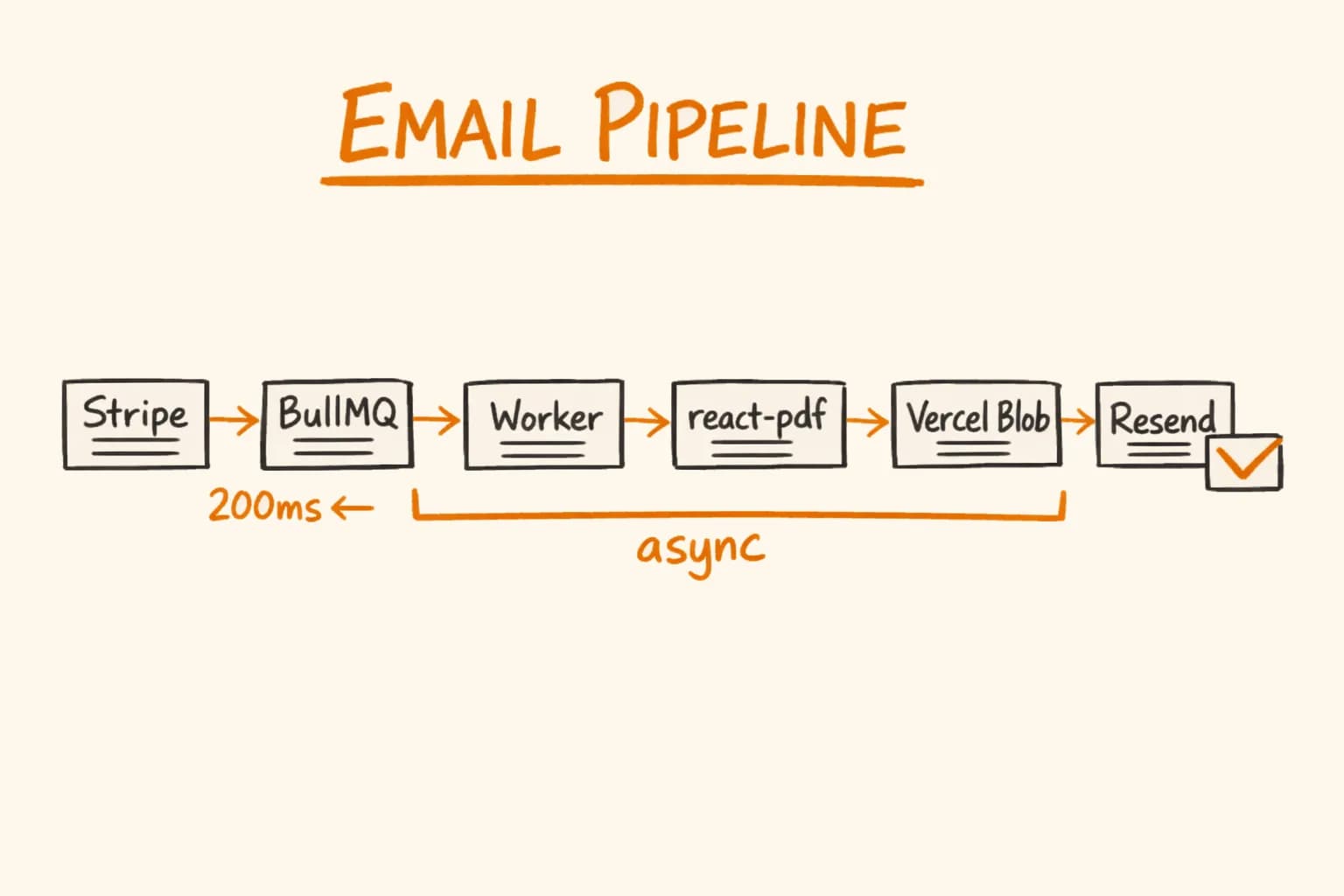
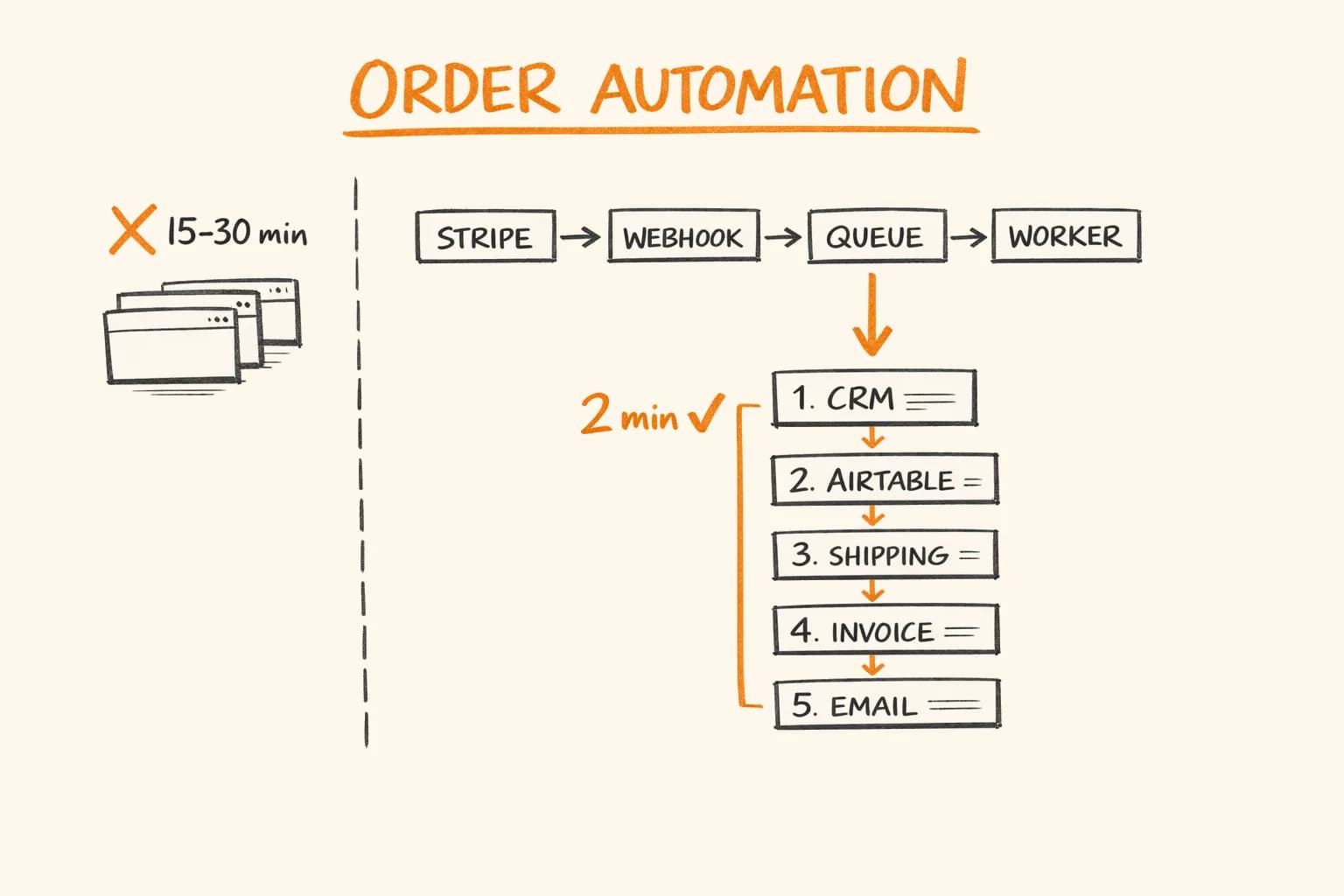
At Pikkuna, Puppeteer-generated invoices arrive in the Netvisor accounting integration within the 2-minute order pipeline. Generation time averages 2.8 seconds per invoice – acceptable because it runs asynchronously in the BullMQ worker, not blocking any user-facing request.
At pi-pi.ee, @react-pdf/renderer generates invoices on Vercel in under 400ms. Cyrillic renders correctly for Russian and Ukrainian customers. The reverse charge note appears in the customer’s language automatically based on the locale field from Stripe’s payment metadata.
The bundle size difference is real: @react-pdf/renderer adds about 2 MB to the serverless function bundle. @sparticuz/chromium adds roughly 50 MB (the binary is fetched at runtime, not bundled, but the total deployment footprint grows).
Choosing Between Them
If you’re on Vercel or Cloudflare Workers: use @react-pdf/renderer. Don’t fight the platform.
If you’re on a VPS and your invoices match complex HTML templates you already maintain: use Puppeteer. Reuse the template, and don’t pay the cost of reimplementing layout logic in the @react-pdf API.
If you need Cyrillic, Arabic, or other non-Latin scripts: @react-pdf/renderer with custom fonts is more reliable. Puppeteer technically supports non-Latin scripts, but you need the correct system fonts installed in your server environment – something serverless functions don’t guarantee.
If generation speed matters for a synchronous user-facing flow (download invoice button, generate-on-demand): @react-pdf/renderer wins clearly at under 500ms vs 2–5 seconds for Puppeteer.
Frequently Asked Questions
- Can I use Puppeteer for PDF generation on Vercel?
- You can, but it requires @sparticuz/chromium – a Lambda-optimised Chromium binary that downloads lazily at runtime. Cold starts take 3-6 seconds and memory peaks at 400-600 MB per invocation. If your layout is not complex HTML that must match a browser render exactly, @react-pdf/renderer is the simpler and more reliable choice on Vercel.
- How do I add Cyrillic support to @react-pdf/renderer?
- Register a custom font that covers the Cyrillic Unicode range before any render call. I use Roboto, downloaded from Google Fonts and stored as static TTF files in the project. Register all weights you need (regular, bold, italic) with Font.register() at module load time – not inside components or request handlers. Then set fontFamily: ‘Roboto’ on the Page or Document root style.
- How fast is @react-pdf/renderer compared to Puppeteer?
- For structured documents like invoices, @react-pdf/renderer generates PDFs in under 500ms. Puppeteer averages 2-5 seconds because it launches a Chromium process. On pikkuna.fi, Puppeteer-generated invoices average 2.8 seconds; on pi-pi.ee, @react-pdf/renderer generates the same type of document in under 400ms.
- What CSS features does @react-pdf/renderer support?
- @react-pdf/renderer supports flexbox layout, basic box model properties, borders, colours, and font styling. It does not support CSS Grid, pseudo-selectors (:hover,::before), or position:absolute for complex overlays. If you need exact web-to-PDF fidelity with complex layouts, Puppeteer is the better fit.
- Should I generate PDFs synchronously or asynchronously?
- For user-facing flows like a download button, synchronous generation is acceptable with @react-pdf/renderer at under 500ms. With Puppeteer at 2-5 seconds, synchronous generation blocks the request and hurts perceived performance. On pikkuna.fi, Puppeteer PDF generation runs in a BullMQ background worker rather than in the request path.
If you’re building an e-commerce or SaaS platform that needs PDF generation – invoices, receipts, shipping documents – you’ll hit exactly these tradeoffs. I’ve solved them across Pikkuna and pi-pi.ee, integrated into automated order pipelines running across 30+ languages and 35 EU markets. PDF generation is usually just one piece of a larger e-commerce automation stack – see how the full order pipeline fits together.
If you need a senior developer who can own this end-to-end – get in touch. I’m available for freelance projects and long-term engagements.