

RAG system on OpenAI and Upstash Vector in 30 languages, with a streaming chatbot and hybrid search (semantic + keyword).
Databases
Client-side SVG configurator with live preview for designing vinyl curtains and roofing panels. Supports trapezoid shapes, zipper doors, 5 mounting types, and automatic price calculation.
Libraries
Services
Key Results
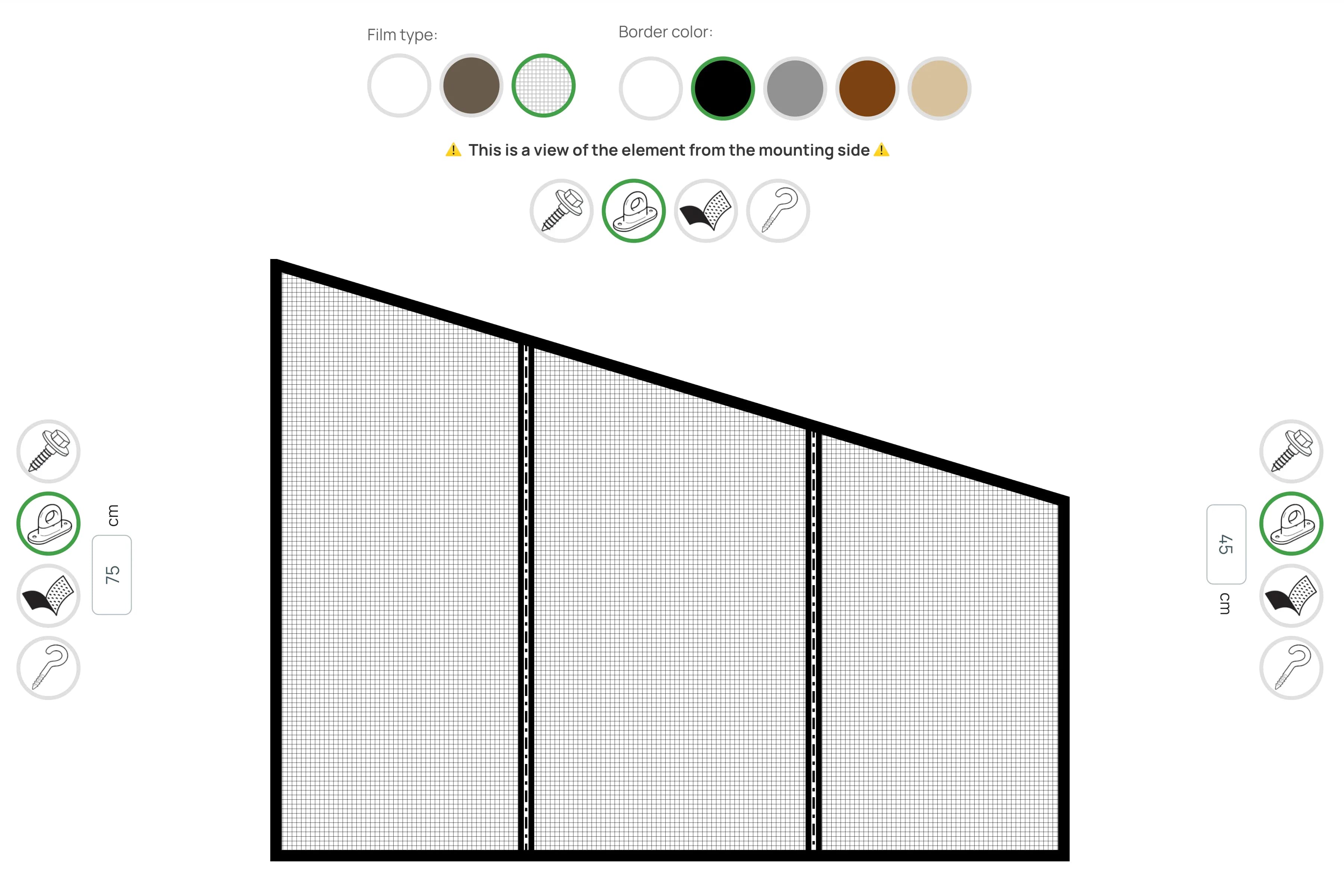
Pikkuna vinyl curtains are custom-order products with unique dimensions for each customer. Buyers didn’t understand how the finished product would look, especially when choosing a trapezoid shape (different left/right heights) or adding a zipper door. This led to order errors and returns.
I built an interactive SVG configurator where every parameter change is instantly reflected in the visual preview. Trapezoid shape renders mathematically precise via SVG <path>. Zipper door visualizes with real proportions and position. I used useDeferredValue from React 18 to keep the UI responsive during fast input. A single PikkunaSVGPreview component, reused in 4 contexts: calculator, cart, floating price bar, and server-side PNG generation for email confirmations.

| Metric | Value |
|---|---|
| Products | 2 (Pikkuna, Pikkuroof) |
| Parameters | 12+ configurable |
| INP | <200ms (useDeferredValue) |
| Adaptivity | 100% (32px to fullscreen) |
| Component reuse | 4 contexts |
| Main component | 622 lines |
| Calculator | 1622 lines (Pikkuna), 962 lines (Pikkuroof) |
Order errors dropped significantly – customers see exactly what they’re ordering. The real-time preview maintains 60fps even on mid-range devices thanks to useMemo optimization and efficient SVG path calculations.
┌─────────────────────────────────────────────────────────────────┐
│                    PikkunaSVGPreview.tsx                        │
│                      (622 lines, Client Component)              │
├─────────────────────────────────────────────────────────────────┤
│  Props:                                                         │
│  ├─ productType: 'pikkuna' | 'pikkuroof'                       │
│  ├─ width, leftHeight, rightHeight                             │
│  ├─ film: 'clear' | 'tinted' | 'mosquito' | 'clearRoof'...     │
│  ├─ border: 'white' | 'black' | 'gray' | 'brown' | 'beige'     │
│  └─ zipDoor, doorWidth, doorOffset                             │
├─────────────────────────────────────────────────────────────────┤
│  Used in:                                                       │
│  ├─ pikkunaCalculator (live edit)                              │
│  ├─ FloatingPriceBar (mini 32-64px)                            │
│  ├─ cart/ProductCard (cart preview)                            │
│  └─ generateProductSvg.ts (server-side SVG→PNG for email)      │
└─────────────────────────────────────────────────────────────────┘
For the technically curious, here is how the core pieces are built.
The SVG renders as a <path> with 4 points, where the top corners shift along the Y axis when the sides have different heights:
// src/components/PikkunaSVGPreview.tsx
const trapezoidDimensions = useMemo(() => {
  const baseWidth = width;
  const baseHeight = Math.max(leftHeight, rightHeight);

  // Scale to fit container (fit-contain)
  const scaleX = (containerSize.width - FRAME_STROKE_WIDTH * 2) / baseWidth;
  const scaleY = (containerSize.height - FRAME_STROKE_WIDTH * 2) / baseHeight;
  const scale = Math.min(scaleX, scaleY);

  const scaledWidth = baseWidth * scale;
  const scaledLeftHeight = leftHeight * scale;
  const scaledRightHeight = rightHeight * scale;

  // Center in container
  const offsetX = (containerSize.width - scaledWidth) / 2;
  const offsetY = (containerSize.height - Math.max(scaledLeftHeight, scaledRightHeight)) / 2;

  // 4 trapezoid points (top can be sloped)
  const topLeftY = offsetY + (Math.max(scaledLeftHeight, scaledRightHeight) - scaledLeftHeight);
  const topRightY = offsetY + (Math.max(scaledLeftHeight, scaledRightHeight) - scaledRightHeight);
  const bottomY = offsetY + Math.max(scaledLeftHeight, scaledRightHeight);

  return {
    topLeftX: offsetX, topLeftY,
    topRightX: offsetX + scaledWidth, topRightY,
    bottomLeftX: offsetX, bottomLeftY: bottomY,
    bottomRightX: offsetX + scaledWidth, bottomRightY: bottomY,
    scale,
  };
}, [width, leftHeight, rightHeight, containerSize]);

// SVG path: trapezoid or rectangle
<path
  d={`M ${topLeftX},${topLeftY}
      L ${topRightX},${topRightY}
      L ${bottomRightX},${bottomRightY}
      L ${bottomLeftX},${bottomLeftY} Z`}
  fill={filmFill}
  stroke={borderColor}
  strokeWidth={FRAME_STROKE_WIDTH}
/>The zipper renders as 3 parallel lines with dashes to simulate teeth:
// src/components/PikkunaSVGPreview.tsx
const renderZipperDoor = () => {
  if (!zipDoor || doorWidth <= 0) return null;

  const { scale } = trapezoidDimensions;
  const scaledDoorWidth = doorWidth * scale;
  const scaledDoorOffset = doorOffset * scale;

  // Door position from left edge
  const doorLeftX = bottomLeftX + scaledDoorOffset;
  const doorRightX = doorLeftX + scaledDoorWidth;

  // Y interpolation for door top (accounting for trapezoid)
  const doorTopLeftY = interpolateY(doorLeftX);
  const doorTopRightY = interpolateY(doorRightX);

  return (
    <g className="zipper-door">
      {/* Left zipper rail */}
      <line x1={doorLeftX} y1={doorTopLeftY} x2={doorLeftX} y2={bottomY}
            stroke={borderColor} strokeWidth={ZIP_FRAME_WIDTH} />
      <line x1={doorLeftX} y1={doorTopLeftY} x2={doorLeftX} y2={bottomY}
            stroke="#333" strokeWidth={2} strokeDasharray="10 5 3 5" />

      {/* Right zipper rail */}
      <line x1={doorRightX} y1={doorTopRightY} x2={doorRightX} y2={bottomY}
            stroke={borderColor} strokeWidth={ZIP_FRAME_WIDTH} />
      <line x1={doorRightX} y1={doorTopRightY} x2={doorRightX} y2={bottomY}
            stroke="#333" strokeWidth={2} strokeDasharray="10 5 3 5" />

      {/* Bottom crossbar */}
      <line x1={doorLeftX} y1={bottomY - ZIP_FRAME_WIDTH/2}
            x2={doorRightX} y2={bottomY - ZIP_FRAME_WIDTH/2}
            stroke={borderColor} strokeWidth={ZIP_FRAME_WIDTH} />
    </g>
  );
};React 18 concurrent features for maintaining responsiveness during fast input:
// src/app/[locale]/pikkuna/pikkunaCalculator.tsx
const [width, setWidth] = useState(200);
const [leftHeight, setLeftHeight] = useState(150);
const [rightHeight, setRightHeight] = useState(150);
const [doorWidth, setDoorWidth] = useState(0);
const [doorOffset, setDoorOffset] = useState(0);

// Deferred values — SVG updates with delay, UI stays responsive
const deferredWidth = useDeferredValue(width);
const deferredLeftHeight = useDeferredValue(leftHeight);
const deferredRightHeight = useDeferredValue(rightHeight);
const deferredDoorWidth = useDeferredValue(doorWidth);
const deferredDoorOffset = useDeferredValue(doorOffset);

// "Stale" state indicator
const isStale = width !== deferredWidth ||
                leftHeight !== deferredLeftHeight ||
                rightHeight !== deferredRightHeight;

return (
  <div className={isStale ? 'opacity-80' : 'opacity-100'}>
    <PikkunaSVGPreview
      width={deferredWidth}
      leftHeight={deferredLeftHeight}
      rightHeight={deferredRightHeight}
      doorWidth={deferredDoorWidth}
      doorOffset={deferredDoorOffset}
    />
  </div>
);Single component works from 32px mini-preview to fullscreen:
// src/components/PikkunaSVGPreview.tsx
// Adaptive stroke constants
const FRAME_STROKE_WIDTH = containerSize.width <= 768
? 3 // Mobile
: 10; // Desktop
const ZIP_FRAME_WIDTH = containerSize.width <= 768
? 3
: 5;
// Simplified rendering for very small sizes (cart, floating bar)
const isSmallSize = containerSize.width < 120 || containerSize.height < 120;
const renderZipperDoor = () => {
if (isSmallSize) {
// Only 2 simple lines instead of full detail
return (
<>
<line x1={doorLeftX} y1={topY} x2={doorLeftX} y2={bottomY}
stroke={borderColor} strokeWidth={2} />
<line x1={doorRightX} y1={topY} x2={doorRightX} y2={bottomY}
stroke={borderColor} strokeWidth={2} />
</>
);
}
// Full detail for larger sizes
return (/* ... 6 lines with patterns ... */);
};
// viewBox auto-adjusts to content
<svg
viewBox={`${bounds.minX} ${bounds.minY} ${bounds.width} ${bounds.height}`}
preserveAspectRatio="xMidYMid meet"
className="w-full h-full"
/> Available
Need something similar?
I build custom solutions – from APIs to full products. Let’s talk about your project.
RAG system on OpenAI and Upstash Vector in 30 languages, with a streaming chatbot and hybrid search (semantic + keyword).
Databases
E-commerce platform with 30 locales, product configurators, AI chatbot, and fully automated order flow: Stripe → Zoho CRM → Airtable → Mailgun → PDF.
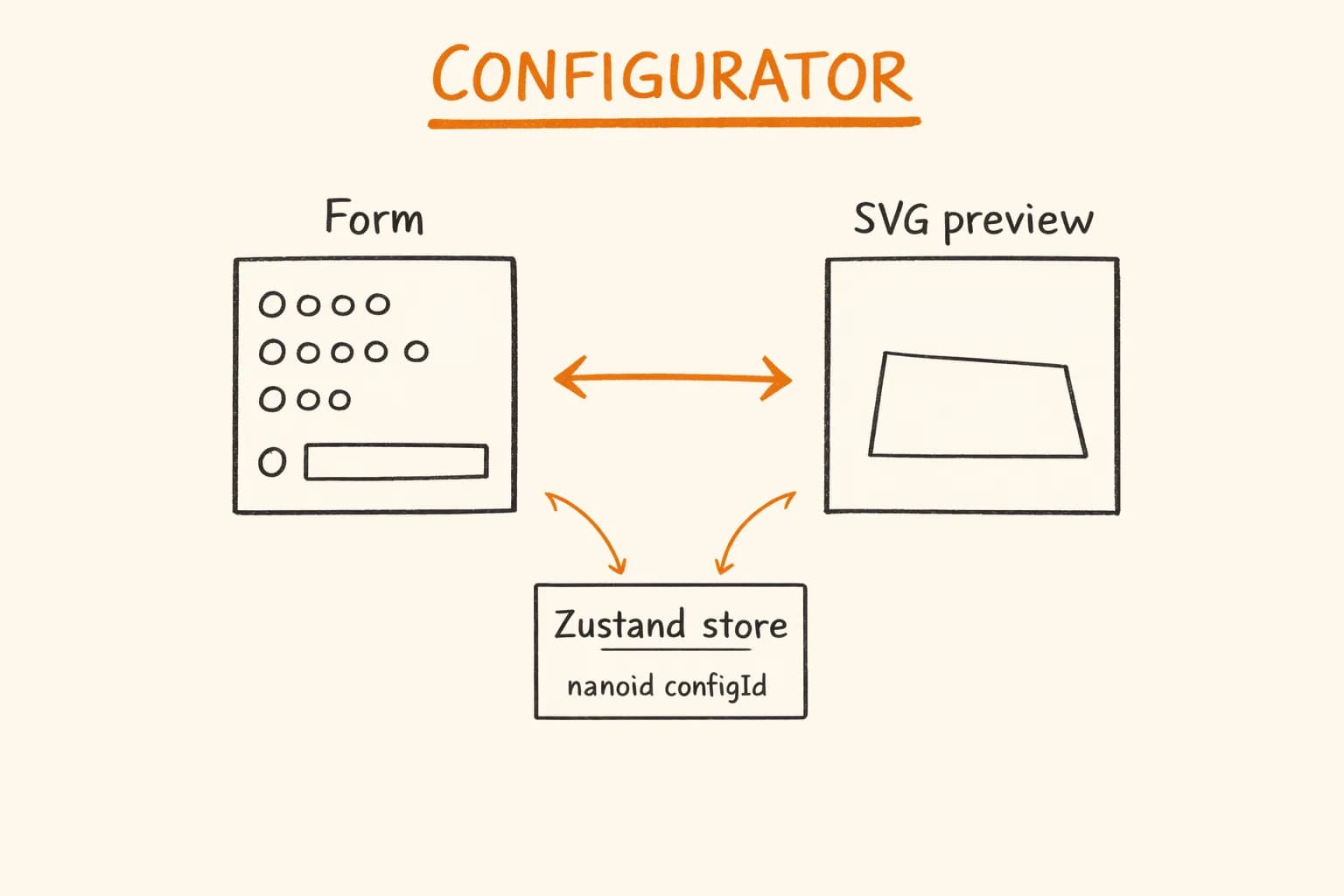
Build a React product configurator with Zustand, DaisyUI, Motion animations and a live SVG preview – architecture, pricing logic, and performance patterns.
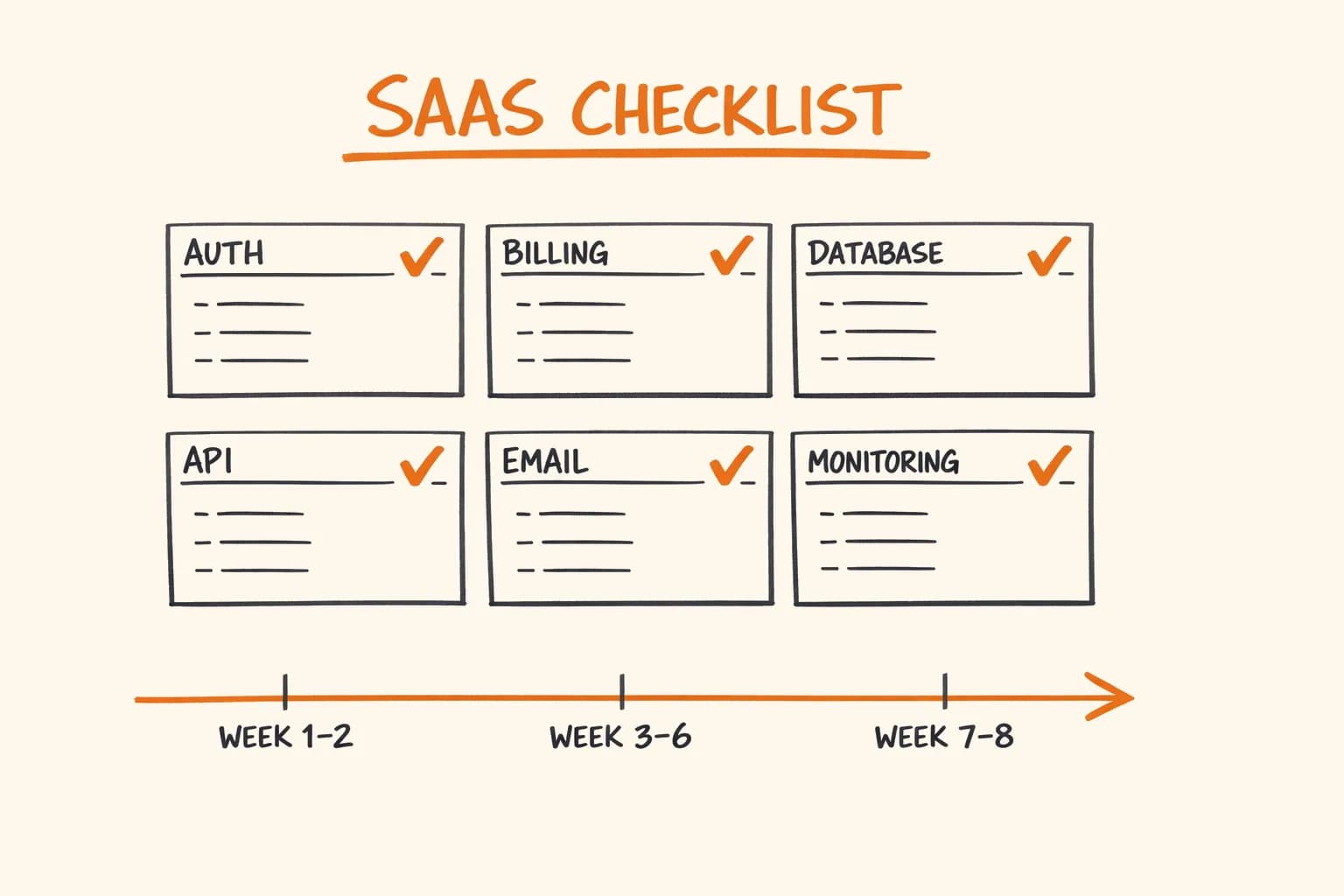
40+ point production SaaS checklist: auth, Stripe billing, PostgreSQL, rate limiting, email, monitoring, and security – with honest 8-week build estimates.
Stack
Databases
Topics